How to Make a Good Cover Letter: A Step-by-Step Guide


On this page
A customized letter got a 16.4% callback rate in a field experiment with 7,287 fictitious applications described by NoxJobs, compared with 10.7% with no cover letter and 12.5% with a generic letter. That is a 53% higher callback rate than submitting no letter. Learning how to make a good cover letter is not about polishing a biography. It’s about removing the hiring manager’s doubt in under a page, with two or three proofs tied to this posting, and skipping the letter when it can’t do that job.
The Four-Paragraph Structure Hiring Managers Scan
| Paragraph | Job | Typical length | What to include |
|---|---|---|---|
| Opening | Names the role and the strongest reason you fit | 2-3 sentences | Role title from the posting, your current title, one quantified result |
| Evidence | Matches two or three job requirements to proof | 4-6 sentences | Requirement from the posting, the action you took, the measurable outcome |
| Motivation | Explains why this employer or team | 3-4 sentences | One specific product, market or mission detail from the company’s own site |
| Close | Requests the next step | 1-2 sentences | Interview request, availability window, contact details |
That layout fits one page and roughly 250 to 400 words. In a 2022 survey of 625 U.S. hiring managers reported by Resume Genius, 83% read most submitted cover letters and 94% said letters influence interview decisions, while 18% said a weak letter could damage an otherwise strong application. Treat those read rates as an average, not a guarantee. A 2024 survey cited by Appalachian State University’s career center and noted in that same report found that only 26% of U.S. hiring managers read letters always or frequently and 44% never read them.
Why each paragraph earns its place
Your opening does identification and proof at once. Name the exact role title from the posting, your current title, and one quantified result that maps to their biggest need. Weak openers waste that slot.
Weak: “I am excited to apply for the Marketing Manager role because I am a results-driven professional.” Strong: “I am applying for the Marketing Manager role at Northwind. As a growth marketer at a 40-person SaaS firm, I raised trial sign-ups 38% in one year.”
The evidence paragraph is the core argument. Pick two or three requirements from the posting and give each one a requirement, action, outcome sequence. Don’t repeat resume bullets line by line. Connect them, so the reader sees why that past result predicts success here.
Motivation needs one employer-specific reason, such as a product launch, a new market, or a team mission stated on the company’s own site. Generic praise for the company culture proves nothing. The close asks for an interview and gives an availability window, which saves a scheduling round trip.
Apply one test to every sentence. If it could appear unchanged in an application for any job, cut it or make it specific to this employer. Draft all four paragraphs in order before you polish a single phrase.
How to Tailor Each Letter to One Job Posting
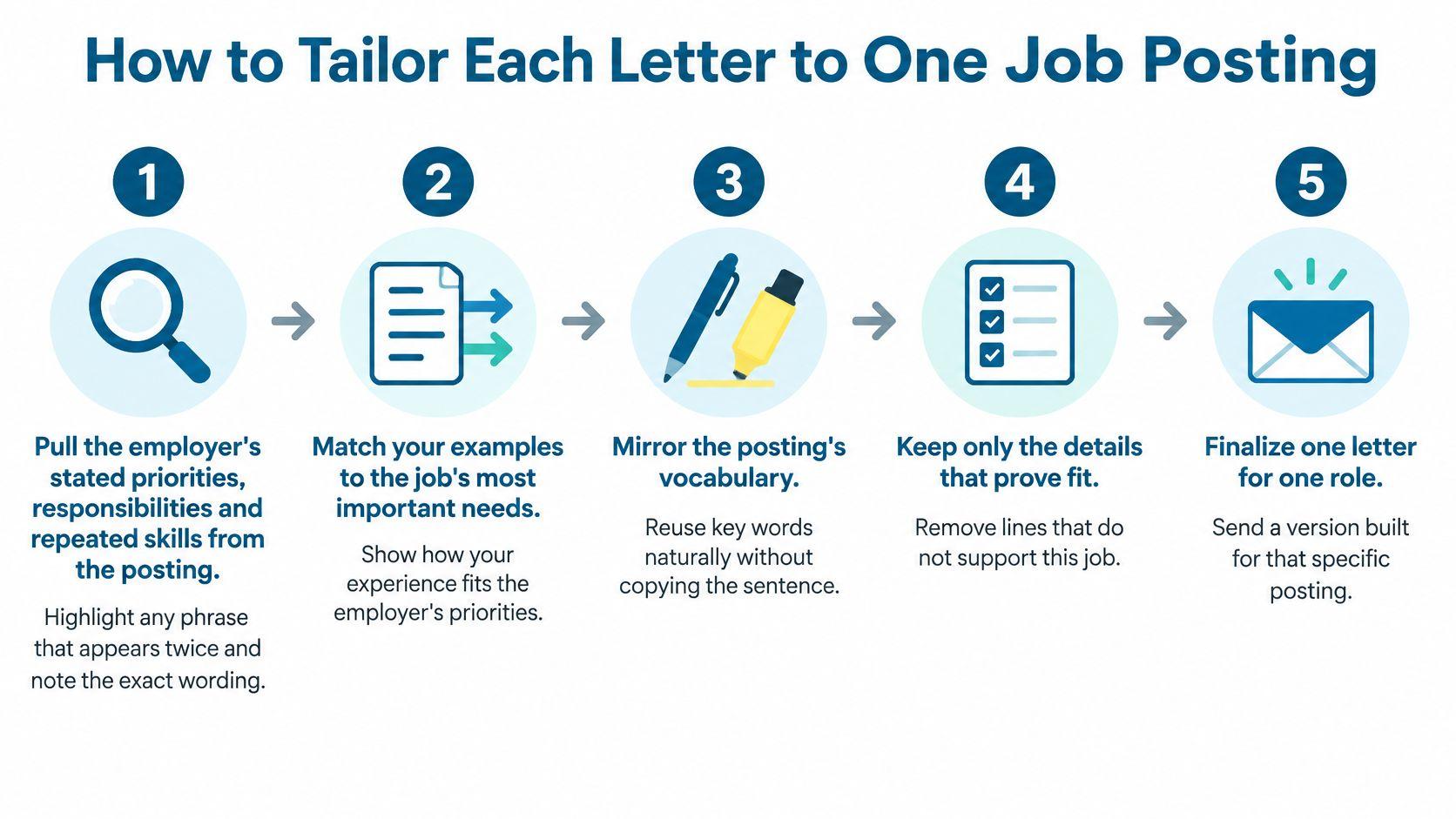
Substantive relevance beats swapping in a new name. In a 2021 survey of 603 hiring professionals across 56 industries published by iHire, 77.3% said they wanted candidates to customize cover letters for the particular job, and 65.3% considered cover letters important. Run these five steps for every role you pursue seriously, including the openings you compare across job roles.
The five step workflow
- Extract the priorities. Pull the employer’s stated responsibilities and repeated skills from the posting. Any phrase that appears twice, such as stakeholder reporting or Python pipelines, is a priority, and you should note its exact wording.
- Pick two or three matching examples. Choose resume evidence that directly proves those priorities. Skip impressive achievements the posting doesn’t ask for, because they dilute the match the reader is scanning for.
- Attach an outcome to each example. Add a percentage, time saved, revenue figure, or volume. If you don’t have a number, state scope instead, such as team size, number of markets, tools used, or stakeholders served.
- Explain this employer in one sentence. Draw your reason from something specific in the posting or on the company’s site. Name the product, market, or problem, then connect it to work you’ve done.
- Edit for terminology and accuracy. Keep the exact job title and required skill names from the posting, used naturally in your own sentences. Check every claim against your resume, since mismatch kills trust faster than a modest result does. For the keyword side of this, work through the ATS resume guide before you submit.
| Application type | Callback rate | Versus no letter |
|---|---|---|
| No cover letter | 10.7% | baseline |
| Generic cover letter | 12.5% | +17% |
| Tailored cover letter | 16.4% | +53% |
The generic letter offers very little advantage. A letter customized to the job is much more effective, producing a 31% increase compared to the generic version on top of the gap shown above. That’s why I’d prefer to see you send three personalized applications rather than ten nearly identical ones.
For international applications, keep the posting’s exact terminology but translate your achievements into globally understandable evidence. Lead with scope, metrics, tools, stakeholders, and business impact rather than country-specific idioms or unexplained local credentials. A hiring manager in another market can’t credit what they can’t interpret.
Run the five steps on one live posting this week before you write a second letter. The first pass feels slow. By the third, you’re mostly re-ranking evidence you already have.
A Fill-In Cover Letter Template for Any Role
Copy this skeleton into a blank document and replace every bracket with real material. It’s deliberately plain, because your evidence should carry the personality.
I am applying for the [Role title] role at [Company]. As a [current title] at [Employer], I [strongest result in one sentence].
Your posting asks for [Requirement 1] and [Requirement 2]. In [recent project], I [action], which [measurable result]. I used the same approach for [Requirement 3] when I [action].
[Company] is [specific detail from its site or posting], and that matches my work on [relevant work]. I want to bring [specific contribution] to [team].
I would welcome a conversation about [priority from the posting]. I am available [days and times] at [phone] or [email].
[Your name]
What belongs in each placeholder
| Placeholder | What to write | Example |
|---|---|---|
| [Role title] | Exact title from the posting | Senior Data Analyst |
| [Current title] and [Employer] | Your current role and company | Analytics Lead at a logistics firm |
| [Result] | One number you actually achieved | Cut weekly reporting time from six hours to forty minutes |
| [Requirement 1] | A phrase copied from the posting | stakeholder dashboards |
| [Company-specific detail] | One concrete fact from the company’s site | their move to multi-region payouts |
| [Next step] | Your availability or request | Available for a call on weekdays after 2pm |
A template becomes a liability when it sounds like one. Vary your verbs across applications, because identical sentence openers are the most visible tell. Delete any sentence you could paste into another application without changing a word. Before you export the file, search the document for [ to catch leftover brackets, which is a mistake readers spot instantly.
Keep three or four evidence blocks that you reuse across similar roles, such as a reporting automation story or a stakeholder conflict you resolved. Rewrite each block to match the new posting’s language and priorities rather than pasting it intact. The facts stay stable, the framing changes.
Save the skeleton once, then fill it fresh for your next application. Ten minutes of honest bracket filling beats an hour of staring at a blank page.
Tone, Salutation and Final Checks Before You Send
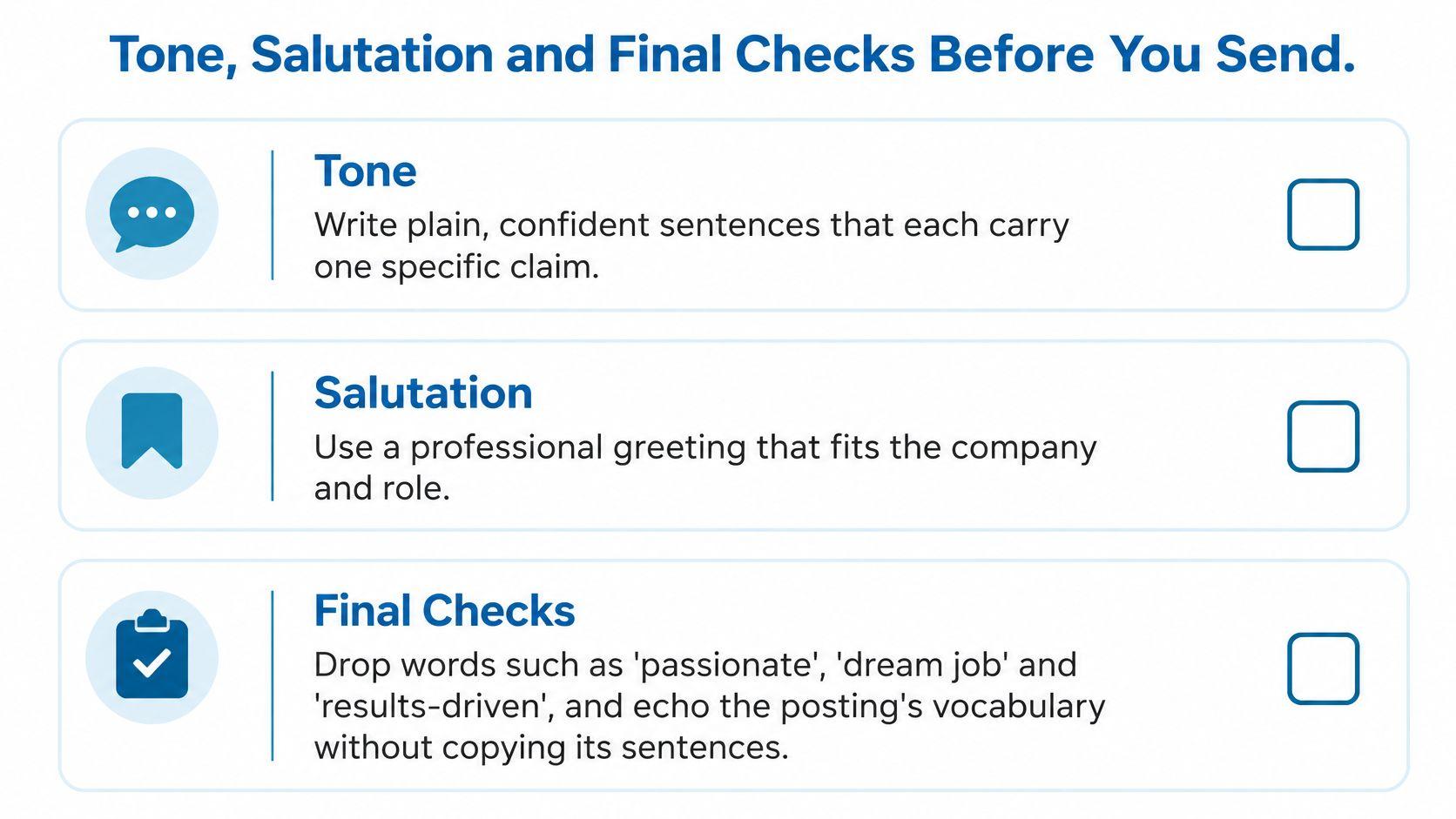
Write plain, confident sentences that each carry one specific claim. Drop words such as passionate, dream job, and results-driven, since they assert feelings instead of proving capability. Echo the posting’s vocabulary where it describes real work, but don’t copy its slogans or sentences back at the company.
Match your resume’s name header and font so the two documents read as a set. Send a PDF unless the portal requires another format, and avoid graphics, tables, and multi-column layouts that applicant tracking systems can misread. That discipline matters just as much when you’re browsing visa sponsorship jobs, where a clean file keeps an international application easy to route.
Salutation and the six item check
Address a named hiring manager when the posting or company site shows one. If you can’t find a name after a genuine look, use Dear [Team] Hiring Team rather than an outdated formula. Don’t guess a name or gender.
Proofreading is not cosmetic. In a survey summarized by HR Future, 76% of HR respondents would automatically reject a cover letter containing spelling or grammar mistakes. Read the letter aloud, run a full spelling pass, then tick off six items against the posting.
- Job title: matches the posting exactly
- Company name: correct in every mention, since a wrong name marks you as a template sender
- Required skills: named where your evidence supports them
- Dates: consistent with your resume
- Contact details: current phone and email
- File name: includes your name and the role
Finish with one habit. Email the final PDF to yourself and read it on your phone, where typos, broken line breaks, and oversized margins stand out immediately.
Using AI Without Losing Your Own Voice
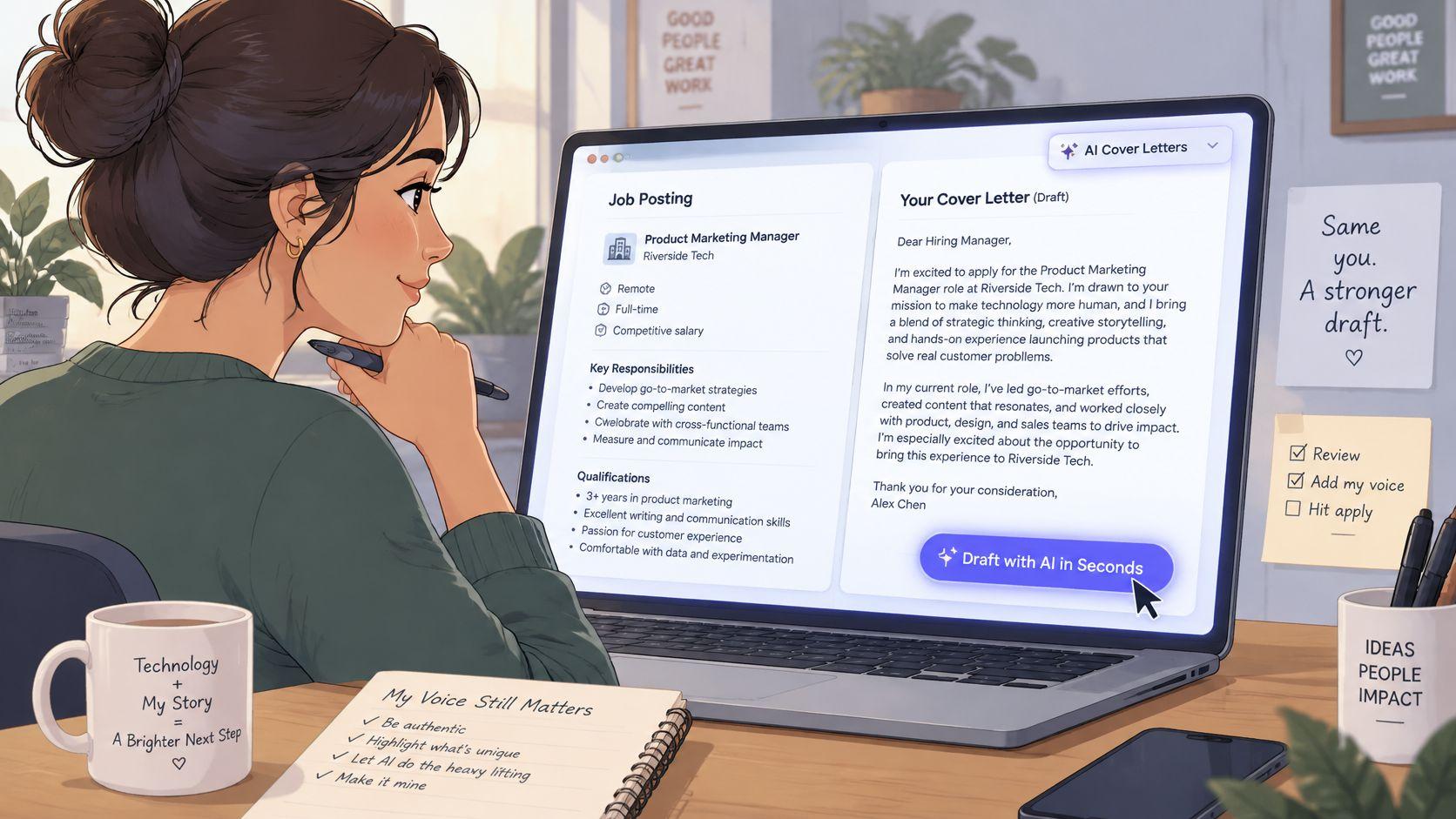
A polished draft can still weaken an application if it makes claims you cannot support. A 2025 survey of 600 U.S. hiring managers reported by TopResume found that 19.6% would reject a candidate whose resume or cover letter was AI-generated, while 52% accepted AI for proofreading or drafting support if the final document remained human-produced. The same survey found that 33.5% said they could identify an AI-generated resume in under 20 seconds.
Use AI to organize evidence from your experience, not to invent a case for hiring you. JobGlance’s Magic Toolbox writes a cover letter matched to the exact job in one click from any job card. It reads the full job description and your uploaded resume before drafting. Generating a letter sends the resume text and public job description to a third-party AI provider, used only to produce that document. Review, edit, and verify every claim before sending; AI output can be inaccurate or unexpected, and you are responsible for what reaches the employer.
The human in the loop routine
- Verify every claim. Check each number, tool, and employer detail against your resume and the posting. Delete anything you cannot explain in an interview.
- Remove generic praise. Replace claims about being “results-driven” with a specific result and the work behind it. If you use a rewriting aid, humanize your AI cover letter, then make the final edits yourself.
- Add a detail in your own words. Name the team’s specific problem that interests you and connect it to evidence from your experience.
Before: “I am a results-driven data professional with a passion for leveraging insights.” After: “I rebuilt our weekly operations dashboard in SQL and Tableau, cutting report preparation from six hours to forty minutes for a team of nine.”
Edit the draft until each sentence sounds like something you can stand behind in an interview. If an application asks whether you used AI assistance, answer truthfully.
Decide Whether a Letter Is Worth Sending
A cover letter is worth the time when it answers a question the application form cannot. Send one if the posting requests it, or if a career change, employment gap, referral, or senior role needs context. It can also connect evidence from your experience to a job title that does not make the fit obvious. Employer expectations vary, so follow the posting rather than a universal rule.
Check feasibility first. Visa sponsorship, work authorization, relocation timing, and remote-work eligibility can determine whether you can take the role. If the posting is silent on sponsorship, a concise sentence about your authorization status and relocation timing may clarify whether the application can proceed. For roles limited to remote work, browse remote job listings before investing time in a letter.
Skip the full letter when it is not requested and the application already captures the relevant facts. If there is a motivation field, use it for a brief, specific explanation instead. Automation can help with drafting, but it cannot make an irrelevant application worth sending. To find the right AI workflow, start with the question the letter needs to answer, then choose whether a draft will save time.
- The posting requests a letter: Send the full four-paragraph version.
- A career change, gap, or referral needs context: Send a letter focused on that point.
- Authorization or location is unclear: Keep the letter short and state the relevant facts.
- No letter is requested and the application captures those facts: Skip it or spend the time tailoring your resume.
Check the posting for a letter request and sponsorship details. If neither calls for explanation, prioritize the application materials the employer does request.
Browse live visa-sponsorship and work-from-anywhere roles, see each one scored against your resume, and generate a customized first draft from the posting itself at JobGlance. Use the draft to answer the hiring manager’s specific question, then review and edit it before sending.
Keep reading


