 Web App
 Move there, or work from anywhere.
Stop filtering on location alone. Two filters for the two ways of working abroad.
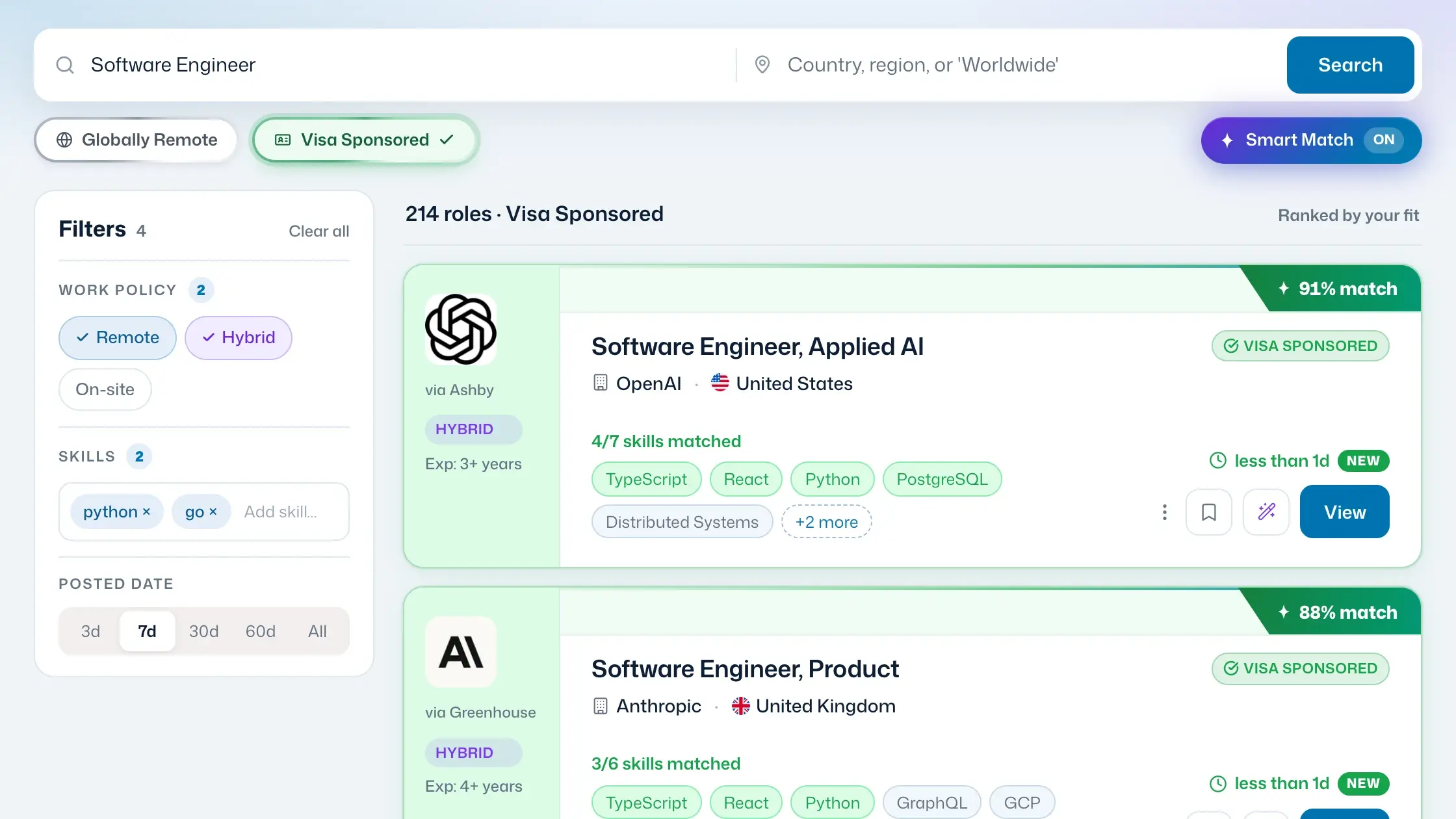
What global mobility means here
There are two ways to work abroad, and they are opposite problems. Either you move there — which needs an employer willing to sponsor your right to work — or you stay where you are and work for a company that hires from any country. Global mobility covers both, which is why there are two filters rather than one: Visa Sponsored and Globally Remote. Every job board lets you filter by location; almost none let you filter by the thing that actually decides whether you can take the job.
There is no separate relocation filter, and that is deliberate — relocation jobs are not a category of their own, they are a property of sponsored ones. Employers who sponsor a visa are frequently covering flights, temporary accommodation or the visa fees as well, and they rarely say so in the job title. So the detection pipeline reads relocation language as part of the sponsorship signal: switch on Visa Sponsored and roles offering a relocation package are already in the results, including the ones whose headline never mentioned it.
How it works
Open the Web App
Head to my.jobglance.app. No install needed — just a browser and an optional resume upload for ranked results.
Enable the filters you need
Toggle Visa Sponsored and/or Globally Remote in one click. Stack Location, Work Policy, Skills, Source, and Added Within on top.
Filter without Smart Match
No resume needed. The filters work on their own — narrow to visa-sponsored or globally remote roles and browse results right away.
Combine with Smart Match
Upload your resume and every filtered result gets scored 0–100 for your personal fit. Filters narrow the pool; Smart Match ranks what remains — best matches first.
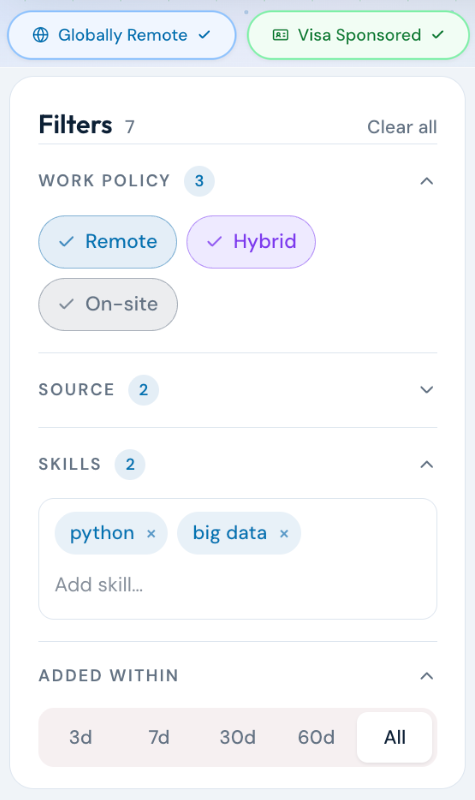
Seven filters. Stack any combination.
Each filter can be used alone or combined. They layer on top of Smart Match scoring, so the best-fit roles within your criteria always surface first.
Roles that explicitly signal visa sponsorship support.
Roles with no location restriction — work from anywhere.
City, country, or region — for hybrid or on-site roles.
Remote, hybrid, on-site, or any combination.
Narrow to roles that match specific skills in your resume.
Filter to roles added in the last 24h, 7d, 30d.
Filter by specific job boards or hiring platforms.
Who it's for
For international professionals weighing relocation and remote options simultaneously — people who need to narrow 50,000 results to the specific slice that's actually relevant to their situation before spending time on applications.
Frequently asked questions
Yes — all filters are available in the free tier. Pro unlocks unlimited searches with all filters.
The filter surfaces roles that explicitly mention visa sponsorship support in their job description or are listed by employers with a known sponsorship track record.
No — and you do not need one. Relocation support is not a separate category of job, it is something visa-sponsoring employers commonly include: flights, temporary accommodation, or a contribution to visa fees. Because the detection pipeline reads relocation language alongside sponsorship language, relocation jobs already appear inside the Visa Sponsored filter — including listings whose title says nothing about it.
Globally Remote means the role has no location restriction — you can be based anywhere in the world. Remote may still require a specific country or timezone.
Yes, but use it with realistic expectations. Roles that are both globally remote and visa-sponsored exist, but they're rare — enabling both often returns very few results. You'll usually have better luck using each filter separately and working through those results one at a time.
Find the roles that fit your situation.
Start for free · No credit card required