 AI Tools · Magic Toolbox
 An AI cover letter that actually
read the job description.
Most AI cover letters fill in a template. This one reads the full job description first.
What makes an AI cover letter worth sending?
An AI cover letter is only as good as what it read before writing. Most generators take your job title and a company name, then pour them into a template — which is why they all sound the same, and why recruiters have learned to skim past them.
Pasting a job description into ChatGPT gets you closer, but it still has no idea what is actually on your resume, so it invents enthusiasm instead of evidence. JobGlance reads the full posting and cross-references your resume, then argues the specific overlap: the requirements you genuinely meet, in your own history's words. Every letter is unique to that job, because the input was.
How it works
Open any job listing
Anywhere you browse — LinkedIn, Indeed, any career site. The Magic Button appears in the bottom-right corner.
Click the Magic Button → AI Cover Letters
One click opens the Magic Toolbox. Select AI Cover Letters. No tab switching, no copy-pasting the job description.
Letter generated in seconds
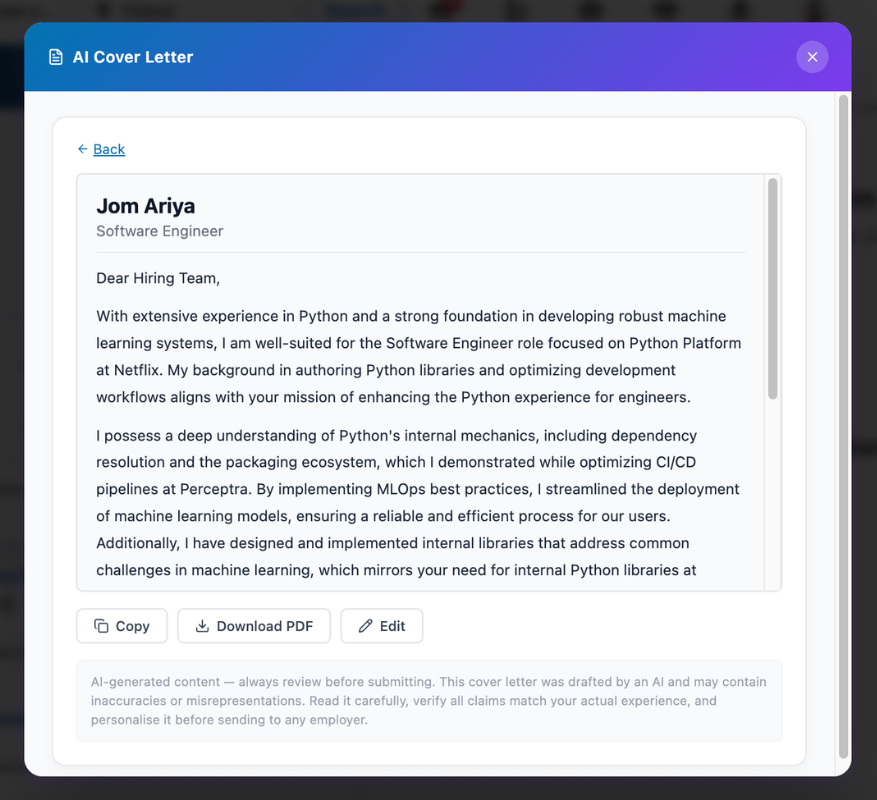
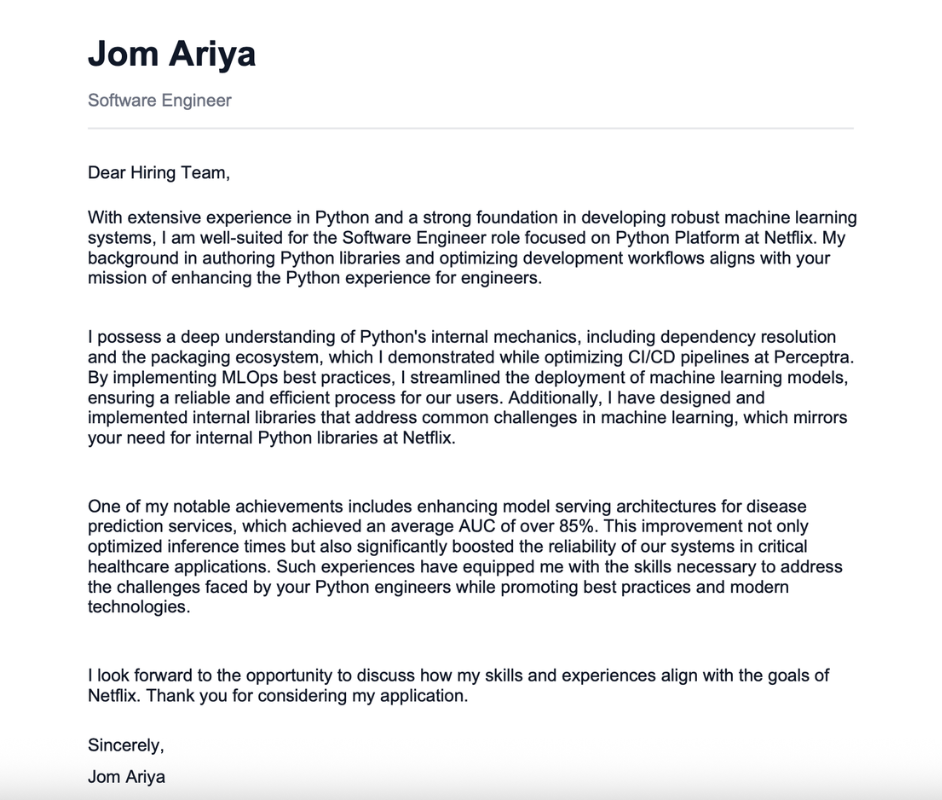
The tool reads the full JD and your uploaded resume, then writes a personalized letter highlighting your specific strengths for this role.
Copy, edit, and send
Review the output, make any adjustments you want, then paste into your application or export as a PDF. The whole process takes under two minutes.
Not a template.
A real argument for your fit.
Generic AI cover letter tools take your resume and a job title. This tool reads the entire job description — every requirement, every preference — and writes a letter that addresses this specific role.
Skills, experience level, company-specific signals — all factored into the letter.
Surfaces your strongest matches for this role specifically, not your general career highlight reel.
Who it's for
For anyone who applies to more than a handful of roles and knows that generic cover letters don't convert. If you've ever spent an hour writing a letter for one application and wondered if there was a faster way — there is.
Frequently asked questions
The free tier includes 3 cover letters per 30-day rolling window. Pro unlocks unlimited generation.
Yes — the Magic Button appears on any job listing page, with deep integration on LinkedIn, Indeed, Glassdoor, and more.
Yes — you can edit the letter directly in the extension interface before doing anything with it. Once you're happy with it, click Download as PDF or copy it into your application.
Your resume text is saved securely to our database to power this feature. When you generate a cover letter, your resume text and the job description are sent to a third-party AI provider exclusively to produce your document — nothing else. Your data is never sold, shared, or used to train any AI model. Full details in our Privacy Policy.
Write better cover letters, faster.
Start for free · No credit card required · Pro from $12.99/mo