 AI Tools · Magic Toolbox
 Is it a ghost job?
Find out before you apply.
Is the listing even real, or a ghost job that was never going to be filled? Find out before you apply.
What is a ghost job?
A ghost job is a posting that was never going to be filled. Companies leave them up to collect résumés for later, to look like they are growing, to benchmark salaries, or simply because nobody took the listing down after the role closed. From the outside it looks identical to a real opening — which is exactly the problem.
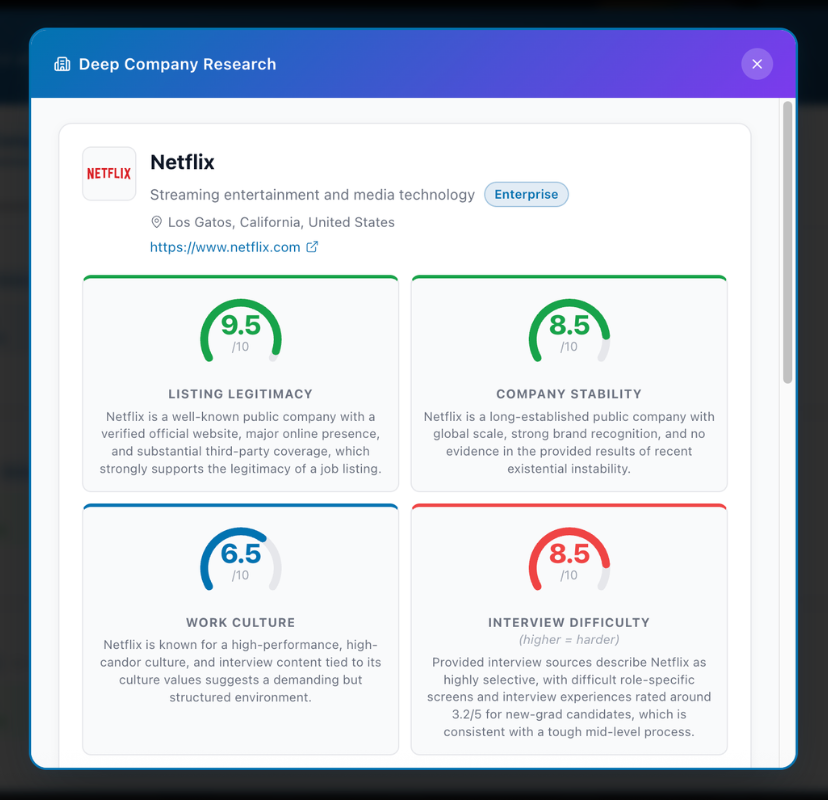
Ghost jobs are the reason a carefully tailored application can disappear without a word. Deep Company Research scores the listing's legitimacy alongside company stability, work culture, interview difficulty and red flags, each with a confidence level, so you can tell an opening worth an evening from one that was never open at all.
How it works
Open any job listing
The Magic Button appears in the bottom-right corner of every job page.
Click Magic Button → Company Research
The tool identifies the company from the listing and runs a deep AI research pass — prioritising accuracy and detail over speed.
Review the research report
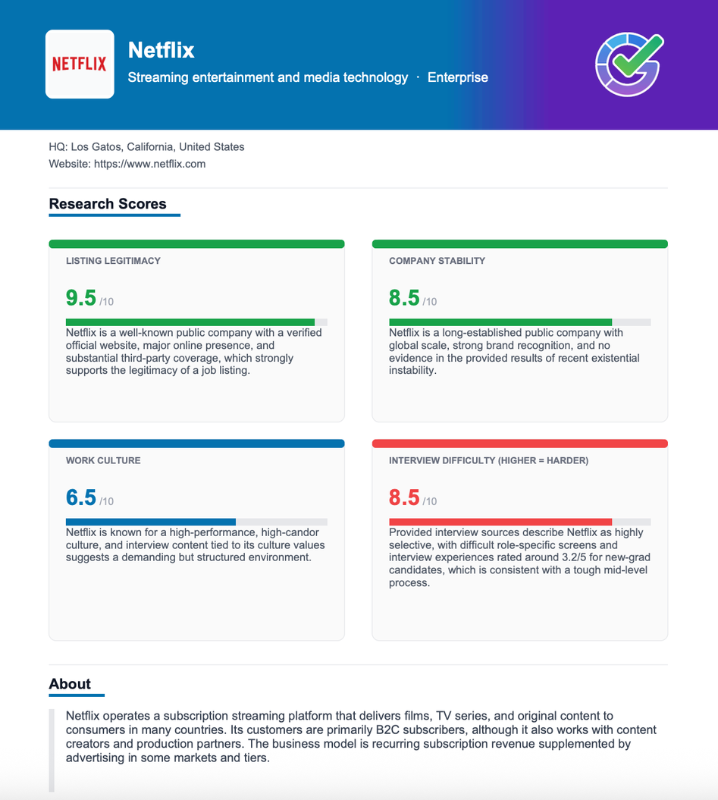
A structured report with scored signals, each backed by a confidence level and cited evidence. Includes a company snapshot, red flags called out explicitly, and the sources used.
Save, export, walk in prepared
Save the report to the extension with one click and access it from the sidebar anytime. Export as a beautifully-formatted PDF to reference during your interview prep.
Every signal you need
before you send your application.
Most job seekers Google the company name, scroll the LinkedIn page, and call it research. Deep Company Research goes further — structured, consistent, and in context. Every scored signal comes with a confidence level and the evidence behind it.
A score on whether the posting is genuine — flags suspicious patterns before you waste time on a fake or misleading listing.
Financial health signals: funding stage, layoff history, years in operation, and headcount trajectory.
What employees actually say — Glassdoor sentiment and recurring themes, not the careers page.
Common formats, difficulty ratings, and patterns specific to the role level — so you can calibrate your prep.
Specific, dated facts: layoffs, controversies, leadership changes. Called out explicitly if found; empty if the company is clean.
Who it's for
For anyone who has ever gotten to an interview stage only to realize the company was in financial trouble, or that the "great culture" on the careers page looked nothing like the Glassdoor reviews. Research before you invest — not after.
Frequently asked questions
The free tier includes 3 reports per 30-day rolling window. Pro includes 50 reports per window.
The AI synthesizes publicly available information at the time of the request, including recent news and reviews. It's a synthesis, not a live feed.
It works for most companies with a meaningful public presence. Very small or stealth-stage companies may have limited data available.
Yes — any report can be saved to the extension sidebar and accessed anytime. You don't need to regenerate it, so it won't count against your quota a second time. You can also export it as a PDF to keep offline.
Yes — you can open a job listing for a company you're researching, trigger the report, and use the research during your application prep.
Know who you're applying to.
Start for free · No credit card required · Pro from $12.99/mo