 Chrome Extension
 A job application tracker
that fills itself in.
A job application tracker that fills itself in — one click from any site, stored in your browser.
What is a job application tracker?
A job application tracker is simply a record of where you have applied and what happened next — which role, which company, when you sent it, and whether anyone replied. Once you are past a handful of applications it stops being optional: without one you re-apply to roles you already tried and lose track of the ones actually worth chasing.
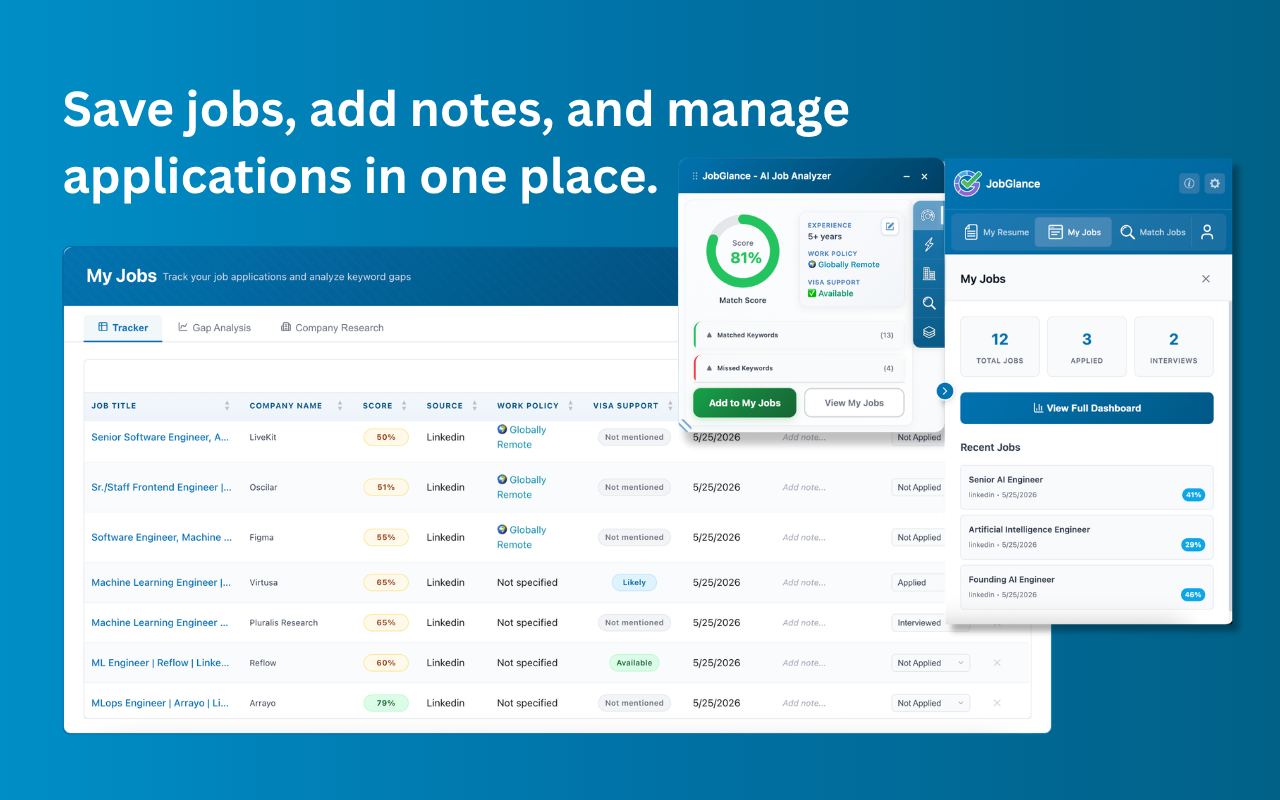
Most people build one as a spreadsheet, which works right up until maintaining it becomes its own chore. This tracker fills itself in. One click on any job page captures the title, company and metadata automatically, and the whole pipeline lives locally in your browser rather than on our servers.
How it works
Open a job listing
On any site. The extension activates automatically and shows the one-click save button in the sidebar.
Click save
Job title, company name, URL, and other metadata are extracted and stored instantly. No copy-pasting required.
Add notes and status
Mark it as Applied, Interviewing, Offer, or Rejected. Add private notes — salary expectations, referral contacts, anything you need.
Manage your full pipeline
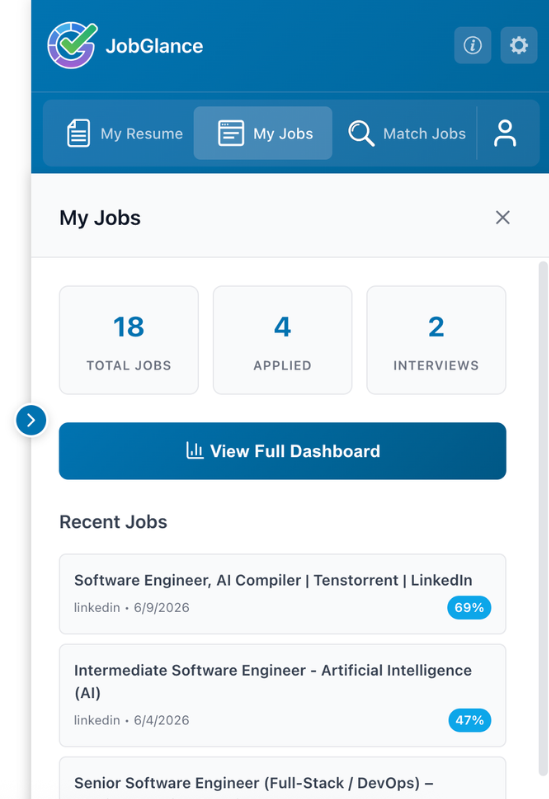
View and filter all saved jobs in the extension dashboard. Every saved job also feeds Career Gap Analysis automatically.
Your pipeline.
Your browser. Your data.
Most tracking tools sync to a cloud, requiring an account and trusting a third party with your job search data. JobGlance tracking is different: it never leaves your browser.
No login, no email, no sign-up. Just install the extension and start tracking.
Your applications, notes, and statuses are stored locally. Fully private by design.
Track as many roles as you want. No quota on saved jobs.
Every saved job contributes to your Career Gap Analysis automatically.
Who it's for
For anyone applying at volume who needs a simple way to track what they've applied to, when, and what happened — without signing up for another app or trusting a third party with their job search activity.
Frequently asked questions
Yes — one-click tracking, unlimited saves, and the full pipeline dashboard are all free. No account required.
Your tracked jobs are stored in your browser's local storage. Clearing site data would remove them, so avoid bulk-clearing storage for the JobGlance extension if you use the feature heavily.
Not yet — it's on the roadmap. For now, all tracked jobs are viewable and manageable within the extension dashboard.
No. The extension is completely dormant on non-job pages — it only activates when you open a job listing.
Your job search. Your data.
Start for free · No credit card required · Pro from $12.99/mo