 Web App · Job Alerts
 Never miss a visa or remote job. See them before everybody else.
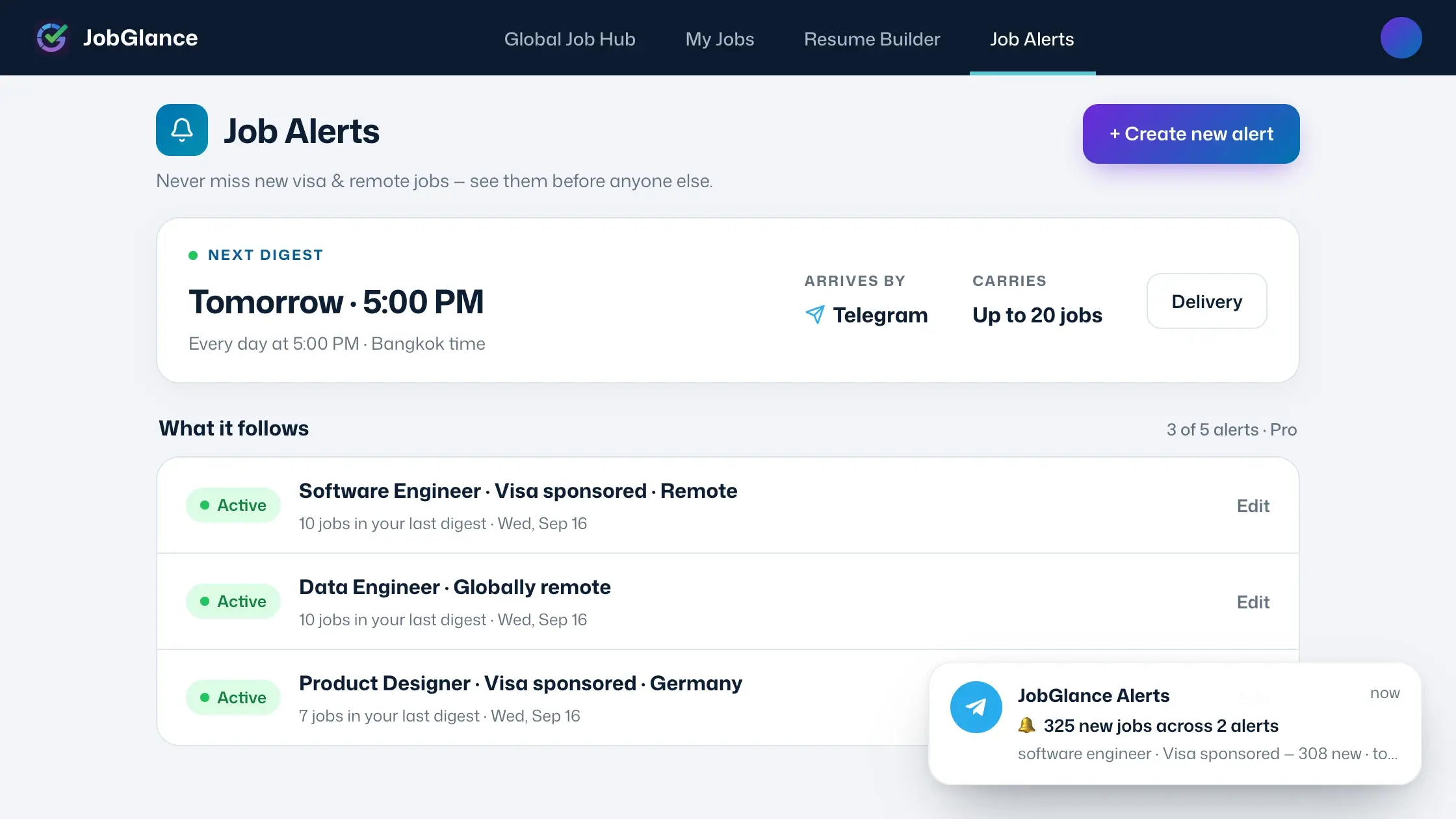
Save a search once. New matching roles come to you by Telegram or email, on the day and hour you pick.
Why seeing it first wins
A posting can be closed before you next think to search. Applications pile up in days, and when a team is hiring urgently the shortlist fills while the listing is still live. Most of what job seekers put down to luck is really timing — the people who see a role early are applying while somebody is still reading applications.
That bites hardest on the roles our users actually want. Fewer than 1 in 20 of the roles JobGlance tracks are open to candidates anywhere in the world, and visa-sponsored openings are scattered across a hundred separate job boards. Scarce roles draw everybody who wants them the moment they appear. A job alert is how you stop finding out late.
How to set up a job alert
Run the search you always run
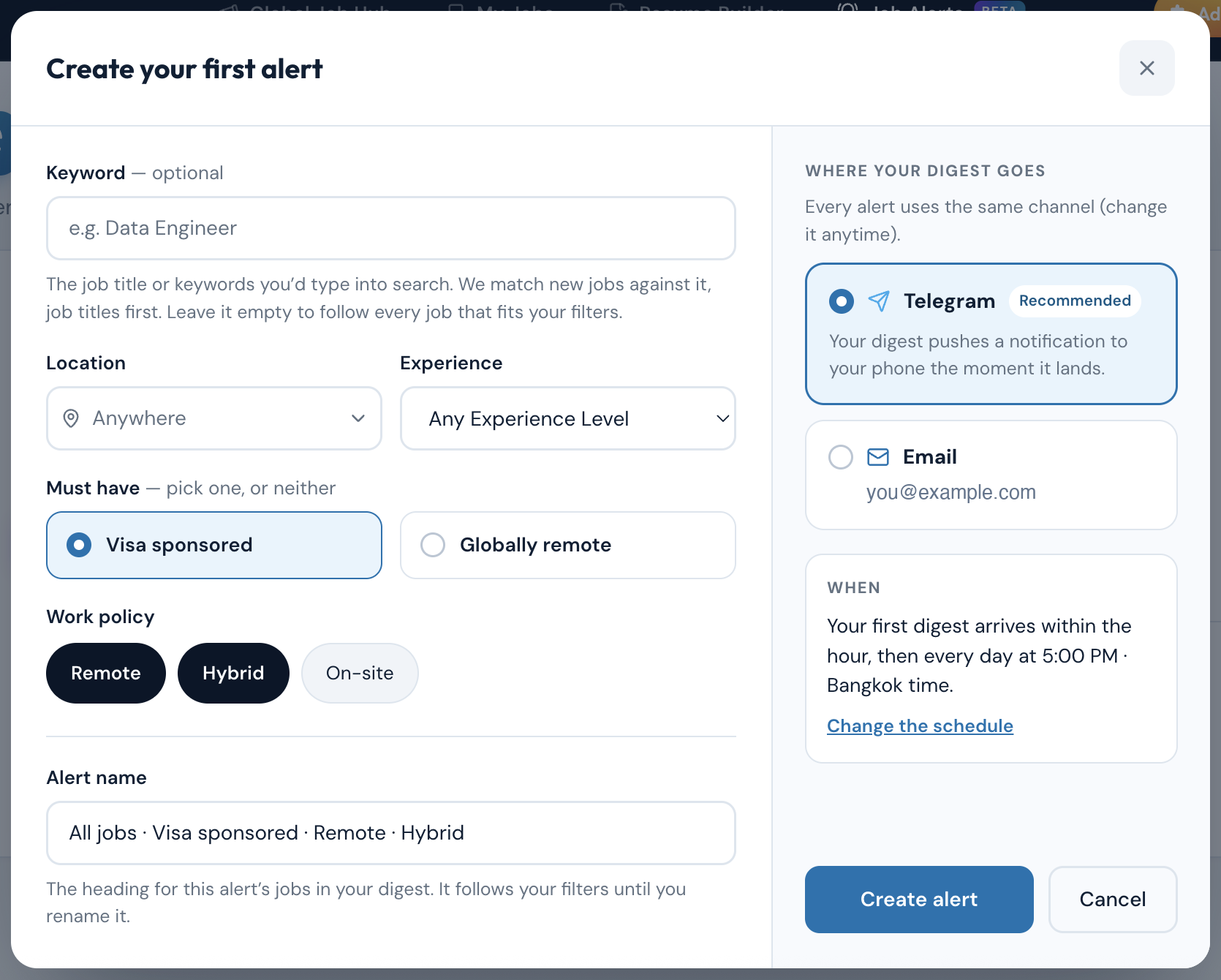
A keyword, a country, and the filters that matter — visa sponsorship or work-from-anywhere, work policy, experience.
Save it as an alert
A row under the results turns that search into an alert, pre-filled and already named. Rename it if you like.
Pick where and when
Telegram or email, at an hour in your own timezone. Weekly, or every day on Pro.
First digest inside the hour
Then on your schedule. Pause, edit or delete an alert whenever you like.
Set one up in under a minute.
An alert follows the same filters as a JobGlance search — including the two that decide whether you could take the job at all.
The job title or skills you would have typed into search. Optional — leave it empty to follow every job that fits the filters.
Pick one, or neither. No other board’s alerts filter on these. Both are read from the full job description, so treat them as a strong signal and confirm before you apply.
A country, a region, or anywhere in the world.
Remote, hybrid or on-site, in any combination.
Entry level (0–2 yrs) through expert and lead (10+).
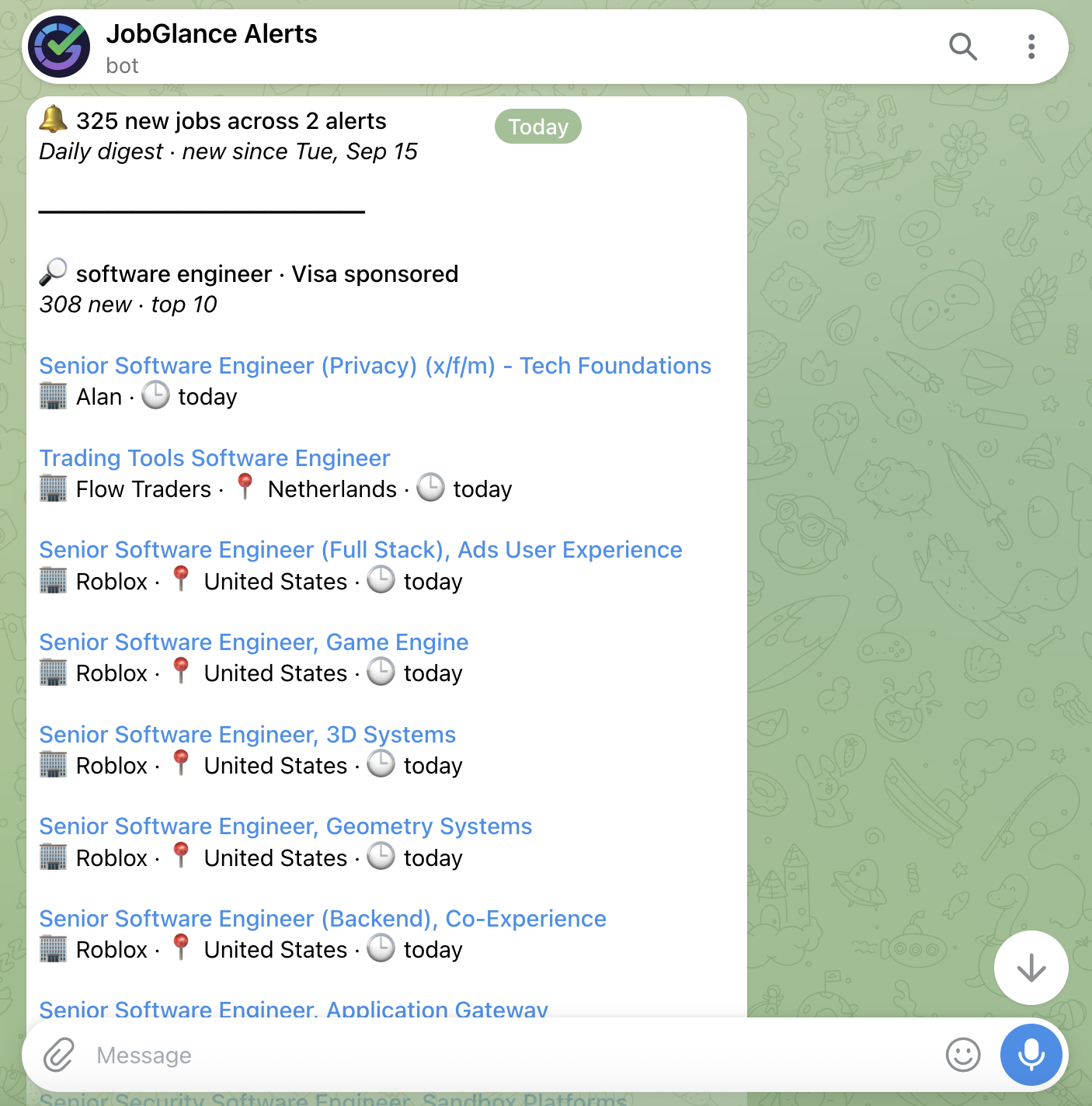
One digest. Every search you're following.
Not one email per alert. One message, with a section for each alert that found something.
Ranked the way JobGlance search ranks Most relevant, so title matches sit at the top of each section.
Job title, then company, country and how new it is. Nothing to scroll past.
“308 new · top 10” tells you the size of what turned up; “See all on JobGlance” opens the full search behind it.
A quiet week stays quiet. No filler email to tell you there was nothing to tell you.
Free follows one search. Pro follows five, every day.
Downgrading never deletes an alert — the oldest active one keeps running weekly, and the rest come back the moment you upgrade. Job Alerts is a Web App feature; the Chrome extension does not send alerts.
Who it's for
For anyone whose list of possible employers is short by definition. If you need sponsorship, or a role that will hire you where you already live, you are not picking from hundreds of options — you are waiting for a handful to open, against everybody else waiting for the same ones. Waiting is fine. Finding out a week late is not.
Questions about Job Alerts
A saved job search that sends you its new results. You store the title, location and filters once, and when new roles match they arrive as one digest. On JobGlance the filters include visa sponsorship and work-from-anywhere, so an alert can follow the attribute that decides whether you could take the job at all.
Yes. A free account gets one alert with a weekly digest of up to 5 jobs, and no credit card is needed. Pro raises that to five alerts, a daily or weekly schedule, and up to 20 jobs a digest.
Run a search in the web app and use the "Get these jobs in your inbox" row under the results — the alert opens pre-filled with that search. Or start from the Job Alerts page and choose the keyword, location and filters yourself. The alert names itself and you can rename it.
Weekly on Free, on a day you choose. Daily or weekly on Pro. Either way you pick the hour and it is read in your own timezone; the default is Thursday at 8:00 PM local time. Alerts are scheduled rather than instant, so a digest is everything new since the last one — which is why daily is the setting to pick if you are competing for scarce roles.
No, and that is deliberate. Each section carries the best matches — up to 5 jobs a digest on Free and 20 on Pro, shared across all your alerts — plus a count of how many turned up and a link to see them all on JobGlance.
No. Alerts match on keywords and filters, and digests do not show salary. The 0–100 resume scoring is Smart Match, which runs on searches in the web app. So a digest tells you what is new, and Smart Match tells you which of it fits you.
Stop finding out late.
Start for free · No credit card required