How to Check if Company Is Legit Before You Apply


On this page
Consumer losses attributed to job scams rose from $90 million in 2020 to $286 million in 2023, more than three times as much, according to the FTC task-scam spotlight. In only the first six months of 2024, reported losses already passed $220 million. The same spotlight logged about 20,000 task-scam reports in that half year, against about 5,000 for all of 2023. Cryptocurrency losses tied to job scams reached about $41 million in the first half of 2024, nearly double the roughly $21 million for all of 2023.
Those numbers reframe how to check if company is legit. A known brand on the message does not mean the vacancy, the recruiter, or the payment path is real. The usual script is simple online tasks, a small early payout, then a demand to deposit money, often crypto, before you can access more work or withdraw supposed earnings. Run the checks below, in order, before you share identity documents, accept an offer, or send anything.
Why Company Checks Come Before Your Application
A copied logo is cheap. An impostor pastes a household name into a text, a chat thread, or a PDF, then asks you to pay, buy a laptop from a named vendor, or upload a passport before any real hiring step exists. The company you can find on a map can still be the wrong party to the conversation.
Checking the brand is only half the job. You also have to test the role and the person. Find the employer on a site you typed yourself, confirm the opening on that company’s own careers page, and match the recruiter’s email domain to that site. Walk away from upfront fees, cryptocurrency, gift cards, and equipment purchases. Buyers already do a version of this in vendor legitimacy checks for procurement teams, matching a supplier’s legal name and payment path before money moves. Treat the recruiter the same way.
Remote and cross-border candidates can’t stroll into a lobby or sit across from the sender. A browse of live roles helps you see how real employers describe similar work, but it doesn’t authenticate the ad in your inbox.
Practical rule: Nothing sensitive goes out until the company, the vacancy, and the recruiter agree.
The domain and the careers page are a short pass at the browser bar. A registry search and a call to a switchboard you found yourself take longer, and they’re what catch a borrowed brand. Fail the short pass and you never reach the paperwork.
The Eight Signals That Separate Real Employers From Fakes
Keep this open beside the ad. Start at the domain. A lookalike address makes every later match meaningless.
| Signal | Where to check | Legitimate looks like | Red flag |
|---|---|---|---|
| Official domain | Type the company web address yourself and compare it with the recruiter email domain | Recruiter email matches the domain you reach by typing the address | Lookalike domain, extra word or hyphen, or a free email account |
| Domain age | WHOIS lookup through a public tool | Registered years ago with a consistent registrant | Registered within the last few months while the ad claims a long history |
| Careers page listing | The company’s own careers site | Role appears with the same title, location and recruiter contact | Role exists only in a message, chat app or PDF |
| Registry record | Companies House for the UK, or the national register where the employer is based | Active status, current filings and a name that matches the offer | Dissolved status, name mismatch, unrelated business activity or missing filings |
| Recruiter and employees | LinkedIn company page and the recruiter’s profile | Recruiter listed on the company page with a history that predates the job ad | New profile with few connections and no past roles |
| Reviews | Glassdoor, most recent reviews first | Repeated themes across 12 months about pay, management or hiring | Sudden clusters of identical praise or no reviews at all for an established firm |
| Payment or equipment requests | The offer and onboarding stage | Paperwork requested only after a verified offer, through the company’s own systems | Fees, cryptocurrency, gift cards, check deposits or equipment purchases before hiring |
| Regulated services | SEC EDGAR and the Investment Adviser Public Disclosure system | Registration status and named personnel match the offer | Adviser cannot be found, or operates under a different legal name |
Two reading rules decide what you do next.
Hard stops end the process. A payment or equipment request, a lookalike domain, an interview that lives only inside a messaging app, or a registry record that doesn’t match the offer. Don’t negotiate those. Close the thread.
Two or more soft signals mean pause. A domain under a year old, thin reviews, or a recruiter profile that appeared after the ad went out. You can still be looking at a young but real firm. You don’t upload identity documents until the softer items line up with a careers page and a contact channel you found yourself.
No single row proves the employer. A sound company can have sparse reviews. A fake one can ship a handsome site. I would budget about ten minutes for the domain and careers page, about fifteen for the register, and about twenty for the recruiter and recent reviews. If you’re comparing globally remote openings, the same rows still apply. Distance just removes the office visit you’d otherwise use as a shortcut.
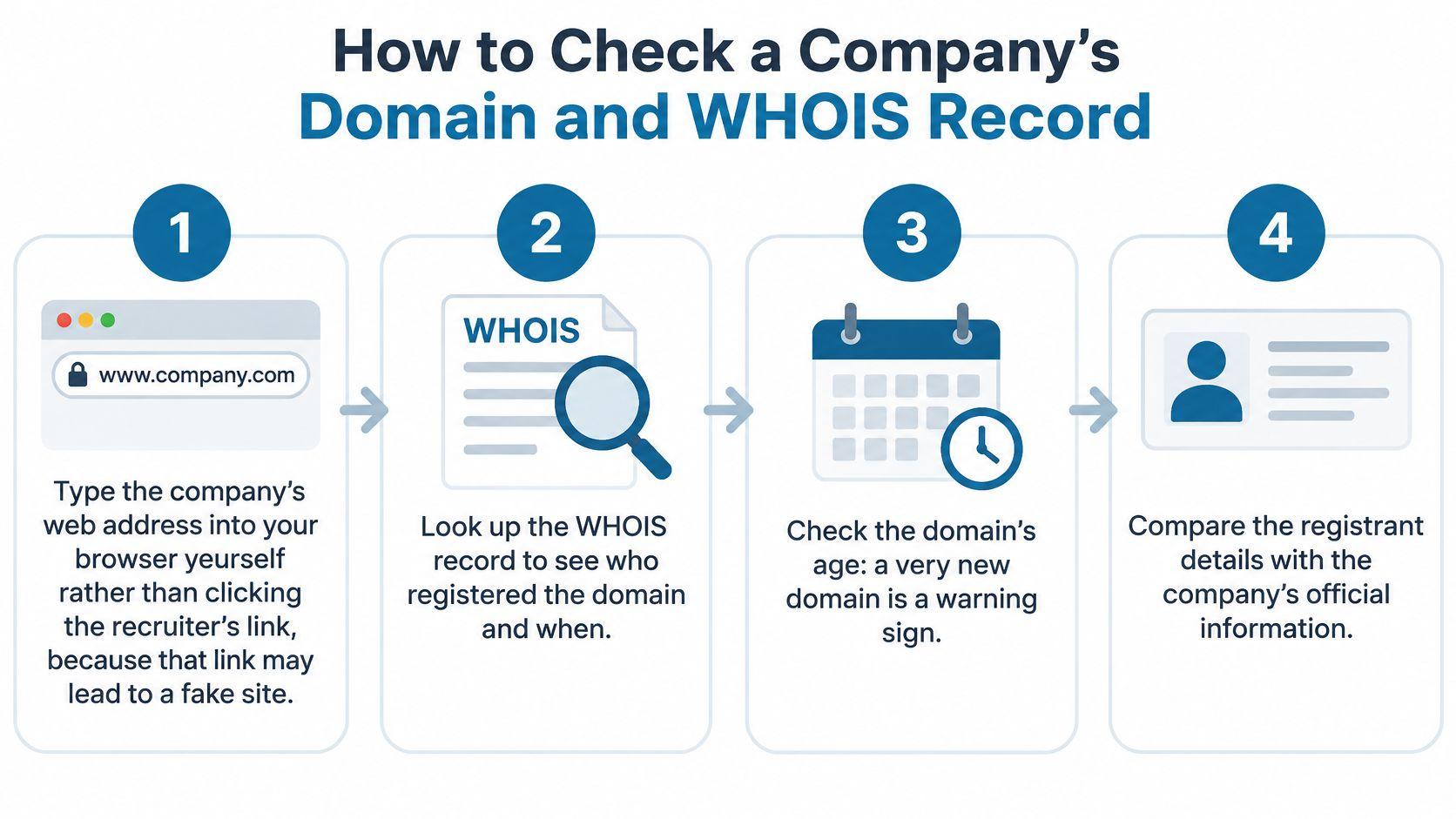
How to Check a Company’s Domain and WHOIS Record
The FBI’s warning on fake job listings is blunt about near-identical company names and domains. In 2020 the FBI recorded 16,012 employment-scam victims and more than $59 million in losses, with an average reported loss of nearly $3,000 per victim. A site that looks finished doesn’t answer that risk. Work the domain before you talk about payroll.
-
Type the company’s web address into the browser yourself. Don’t click the link in the recruiter’s email, text, or PDF. That link can land on a copy of the legitimate site, and every later comparison then uses the impostor’s page.
-
Compare the recruiter’s email domain with the address you typed, letter by letter. Extra hyphens, a swapped letter, or a free mailbox such as a Gmail address are a common fraud pattern, which is why the FBI flags near-identical names. A match here is necessary, not sufficient.
-
Run a WHOIS lookup in a public tool such as ICANN Lookup. Note the creation date, the registrar, and whether the registrant details are hidden. You’re collecting fields you can compare, not scoring a vibe. If the terms feel unfamiliar, DNS fundamentals for webmasters explain how a name resolves to a site, which is the layer a lookalike abuses.
-
Read the dates against the story in the ad. A domain registered in the last few months, while the posting claims a decade of operations, is a serious warning. Hidden registrant details are common for privacy and are not proof of fraud on their own, so you keep going rather than acquitting the sender.
-
Search the company name beside the words careers, jobs, scam, and fake. Queries like “Company Name careers” and “Company Name recruiter scam” surface the official job pages and any public warnings you would miss by staying inside the message. Prefer results that resolve to the domain you already typed.
-
Confirm the site lists a legal name, a physical address, and a phone number in the footer or on the contact page, and write those down. You’ll match them to the registry next. A site with no legal name and no reachable office gives you nothing to test.
Finish by saving two strings in your note: the verified domain, and the careers-page URL where this exact role appears. If the role isn’t on that page, stop. Legitimate employers normally ask for payroll and bank details only after hiring, not during an unsolicited application, and they don’t ask you to deposit a check, buy gear from a designated vendor, forward money, or jump straight into encrypted chat.
Use Company Registers and Regulator Databases
For a UK employer, start at Companies House. The Companies House search guidance says the service is free and needs no account. A search can show company type, registered office, SIC business activity, whether the company is live or dissolved, latest and next filing dates, filed documents, current and resigned officers, and disqualified directors. Companies House also says it does not verify the accuracy of what companies submit, so a valid number doesn’t prove the offer, the website, the recruiter, or a bank account.
Match the offer to the register
Work field by field. The legal name on the offer letter should match the registered name exactly, not merely the trading brand in the ad. The registered office should be a place the business could plausibly operate from. The SIC code should fit the work described. Filings should be current. A dissolved status, an unrelated activity code, or missing filings is a stop, before identity documents or payment instructions.
| Registry field | Where to find it | Legitimate looks like | Red flag |
|---|---|---|---|
| Legal name | Offer letter and contract | Exact match to the registered name | Trading name only or no match |
| Status | Company overview | Live | Dissolved |
| Registered office | Registry address | Place the business plausibly operates from | Virtual or unrelated address |
| SIC activity | Business activity code | Fits the work described | Unrelated activity |
| Filings | Latest and next filing dates | Current and on schedule | Overdue or missing |
| Officers | Current and resigned officers, disqualified directors | Named recruiter or contact plausible in the role | Disqualified directors or unexplained turnover |
When the employer isn’t in one country
Most countries have a national register or a chamber of commerce search, but the record may be in the local language, a subsidiary may sit under another name, and an employer-of-record may be the entity that pays you. A registry entry proves legal existence. It doesn’t prove financial stability, authority to employ you where you live, or that this vacancy is real. Write down the legal entity that would employ you, pay you, sponsor a visa, and appear on the contract, then search that name, not the brand on the slide deck.
For trading, brokerage, crypto, or adviser roles, open the SEC’s EDGAR database for registration statements, periodic reports, and financial statements, and the Investment Adviser Public Disclosure system for adviser registration, fees, conflicts, disciplinary history, and personnel. Search the exact legal name. If the adviser can’t be found, or the people named in the offer don’t appear, treat the role as unverified. Registration of an issuer still isn’t a green light to send money to a personal account.
A register tells you a legal person exists. It doesn’t tell you the stranger in your inbox controls that person.
Check Recruiters, Employees and Reviews
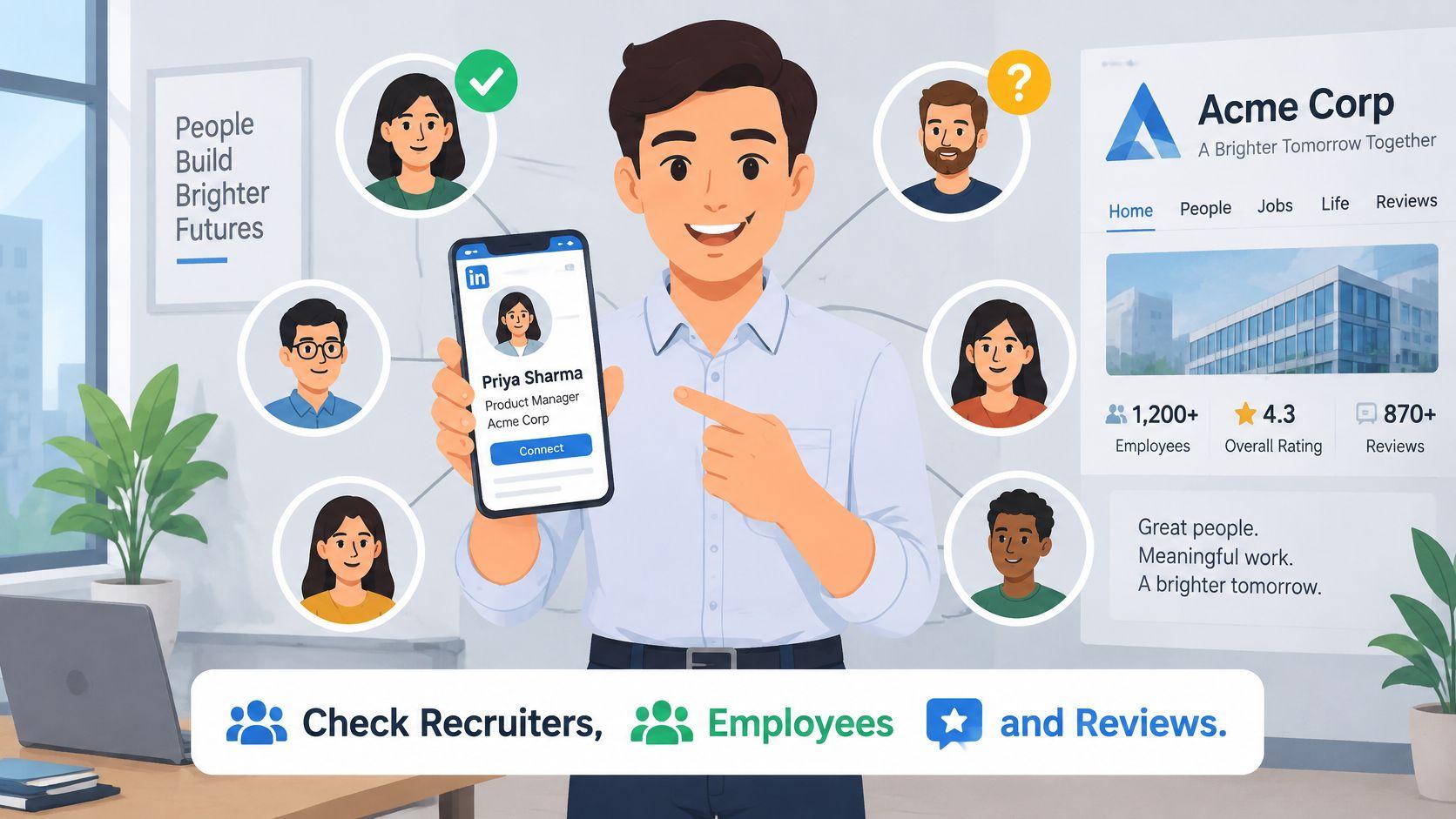
Start with the human, not the star rating.
Find the recruiter on the company page. On LinkedIn, open the company page and see whether that person appears among employees with a matching title and a work history that predates this ad. Say the profile was created last month, shows under 30 connections, lists no prior employer, and the only activity is posting this one “urgent” remote role. That’s a second look, not a hire signal.
Count the people around the job. Note how many current employees you can see, and whether anyone lists the team you’d join. A brand-new page with a logo and zero staff, beside an ad promising a full department, doesn’t match.
Read Glassdoor by theme, not by average. Sort to the most recent reviews and look for comments that repeat across 12 months about pay, management, or hiring. Our work-culture read uses Glassdoor sentiment and those recurring themes, not the slogans on a careers page. No reviews at all doesn’t automatically mean fake, especially for a tiny or new firm. It does move the weight onto the domain, the register, and a direct confirmation.
Confirm through a channel you found
Take the switchboard or general inbox from the website you typed, never the phone number or link inside the recruiter’s message. Ask two plain questions. Does this named person work there? Is this exact role open? Request a live video interview. A recruiter who will only chat by text or inside a messaging app is a warning, because you never see a face tied to the company directory.
The close is a three-part test. The recruiter appears on the company’s own pages. The role appears on the careers page. The company confirms both through contact details it published itself. Two out of three isn’t a pass.
Handling Thin Data and Confirming the Employer Before You Share Documents
Decide, then stop collecting screenshots.
Hard red flags end it. A request for money, crypto, a gift card, a check you must deposit and partly return, or gear you must buy before hiring. An interview that exists only in a messaging app. A lookalike domain. A registry record that doesn’t match the offer letter. Report the attempt to the FTC or the FBI’s Internet Crime Complaint Center, and don’t answer the follow-up.
Two or more soft signals mean pause, not panic. A company under a year old, thin reviews, or a new recruiter profile can describe a stealth-stage team as easily as a fraud. A thin public record isn’t a verdict. It means you verify further before any document leaves your hands.
Use a research pass, then check it
For a first look, open the listing and use Deep Company Research. After you click the Magic Button and choose Company Research, the tool identifies the company from the listing and runs a research pass. The report scores listing legitimacy, company stability, work culture, interview difficulty, and red flags, each with a confidence level and cited sources. Stability signals include funding stage, layoff history, years in operation, and headcount trajectory. Red flags are specific dated facts, such as layoffs, controversies, and leadership changes. If that section is empty, the pass found the company clean on those points. Empty is a result, not a guarantee.
The tool works for most companies with a meaningful public presence. Very small or stealth-stage companies may have limited data, so a sparse report pushes you back to the register and the careers page rather than filling the gap with optimism. Company research stays at company level and isn’t tied to your account. Check every claim in the snapshot against the registry name and the careers URL you saved.
One note before you apply
Write a single checklist and don’t split it across tabs.
- Legal name: The exact string that would appear on the contract.
- Verified domain: The address you typed, not the link you were sent.
- Registry number: With live status and a filing date you opened.
- Careers page link: Where this title, location, and contact appear together.
- Published contact: Phone or email from that site, plus the answer you got when you asked if the person and the role are real.
If the employing entity on the offer differs from the company you checked, pause and ask why, in writing, through the published channel. For visa-sponsored roles, confirm that employer on the national sponsor register, then compare live openings on visa sponsorship jobs and read what visa sponsorship means in practice so you know which name should sit on the sponsorship record. Our sponsorship results sit on a hand-picked list of sponsors, cross-checked against official government registers when those registers exist.
One rule covers the rest. No payment, cryptocurrency, equipment purchase, or ID upload until the role and the recruiter are confirmed through sources you found yourself.
JobGlance brings visa-sponsored and globally remote roles into one search, then lets you open Deep Company Research on a listing before you apply, with confidence levels and cited sources on legitimacy, stability, culture, interviews, and red flags. Pair that snapshot with the domain, registry, and recruiter checks above so a copied brand doesn’t get your documents. Start at JobGlance and run the company pass on the offer you’re holding now.
Keep reading


