
Resume Format to Pass ATS: Proven Structure Guide


On this page
A clean, single-column DOCX or text-preserving PDF is the safest resume format to pass ATS. Avoid tables and sidebars, and mirror the job description’s hard skills using its exact terminology.
That answer sounds conservative, but the evidence is counterintuitive. A plain DOCX had an approximately 4% parsing failure rate, compared with about 18% for PDFs with more complex styling, while single-column resumes reached 93% parsing accuracy, compared with 86% for two-column layouts. The practical lesson is simple: an ATS-friendly resume is less about visual polish and more about preserving a reliable reading order from upload to recruiter review.
Why Your Resume Fails the Software Before a Human Sees It
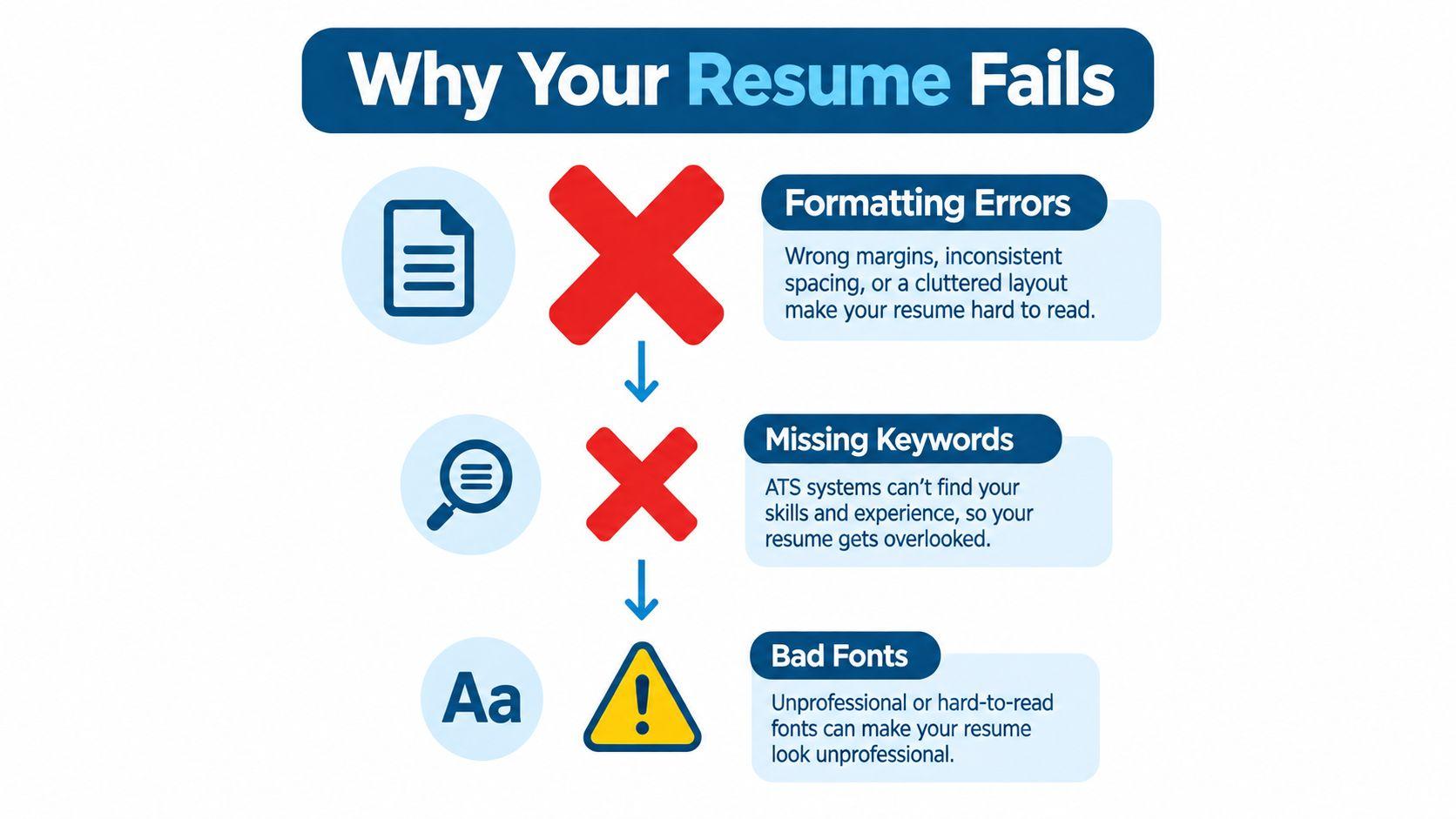
Many candidates spend too much time choosing fonts, adjusting margins, and adding visual details. Those choices matter for readability, but they rarely decide whether an ATS can correctly identify your name, contact details, job titles, employers, dates, skills, and education. The main risk is structural confusion, not whether your font looks modern.
An applicant tracking system converts your resume into searchable fields. It tries to determine which text belongs to your contact information, employment history, education, certifications, and skills. A decorative sidebar may look obvious to you, yet the parser can read it after your work history, attach it to the wrong section, or omit it entirely.
A 2025 study based on interviews with 25 U.S. talent-acquisition professionals found that only 8% of the systems discussed were configured to automatically reject candidates for content or match thresholds, while 92% of participants said their systems didn’t automatically reject resumes solely because of formatting or content. The interview findings on how ATS platforms handle resumes point to a more precise problem: formatting errors can damage the candidate record even when they don’t trigger an immediate rejection.
Parsing is the first battleground
When extraction fails, the recruiter may see incomplete or misplaced information. Your phone number might not populate the contact field. Your dates might appear beside the wrong employer. A certification may be buried in a block of text that isn’t recognized as a credential.
That doesn’t mean every ATS automatically rejects every designed resume. It means you shouldn’t make the system interpret visual relationships that could be expressed as plain text. Standard headings such as Summary, Experience, Education, and Skills give both the parser and the recruiter a predictable structure.
Practical rule: Treat your resume as a structured data document that also needs to look professional.
Font size isn’t the central issue. A familiar font in a broken layout still creates extraction problems, while a simple document in a conventional font usually preserves the information hierarchy. Before submitting a PDF, select all its text and paste it into a plain-text editor. If the sequence becomes illogical, you can try PDF BIRDS to extract PDF text and inspect what the file contains.
Eliminating Layout Traps That Break Parsing
A single-column layout isn’t a universal guarantee, but it’s the strongest risk-reduction choice when you don’t know how an employer’s ATS handles document structure. It gives the parser one vertical path through your resume, rather than forcing it to decide how separate visual regions relate to one another.
Start with a blank document or a simple template. Put your name and contact details in the document body at the top, not in a Word header or footer. Use one line for your city and country, phone number, email address, and relevant professional profile. Keep the information selectable and readable without icons.
Remove visual objects before you refine the design
Work through the document from top to bottom and remove anything that acts like a separate container. That includes tables, text boxes, floating shapes, graphics, logos, skill bars, and decorative sidebars. If you need to separate information, use headings, line breaks, bold text, and spacing instead.
Use standard headings. “Experience” is safer than a creative label such as “My Career Story,” because the former clearly signals a known data category. In the employment section, place the job title, employer, location, and dates in a consistent sequence for every role.
| Element | Parsing risk | Safe alternative |
|---|---|---|
| Two-column layout | Text may be read across columns or out of sequence | One vertical content flow |
| Tables | Labels and values can separate or land in the wrong fields | Plain text lines with consistent spacing |
| Text boxes | Content may be treated as an embedded object or skipped | Body text under a standard heading |
| Headers and footers | Contact details may not map to the candidate record | Contact block in the main document body |
| Graphics and icons | Important information may be invisible as text | Written labels and selectable characters |
| Decorative sidebars | Skills or certifications may be read separately | Skills and certifications in the main flow |
Rebuild rather than patch
Trying to repair a heavily designed template often leaves hidden objects behind. Copy the text into a new document, then apply a simple hierarchy:
- Contact block: Name, location, phone, email, and relevant profile links in the document body.
- Summary: A short role-specific overview using terms supported by your background.
- Experience: Reverse-chronological entries with consistent titles, employers, dates, and accomplishment bullets.
- Education: Degree, field, institution, and completion details.
- Skills: Plain text categories and recognizable tools, methods, and certifications.
A career changer doesn’t need to abandon chronology. Keep employment history in reverse order, then add a targeted Projects or Relevant Skills section before or after it. That approach explains a transition without forcing the ATS to interpret a purely functional resume.
Use ordinary bullet characters or hyphens, keep dates recognizable, and check that every line remains selectable. For international applications, write dates consistently, include the country with the location when useful, and spell out credentials that may be unfamiliar across regions.
Keyword Mapping for ATS Matching
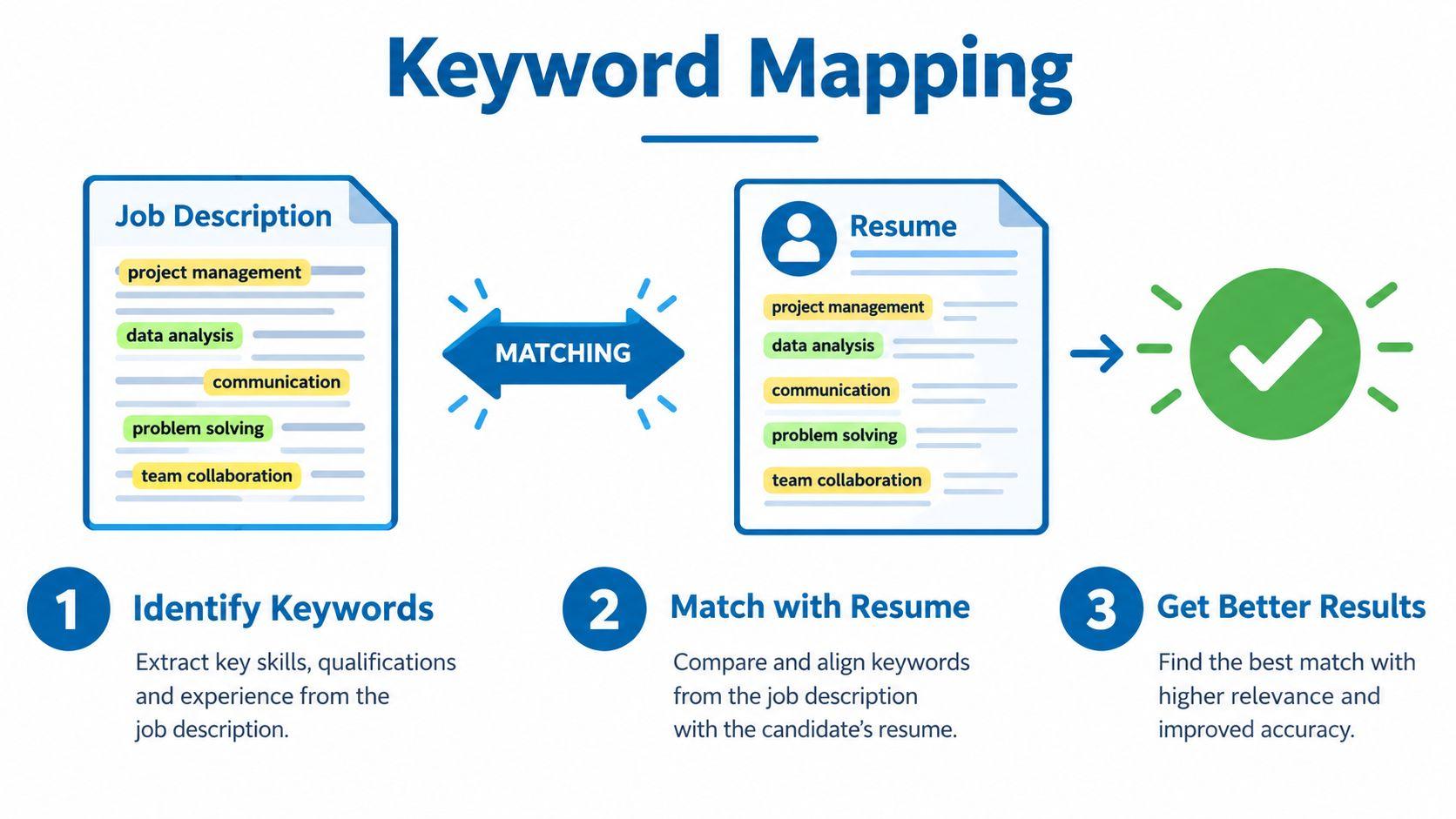
A technically perfect resume can still underperform if it doesn’t contain the language used in the vacancy. ATS matching commonly looks for explicit evidence of job titles, hard skills, software, certifications, methodologies, locations, and experience levels. Recruiters then verify whether those terms are supported by real work.
A 2024 review reported that 90% of Fortune 500 companies use applicant tracking systems and cited Harvard Business Review research in which 88% of employers believed ATS rules screened out qualified, high-skilled candidates when resumes didn’t match job-description criteria. The reported figure was 94% for middle-skilled candidates. The resume-screening statistics review illustrates why qualification alone isn’t enough. Your resume must make relevant evidence easy to find.
Build the mapping before writing
Copy the target posting into a worksheet. Then create four groups:
- Mandatory qualifications: Required certifications, years of experience, work authorization, degrees, or technical capabilities.
- Preferred qualifications: Useful additions that strengthen your candidacy but aren’t essential.
- Tools and methods: Software, platforms, frameworks, methodologies, and industry systems.
- Role language: The exact job title, department terms, customer types, and business responsibilities.
Mark repeated phrases, but don’t treat repetition as permission to add every term. Match only skills you can defend in an interview. If the posting says Search Engine Optimization (SEO) and you have that experience, use the full phrase once and the acronym where it reads naturally. This captures both forms without creating a detached keyword block.
The best way to tailor a resume is to connect each important term to evidence. “Project management” is weak by itself. A bullet describing how you managed a cross-functional launch, coordinated dependencies, or delivered a defined business outcome gives the term context that a human can verify.
Put keywords where they prove competence
Place high-priority terms in accomplishment bullets rather than hiding them in a long skills list. A product candidate might write about roadmap planning, stakeholder alignment, user research, or analytics only when those activities reflect actual work. Candidates exploring Product Manager roles can use the recurring language in relevant postings as a starting point, then validate each term against their own experience.
Don’t alter an official job title deceptively. If your internal title differs from the market title, you can clarify it in a summary or parenthetical explanation when accurate. The objective isn’t to trick the system. It’s to remove avoidable ambiguity between the work you performed and the terminology employers use to describe it.
Choosing Between DOCX and PDF Formats
The DOCX versus PDF debate has no responsible one-file answer. The right choice depends on the employer’s instructions, the complexity of your document, and whether the file preserves selectable text and logical reading order.
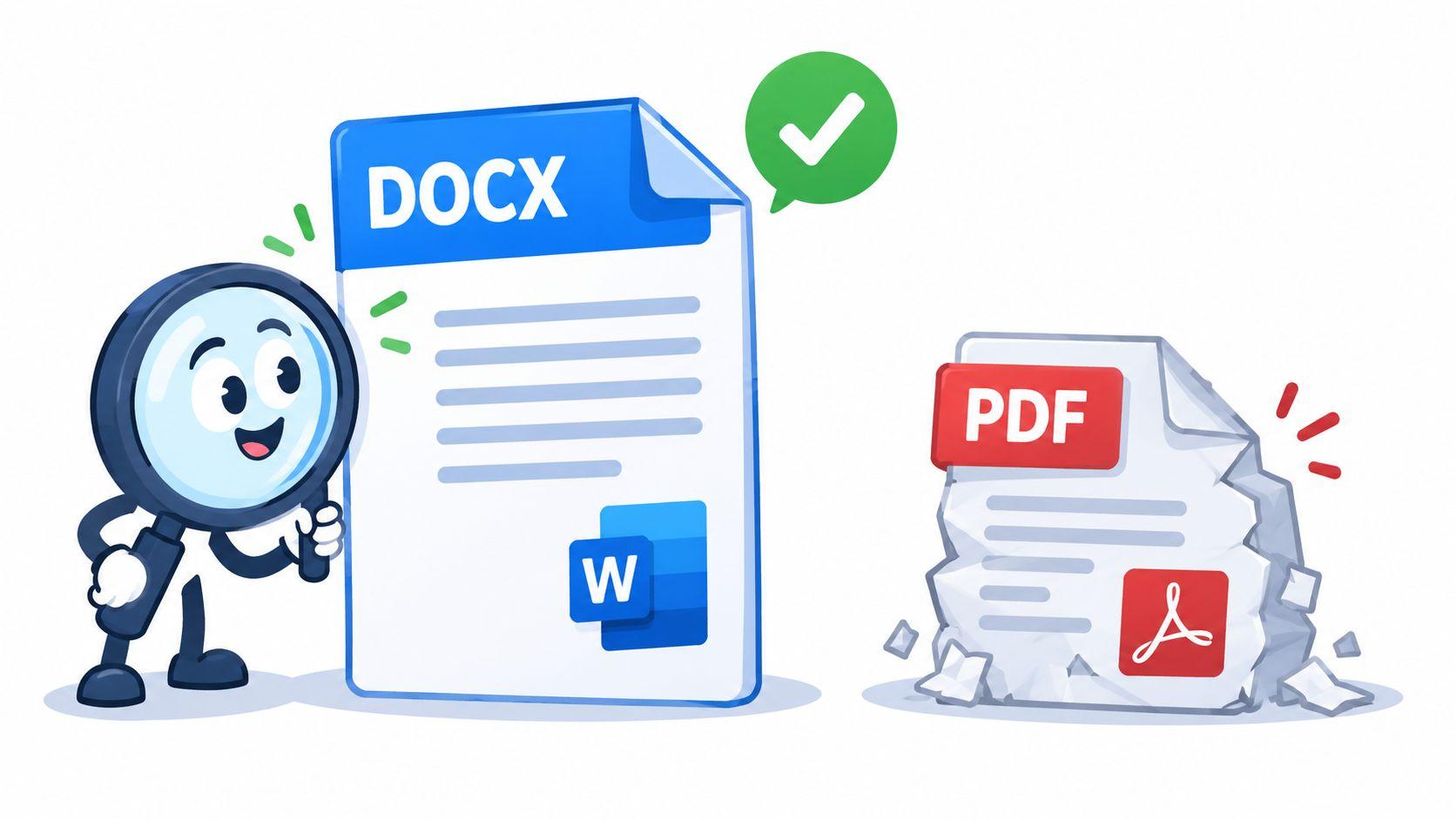
A 2025 analysis comparing 1,000 rejected resumes across Workday, Taleo, and Greenhouse reported an approximately 4% parsing failure rate for plain-text DOCX files, compared with about 18% for PDFs with more complex styling. The analysis of ATS filtering and keyword screening supports a practical distinction: the problem isn’t PDF alone. Heavy styling, layered objects, unusual reading order, and image-based content create the greater risk.
Use the employer’s instruction first
If the application asks for DOCX, submit DOCX. If it requires PDF, submit a clean, text-preserving PDF. If it accepts either and gives no preference, a conventional DOCX is generally the safer default when your resume contains ordinary body text and no complex design.
A simple PDF can work well because it preserves the visual appearance across devices. It becomes risky when the text is an image, when columns are built from positioned objects, or when copying and pasting produces scrambled lines. A PDF that looks perfect on screen may still contain an extraction order that doesn’t match the visible order.
Run these checks on the exact file you plan to upload:
- Select text with your cursor. If you can’t select individual words, the file may be image-based.
- Copy everything into a plain-text editor. Check whether the contact block appears first and whether employment entries remain coherent.
- Search for your email, phone number, job titles, dates, and certifications. Missing search results signal an extraction problem.
- Open the file on another device and confirm that accents, symbols, and international phone formatting remain intact.
Keep a DOCX and a simple PDF version, but don’t assume one version is universally superior. Submit the version that follows the vacancy’s rules and survives the text-extraction test.
Understanding Parsing Accuracy Statistics
The most useful layout comparison comes from the reported difference between one and two columns. The same 2025 analysis cited in ATS reporting found 93% parsing accuracy for single-column resumes and 86% for two-column layouts. The resume statistics analysis makes the trade-off visible: a two-column design may save visual space, but it gives the parser a less predictable route through the document.
That 7 percentage-point gap isn’t a promise that every two-column resume will fail or that every single-column resume will pass. It shows that layout choice changes the probability of correct extraction. A parser may handle a particular template well, while another system may merge the sidebar with the main content or read the right column at the wrong point in the chronology.
Read the numbers as risk management
Single-column formatting protects the relationships between labels and values. A job title stays near its employer. Dates remain associated with the correct position. Skills appear under a recognizable heading instead of floating in a separate visual panel.
Two columns also create a human-review problem when the machine output is damaged. A recruiter may receive a candidate record with missing contact information, mixed employment dates, or an incomplete skills field. The candidate’s qualifications haven’t changed, but the recruiter has less reliable information with which to assess them.
This is why the strongest resume format to pass ATS isn’t a claim that one template works everywhere. It’s a method:
- Use a conventional vertical structure.
- Keep essential information in body text.
- Use standard headings and recognizable dates.
- Test the exact file after export.
- Tailor truthful terminology to each vacancy.
For a role such as a Data Analyst position, that means making tools, analytical methods, data environments, and business outcomes easy to identify without burying them in a visual skills panel.
Final ATS Compliance Checklist
Run the following review on the final file, not an earlier draft. Every export can change line order, selectable text, symbols, or spacing. A resume is ready when a plain-text version still makes sense to a reader who can’t see the original design.
Structure and extraction
- Contact block: Name, email, phone, and location appear in the main document body, not a header, footer, sidebar, or text box.
- Reading order: Copy and paste the complete resume into a plain-text editor. The sections and employment entries appear in the intended sequence.
- Selectable text: You can highlight and search every important field, including dates, credentials, and contact details.
- Layout: The document uses one clear content flow without tables, graphics, floating objects, or decorative sidebars.
- Headings: Sections use recognizable labels such as Summary, Experience, Education, Skills, Projects, and Certifications.
Content and tailoring
- Role terminology: The target job title and relevant hard skills appear in the same legitimate terminology used by the vacancy.
- Evidence: Important keywords appear in accomplishment bullets where your work proves them, not only in a disconnected skills list.
- Acronyms: Important abbreviations are spelled out at least once when that improves matching across terminology variations.
- Chronology: Employment history remains reverse chronological, with job title, employer, location, and dates consistently presented.
- Accessibility: Text has a logical reading order, sufficient contrast, descriptive headings, and no information conveyed only through color or icons.
A 2025 study involving resumes from job seekers with visual impairments reported an overall average ATS parse rate of 84.22%, with results ranging from 40% to 100%. It also reported average parse rates of 88.06% for chronological resumes, 87.50% for combination resumes, and 55.33% for functional resumes. The research on resumes from job seekers with visual impairments%20Resumes%20of%20job%20seekers%20w%20VI.pdf) reinforces an important correction for career changers: add targeted skills or projects to a chronological structure instead of replacing employment history with a purely functional format.
Before applying, you can also browse ATS resume layouts for structural ideas, then test the exact document you intend to submit. Candidates targeting entry-level remote jobs should apply the same discipline. Limited experience doesn’t justify a risky layout, and a clean structure gives projects, coursework, tools, and internships a better chance of being recognized.
JobGlance helps you apply this process by scoring your resume against ATS checks, rebuilding it in single-column templates, highlighting matched and missing job-description keywords, and exporting a text-preserving PDF. Visit JobGlance to tailor your resume to relevant roles and focus your applications on jobs that fit your profile.
Keep reading


