Cover Letter Generator Free Online: 10 Tools Compared


On this page
It’s 11 p.m. The listing is still open, the document is blank, and the form closes in the morning. A cover letter generator free online can save that evening, but only if it reads the posting, handles your resume safely, and leaves you something you can edit.
Free pages look similar until you try them. Some paste a one-page draft from a PDF with no account. Some stop after a single letter. Some never see the job description and only restyle text you already wrote.
I rank these ten tools by what they do with a posting and a resume, not by how polished the sample looks. An iHire survey of 603 hiring professionals found that 65.3% considered cover letters important and 77.3% wanted the letter customized for the specific position. A pretty generic draft fails that test. The same survey found 30.3% expected a letter even when the posting called it optional.
Each entry below states the free limit the product publishes, what you upload, and where you edit. Check every achievement before you send it. A wrong metric is worse than a plain sentence.
1. Enhancv
Enhancv is the fastest no-account test on this list. Drop a PDF or DOCX resume and the job posting, and it returns a one-page, three-paragraph draft you copy into your own editor. No sign-up.
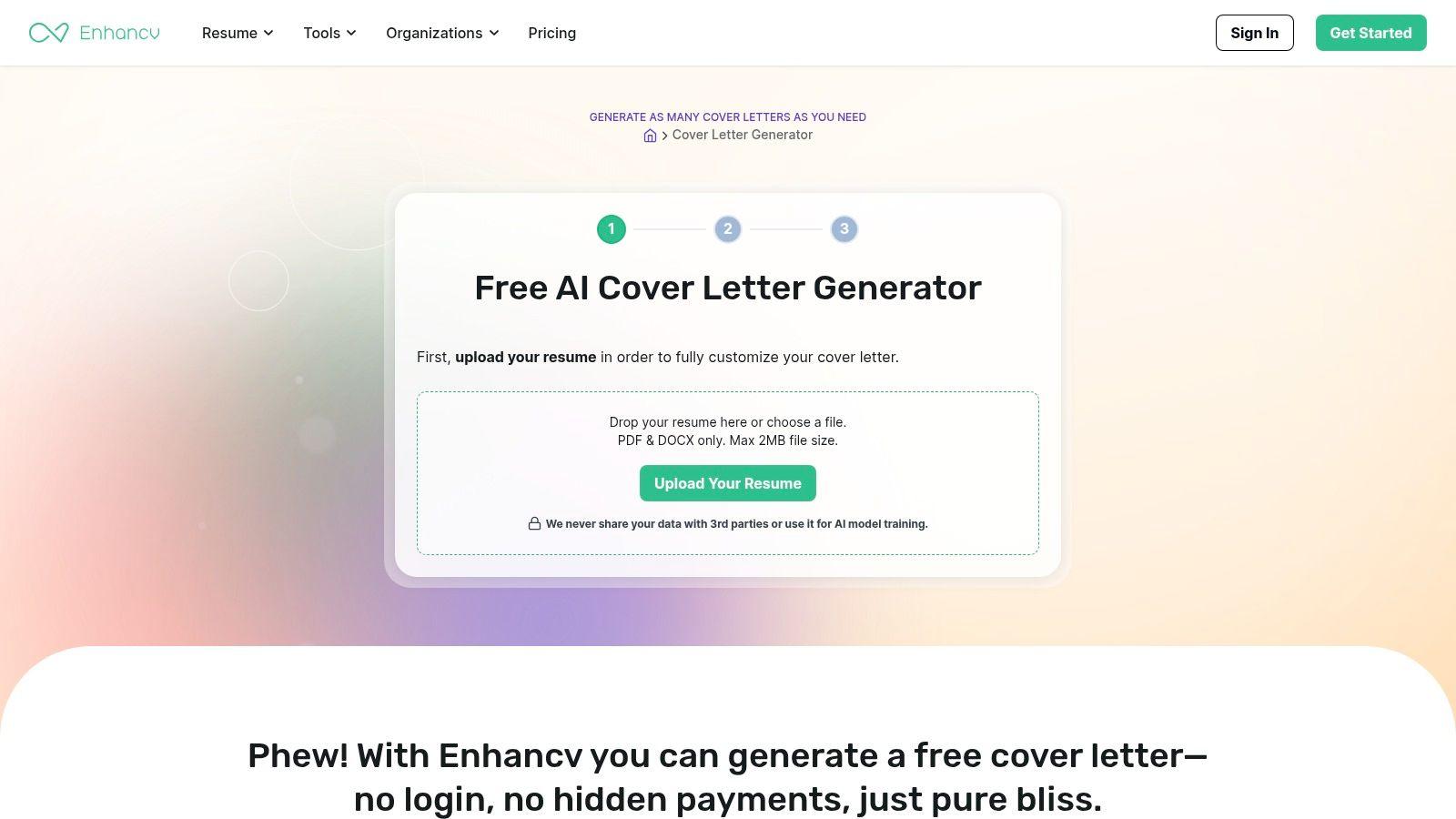
That shape is useful when a recruiter skims. A 2025 LinkedIn summary of Jobvite and ResumeLab notes that only 26% of recruiters called cover letters very important at first screening, while 83% of hiring managers in the ResumeLab survey said a strong letter could still secure an interview when the résumé fell short. Enhancv’s short draft can add that extra fit note. It can’t invent missing core skills.
What you get:
- Inputs: Resume file plus the posting, so both experience and requirements feed the draft.
- Output: Text to copy, not a full document editor.
- Cost to try: The Enhancv cover letter generator runs without an account.
You still need a resume file. If the only copy you have is a designed PDF full of text boxes, the extractor can miss a job. Paste the posting in full, then fact-check every line against roles you held.
2. Resume Worded
Resume Worded asks for the job title, company, and job description, then a PDF resume or typed experience. It tries to pick achievements that match the role. One letter is free. More generations sit on a paid plan.
A 2025 Clutch survey of 590 full-time workers who had searched in the prior year found that 66% of AI users used it to write cover letters, and 93% worried that AI-written resumes and letters make it harder for qualified people to stand out. One free letter is a fair trial, not a week of applications.
Practical rule: Type the two or three achievements you want used. If you leave selection to the model, it will favor whatever sounds biggest, not what the posting asked for.
Typed experience is the main advantage. You can skip the upload when a visa or contract role shouldn’t see your full file yet. The draft is only as targeted as the posting you paste. A title and company name alone produce a polite letter that could go anywhere. Use the free letter on the application you care about most, then edit the company-specific sentence yourself. Details are on the Resume Worded generator.
3. Teal
Teal is a job tracker with a letter generator attached, not a one-screen writer. The free plan includes two AI cover-letter generations, and you can try it without a credit card. You add the job and the resume inside Teal first.
That setup pays off if you already track applications there. It slows you down if you only wanted a paragraph tonight. Capterra’s 2024 survey of nearly 3,000 job seekers found 33% using AI specifically to write or refine a cover letter. Adoption isn’t the same as sending the first draft. Measure whether you edited it.
Where Teal fits:
- Two free generations: Enough to compare one role you want and one you’re unsure about.
- Tracker tie-in: The letter sits next to the job, which helps when you’re applying across countries and lose which version went where.
- Platform tax: Standalone use means extra fields before you see text.
The Teal cover letter generator is the wrong pick when the posting forbids a letter or the form has a 1,000-character box. Don’t spend a generation on that.
4. Kickresume
Kickresume pairs an AI draft with templates that can match a resume. The workflow can take a job title and description. The first AI letter is free. Some templates and customization need Premium, and you need an account. Students and teachers may qualify for free Premium. Confirm that on their site before you count on it.
A 2025 survey of 1,013 HR professionals across 59 countries found 95.1% considered tailoring a letter necessary, and 81.6% had already seen AI-written letters. A matched design doesn’t hide a generic middle. Only 3.3% were unsure whether a letter was AI-generated.
I would use Kickresume when you want one coordinated PDF set, not when you need five plain-text pastes tonight. Check whether the free plan lets you download before you spend time on colors. The builder lives at the Kickresume AI cover letter writer.
Design is the last pass. If the middle paragraph doesn’t name a requirement from this posting, a matching header won’t save it.
5. Rezi
Rezi builds the letter from resume and job-post information and keeps resume tools on the same site. The free plan includes one cover letter. Extra letters and some advanced AI features are paid.
That one letter should name the constraint that isn’t on the résumé. For a U.S. role, say whether you need sponsorship instead of stuffing keywords. Browse current U.S. visa sponsorship jobs so the sentence matches a real opening, not a guess about policy.
A LinkedIn write-up of a Harvard Business School and Accenture study reports that researchers surveyed 8,720 workers and 2,275 executives in the United States, United Kingdom, and Germany, and that 88% of employers said their own digital hiring systems filter out qualified candidates. Use the posting’s own terms in normal sentences. Don’t treat the letter as a keyword dump, and don’t assume any generator “beats” a screen.
Verify every claim against your history. Rezi will align tone to the role. It will also sound confident about work you didn’t do if the resume is vague. Start at the Rezi cover letter generator.
6. Himalayas
Himalayas is a remote-job board with a generator that uses profile or resume information plus a job description. The first letter is free. Further letters need a subscription.
Remote postings hide eligibility in one line: “anywhere” versus “remote, US only.” A letter that praises distributed work while you’re ineligible wastes the free generation. Check worldwide remote jobs for roles that state location rules up front, then paste that posting, not a generic remote blurb.
After ChatGPT’s release, an analysis of tens of thousands of Freelancer.com applications, covered by KESQ, found cover letters got longer and better written while employers put less weight on them. Length isn’t the lever. Add only what the résumé can’t show: time zone, work authorization, or why this distributed team.
Draft quality tracks the background you provide. A thin profile produces a thin letter, and the second one isn’t free. Try it on the Himalayas generator only after the posting is specific.
7. FlowCV
FlowCV is a formatter first. The first cover letter can be saved and downloaded as a PDF with no watermark, according to FlowCV. Layout, color, and font can match a FlowCV resume, and you can write in more than one language. AI help and extra saved letters need an upgrade.
Use it when the words already exist. Write or paste a short letter, then export a clean file for a portal that wants a PDF. A polished layout doesn’t add the posting’s requirements. If you haven’t read the vacancy, the PDF will look finished and say nothing.
Limits worth checking before you design:
- One saved letter on the free plan. A second version means an upgrade or a download you keep elsewhere.
- Language support helps if you apply in the posting’s language and edit in your own.
- Visual match with a FlowCV resume is the point. It isn’t job matching.
The FlowCV cover letter builder is the right last step, not the first draft, unless you’re comfortable writing the substance yourself.
8. Cover Letter Copilot
A draft you can fix beats a draft you have to retype. Cover Letter Copilot writes from the job posting and your experience, then lets you edit sections or rewrite and regenerate individual pieces instead of starting over. It’s free to start, with no credit card, according to the site. Check the current free-use caps before you build a search around it, and treat user counts on the marketing page as marketing.
Editable output matters because employers already see AI letters and distrust the generic ones. An iHire 2025 recruiting report found 29.3% of employers had seen candidates use AI on a résumé or cover letter in the past year, up from 17.3% in 2024, with fraudulent candidates (24.4%) and inauthentic applications (24.2%) the leading worries. A letter that survives that scrutiny names work you did.
For a role-heavy search, pull the actual requirements from a live product manager jobs listing and feed the tool those, not a generic PM summary. Then replace any metric you can’t defend in an interview. Start at Cover Letter Copilot.
9. Resume Genius
Resume Genius is a template and guided builder rather than a posting reader. You get Word and Google Docs templates, prewritten suggestions for each paragraph, and a plain-text download without a paid subscription. Formatted downloads may require a paid plan or trial, so read checkout terms before entering a card.
A guided questionnaire gives you structure: opening, proof, close. It never sees the vacancy, so the employer’s phrasing only reaches the page if you type it in yourself. Pull two or three requirements from the live posting and work them into the proof paragraph by hand. A 2023 Resume Genius survey of 625 U.S. hiring managers found 83% read cover letters frequently or always, and 73% at companies that don’t require them still read them regularly. A clean Docs file you control is enough for that reader.
Grab a free template from Resume Genius cover letter templates, write three short paragraphs, and paste the plain text if that’s all the form accepts.
10. Canva
Canva is a design tool with cover-letter templates and a drag-and-drop editor. Fonts, colors, and layout are yours, and you can export a designed PDF. The free plan covers a lot. Some templates and assets need Canva Pro.
It doesn’t read a job description or your resume. You bring the sentences. That’s fine for a creative role where the page is part of the sample. It’s a poor default for a conservative employer or a text box in an application system. Decorative columns and icons are easy for a person to admire and easy for a parser to scramble.
Archinect’s July 2025 AI in Cover Letters survey found 31% of respondents had used AI to help write cover letters and 69% had not. A designed Canva file still needs your own lines. If you draft by voice while you lay out the page, macOS dictation for visual content creation keeps you in the editor instead of bouncing to another writer.
Use Canva after the words are true. Start from Canva only when presentation is part of the job.
How the free cover letter generators compare on the attributes that matter before you apply
Judge the free tier by inputs and exits: what the tool reads, what happens to your resume, and whether the draft stays editable.
| Tool | Free allowance | Reads posting? | Resume/data handling | Edit before use |
|---|---|---|---|---|
| Enhancv | Free generator; no sign-up | Yes | Uses your background with the posting | Text output |
| Resume Worded | One free letter | Yes | Uses your background with the posting | Text output |
| Teal | Two AI generations | Yes | Letter sits inside a larger account | Edit in app |
| Kickresume | First AI-generated letter free | Yes | Letter sits inside a larger account | Edit in app |
| Rezi | One free cover letter | Yes | Letter sits inside a larger account | Edit in app |
| Himalayas | First letter free | Yes | Letter sits inside a larger account | Edit in app |
| FlowCV | One saved letter and PDF download free | No | Works from words already written | Format and edit |
| Cover Letter Copilot | Free to start | Yes | Built around refining AI draft text | Edit and refine |
| Resume Genius | Free templates and plain-text access | No | You supply the sentences | Edit in Word or Google Docs |
| Canva | Free templates and plan; some assets require Pro | No | Never sees the vacancy | Drag-and-drop editor |
| JobGlance | 3 letters a month free; Pro unlimited | Yes, full posting from the listing in one click | Resume text and public job description go to a third-party AI provider for that document | Edit in extension, then PDF or copy |
Choose the Tool by What It Does With Your Data, Then Check the Draft
A cover letter generator handles two things you’d rather not hand out carelessly: your resume and the role you want. Before you pick one, check three things. Does it read the full posting, or only what you paste? What happens to your resume text? And can you edit the output in place, or does it lock the draft behind a download?
The ten tools above split on all three. Enhancv and Resume Worded take the posting and your background, then hand you text. Teal, Kickresume, Rezi, and Himalayas fold the letter into a larger account and cap free generations at one or two. FlowCV and Resume Genius do more once you already have sentences to work with. Canva never sees the vacancy, so every draft starts generic.
JobGlance’s generator sits on the listing itself. Open the role, click the Magic Button, select AI Cover Letters, and the letter is written in seconds from the full job description and your uploaded resume. You can edit the draft inside the extension, then download it as a PDF or copy it into the application. From opening the listing to a letter you can send, the whole run takes under two minutes.
On the data side, your resume text is stored in JobGlance’s database to power the feature, and generating a letter sends that text plus the public job description to a third-party AI provider, used only to produce the document. The free plan includes three auto-customized letters a month; Pro removes the cap. Whatever tool you land on, check how the AI side treats your documents before you submit anything personal. As an example of the kind of policy page worth reading, review the AI chat privacy policy and look for two lines: what is stored, and what is sent onward.
One last check happens after generation. AI output can be wrong or oddly confident, and responsibility for every claim stays with you. Read the letter against your resume before an employer does. Cut any sentence you wouldn’t say out loud.
JobGlance writes a cover letter from the full job description and your resume, one click from the listing, so you aren’t pasting the same posting into a separate generator at midnight. You can edit the draft, copy it, or export a PDF, with three custom letters a month on the free plan. Open a role on JobGlance and generate the letter only after you’ve checked that the facts are yours.
Keep reading


