AI Job Search 2026: Tools and Workflows That Work


On this page
AI job search works in 2026 when it helps you tailor faster and research better. It backfires when you mass apply, especially now that 80% of job seekers use AI throughout their search, while 62% of HR workers are more likely to reject unpersonalized AI-generated resumes (Clutch survey summary, Resume Now HR survey).
That’s the part most advice gets backwards. People hear “AI” and jump straight to volume, but recruiters are already drowning in generic applications, and candidates who use AI well are using it to sharpen fit, not to flood inboxes. The right play is simple, use AI for discovery, screening, resume tailoring, cover letters, and company research, then keep a human hand on every submission.
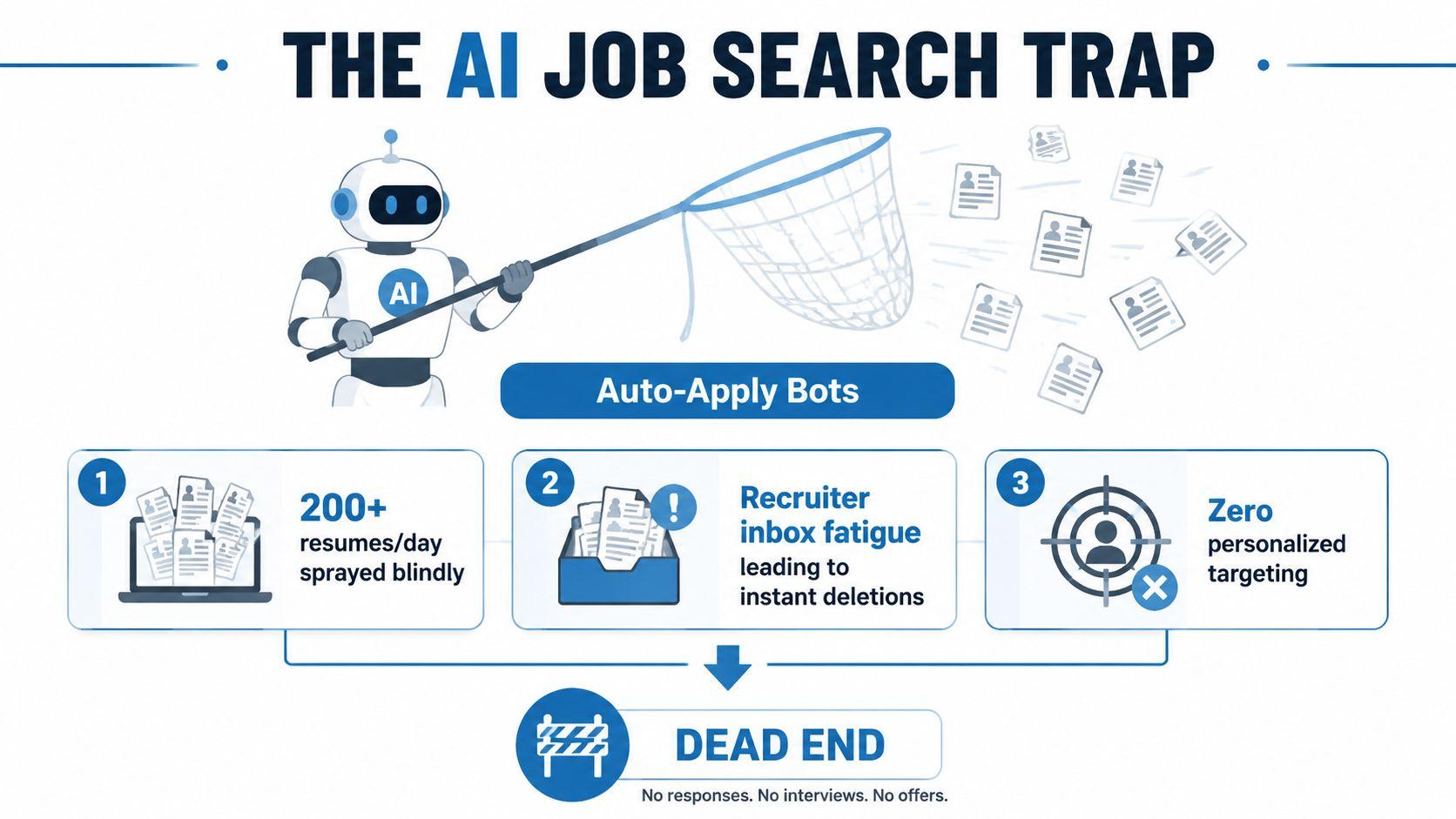
The AI Job Search Trap Most People Fall Into
The trap is spray-and-pray with a machine attached. People call that efficiency when they let auto-apply tools blast hundreds of resumes a day, but all they do is create noise recruiters can spot fast and often ignore.
The market already shows the problem. On Indeed, searches for AI-related roles increased 11-fold since November 2022 after ChatGPT changed how candidates search and write resumes (Indeed via HireTruffle). Employer-side use of AI is normal enough that 62% of HR workers are more likely to reject unpersonalized AI-generated resumes (Resume Now HR survey).
Volume does not equal progress. Recruiter inboxes fill up, pattern recognition kicks in, and generic applications get deleted before anyone cares that you used the “efficient” tool.
Why more applications usually means worse outcomes
Mass applying feels productive because the counter goes up. That is a psychological trick, not a job-search strategy. If your resume does not speak to the role, each extra submission only spreads weak evidence across more inboxes.
Practical rule: if you cannot explain why a role fits in one sentence, do not submit it yet.
Use AI to sharpen targeting and reduce wasted effort. Use it to research roles, tailor resumes, and draft cover letters faster, then keep a human hand on every submission. The winning move is precision, not bulk.
What AI Job Search Means in Practice
AI job search is a matching and editing layer, not a shortcut to employment. It helps you sort, compare, and rewrite faster, but it does not replace judgment, context, or a human decision about whether a role is worth your time.
The useful version starts with structure. On the candidate side, AI helps with search, ranking, tailoring, and drafting. On the employer side, it helps with screening, parsing, and sorting. People get confused when they blur those two uses together, then expect one tool to do work it was never built to do.
Matching, ranking, and automation are different jobs
Matching compares your profile with a role and estimates fit. In plain terms, it can flag that a designer also has product thinking, even when the posting uses different language. Product documentation for resume parsing and job-description matching shows how systems extract structured fields like skills, experience, education, and certifications from files and then compute match scores and gaps, with one spec claiming 95%+ extraction accuracy for parsed resumes (EvalCV technical spec).
Ranking orders results by relevance. That matters because the first page shapes what you apply to and what you ignore. Tools built around ranking use the wording inside the posting, not just raw keyword counts, and some workflows compare resume and job vectors with cosine similarity to improve relevance beyond simple matching (SkillSyncer).
Automation handles repetitive admin, parsing resumes, scheduling, outreach, follow-ups, and form filling. Useful, yes. It removes friction. It does not make choices for you.
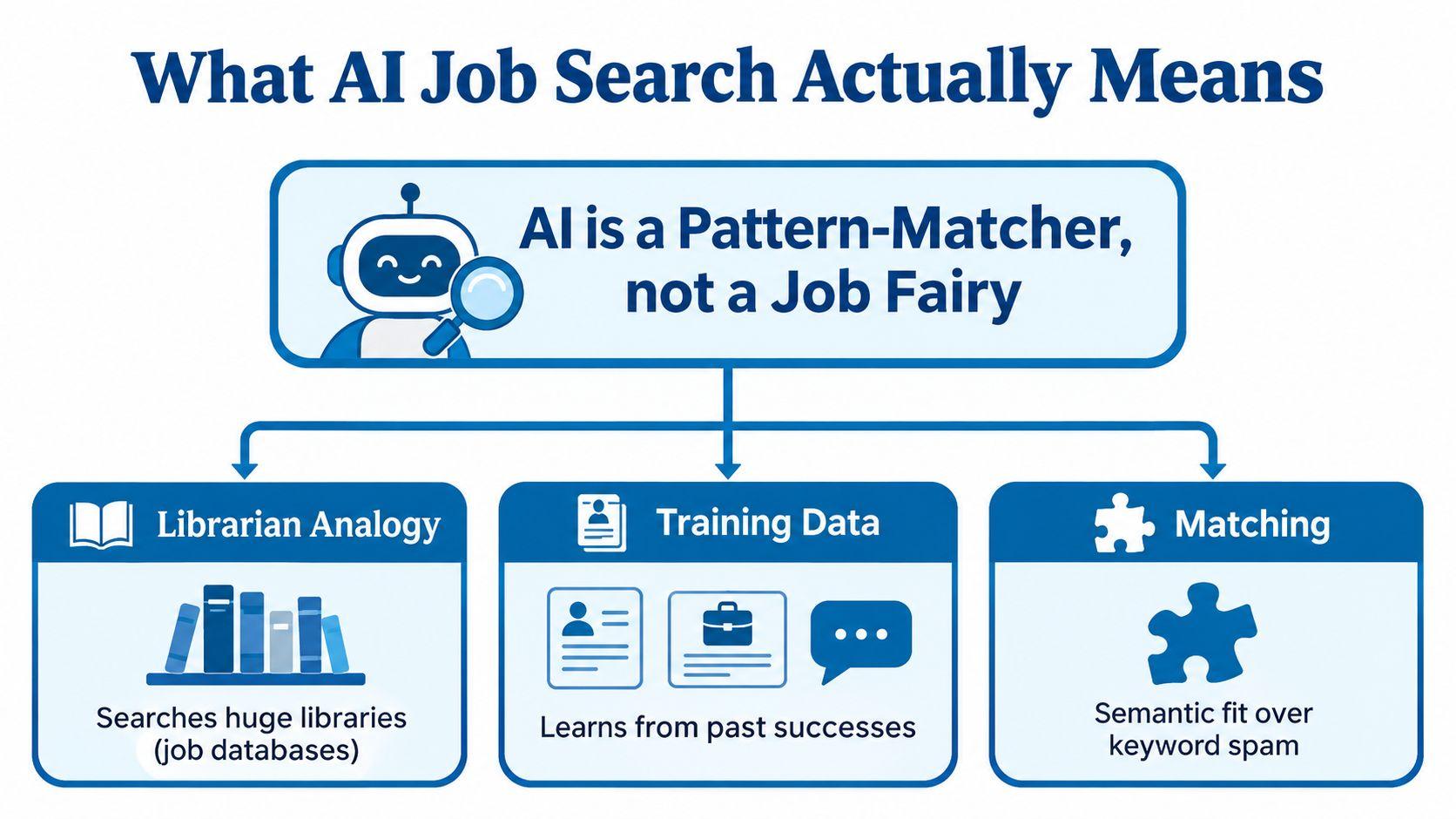
The clean read is simple, these systems are pattern-matchers placed at different points in the hiring pipeline. Some help you find roles, some help you prepare stronger applications, and some help employers filter them. If you treat all of that as one thing, you buy the wrong tool and chase the wrong outcome.
The Four Practical Ways AI Shows Up in a Job Search
The useful version of AI job search shows up in four places, and only one of them is about speed for its own sake. The other three are about fit, clarity, and better evidence.
Discovery, tailoring, drafting, and prep
First, discovery and matching. A search tool can surface roles you’d miss manually, especially when the role title is unusual or the wording differs from your background. That’s where tools like Data Analyst roles on JobGlance help in practice, because the point isn’t to browse endlessly, it’s to rank what’s relevant.
Second, resume tailoring. This is the highest-value use case. You take a real posting, pull out the repeated requirements, and ask AI to help rewrite bullets so they mirror the job’s language without inventing experience. That’s a translation task, not a fabrication task.
Third, cover letter drafting. AI can generate a first draft quickly, but the draft should sound like you after you edit it. If it reads like a template, the employer will feel that immediately.
Fourth, prep and admin. AI can help predict interview questions, organize follow-up emails, summarize notes, and draft outreach. It saves time, but it shouldn’t invent context you don’t have.
A simple comparison helps keep this honest.
| Use Case | Example | Main Benefit | Key Risk |
|---|---|---|---|
| Discovery and matching | Surfacing remote fintech roles you wouldn’t find by title alone | Better targeting | Overly broad suggestions |
| Resume tailoring | Rewriting bullets to match one posting | Stronger relevance | Hallucinated skills |
| Cover letter drafting | Drafting a first pass for a specific company | Faster writing | Generic voice |
| Prep and admin | Summarizing interview notes and follow-up emails | Less busywork | False confidence |
The anti-pattern is obvious. Auto-apply bots promise productivity, but they create the very problem they claim to solve. Recruiters see the volume, they see the sameness, and they treat the pile like spam.
A Real Workflow for an International Job Seeker
Maya is a product designer in Nairobi applying for remote roles in three markets. She does not start by sending resumes. She starts by building a small, clean input set, then uses AI to compare reality against her target.
She collects 15 postings from companies she’d work for, then asks AI to extract recurring skills, seniority signals, and location requirements from the set. That gives her a market map instead of a wish list. For international applicants, that matters because eligibility is often the first filter, not the last.
From broad search to strict fit
Maya sets a hard profile, English fluency, six years of experience, fintech strength, and no sponsorship required. Then she scores each role against that profile and rejects anything that doesn’t clear the bar. That keeps the process honest.
She only tailors to the highest-scoring roles. For each one, AI maps every résumé claim to a job requirement, and she rewrites only the parts that need stronger evidence. If the tool suggests a phrase she can’t defend in an interview, she deletes it.
Before she submits, she checks every suggestion against the original posting, then writes a short cover letter that answers one specific problem the company likely has. She’s not trying to impress with volume. She’s trying to look obvious for the role.
Keep a tracker with the prompt, the résumé version, the recruiter, and the follow-up date. AI can summarize notes later, but it should never supply undisclosed experience.
That workflow matters because JobGlance’s own model for international search follows the same logic, search by fit, not by keyword noise, and apply only when the role is viable. Its public visa sponsorship jobs pages fit that reality well, because eligibility is not a side note when you’re applying across borders.
When AI Helps and When It Quietly Hurts You
AI helps most before and between applications. Use it to cluster job titles, spot transferable skills, find missing keywords, draft outreach, and compare why one application worked while another stalled. That is where it earns its keep.
The upside is real. A summary of Clutch’s 2026 survey found that 80% of job seekers use AI throughout their job search, 84% use it to edit resumes, and 66% use it to write cover letters (TalentMSH summary of Clutch’s 2026 survey). The same source says 86% of those users increased how many jobs they applied to in a given week. AI is already changing behavior, not just shaving time off tasks.
The cost of generic output is still high
Convenience turns into a problem when it replaces judgment. A survey of 925 HR workers found 62% are more likely to reject AI-generated resumes when they are not personalized, and 78% say personalized details are how they judge genuine interest and fit (Resume Now AI applicant report). Generic output reads as low effort. Recruiters notice fast.
The flood is affecting hiring teams too. A 2026 report says 67% of U.S. HR leaders found reviewing AI-generated applications has slowed hiring, with 20% reporting delays of more than two weeks (JobCannon 2026 report). Another survey found 49% of U.S. hiring managers automatically dismiss resumes they suspect are AI-generated, and 90% of employers have seen more low-effort, spammy AI applications (JobsProut employer survey summary).
The rule is simple.
Use AI to increase relevance, not volume. If a tool cannot help you explain why you fit, it is noise.
AI works best as a filter and editor. It hurts you when it replaces taste, evidence, and fit.
Using AI Responsibly Without Outsourcing Your Judgment
Treat AI like a demanding editor who pushes for evidence over polish. Start with a private source file that tracks verified accomplishments, dates, tools, and metrics. If the evidence is not in that file, it does not belong in the application.
Use the model to tighten language around that source, then fact-check every line. Rewrite the core examples in your own voice. A polished sentence is worthless if you cannot defend it in an interview.
A checklist that keeps you out of trouble
- Work from evidence first: Keep a clean record of what you did, with dates and context.
- Edit for voice: Read the final resume aloud. If it sounds robotic, strip it back.
- Tailor, don’t copy: Pull relevant evidence into the application, do not paste the job description into your resume.
- Review every detail manually: Names, pronouns, links, formatting, and instructions still need your eyes.
- Protect sensitive data: Do not feed confidential employer information into a tool whose retention policy you have not checked.
Disclosure matters when an employer asks for it. It does not rescue inaccurate content. If the application overstates your experience, the problem is still yours. AI can help you sharpen the story, but it cannot supply the substance behind it.
Leave time between draft and final review. Come back with fresh eyes, and you will catch robotic phrasing, missing context, and claims that sound better than they are.
Picking the Right AI Tools Without Buying Hype
The market splits into three buckets, and they’re not equal. Search-and-match platforms help you find better roles, writing assistants help you tailor better applications, and auto-apply bots try to turn your search into volume.
For international and remote searches, JobGlance’s worldwide remote jobs fit the search-and-match category. The value there is fit-based ranking and location logic, not bulk submission. That’s the category that deserves attention first.
Compare the tool classes before you subscribe
Search-and-match platforms are strongest when your problem is discovery. They’re only as good as the profile you feed them, though, so weak input produces weak ranking. Use them when you need better visibility into roles, sponsorship, or remote eligibility.
Writing assistants are the highest-value category for most job seekers. They help you turn one strong profile into role-specific material, and they’re worth paying for if you already have real evidence to work with. Their downside is obvious, they can sound generic if you don’t edit the output.
Auto-apply bots are the lowest-trust option. They save time, but they also create the exact flood that recruiters are already complaining about. If a tool promises 100 or 1,000 applications in minutes, assume it’s selling volume, not outcomes.
| Tool Category | Best For | Risk Level | When to Use |
|---|---|---|---|
| Search-and-match platforms | Better discovery and fit ranking | Moderate | When you need cleaner role selection |
| Writing assistants | Resume and cover letter tailoring | Lower, if you verify content | When you already know the target role |
| Auto-apply bots | Bulk submission | High | Rarely, and only with heavy review |
The vetting criteria are essential. Check how it handles your data, whether it works with ATS-style workflows, and whether the output still sounds like you. If it strips your voice, it’s solving the wrong problem.
The One Rule That Beats Every AI Trick
One human, one job, one shot.
That’s the rule. Spend the extra fifteen minutes tailoring the resume, rewrite the cover letter opener in your own words, and verify every claim the AI generated. Recruiters can detect generic output, and the time you save by automating too hard usually comes back as a rejection.
Targeted applications compound. Generic ones just add noise. If you want more interview momentum, pick fewer roles and make each one unmistakably yours.
Pick one role this week, turn off the auto-applier, and use AI only as a research and drafting assistant. That single shift separates signal from noise in a market where algorithms now sit on both sides of the table.
JobGlance helps you search by fit, rank roles against your resume, and tailor applications without turning your job hunt into a mass-apply machine. If you want a cleaner way to find remote and visa-sponsorship roles, visit JobGlance and use the ranking and matching tools to focus on jobs you can actually win.
Keep reading


