10 Resume Mistakes That Cost You Interviews in 2026


On this page
You’ve found a role that fits, adjusted your resume, and submitted the application. Then nothing. Another applicant with similar experience gets a call, leaving you wondering what they showed that you didn’t.
The difference isn’t necessarily talent. A recruiter may have found their relevant experience faster, or the application software may have extracted their employment history more accurately. Fixable resume mistakes can hide qualifications you already have.
Your resume needs to pass two different tests: accurate machine reading and a fast human scan. The TheLadders eye-tracking study hosted by Boston University found that recruiters spent about six seconds on an initial resume review, not on the entire evaluation. That makes clarity important, but it doesn’t mean every recruiter follows a stopwatch.
Each mistake below gets both tests, a concrete rewrite, and a match-score check. Treat the score as diagnostic feedback, not a prediction of an interview. A better score doesn’t override work eligibility, missing qualifications, or an employer’s hiring priorities.
Professional context matters, too. Specialist advice such as this resume guidance for legal professionals can help you distinguish general editing principles from expectations specific to your field.
At JobGlance, resumes are never sold or used to train AI models, and you can delete yours at any time. Smart Match runs on our infrastructure, and we don’t send resumes to job boards, recruiters, or employers.
1. Sending a Generic Resume with an Unfocused Summary

A summary that describes you as hardworking, adaptable, and results-driven could belong to almost anyone. It doesn’t tell a recruiter whether you’re a backend engineer, financial analyst, or customer success manager.
In a January 2024 ResumeTemplates.com survey of U.S. hiring decision-makers, 36% said they frequently pass on candidates when important information can’t be located quickly. Your opening should make the target role obvious, not require interpretation.
Replace Personality Claims with Professional Evidence
Before: Hardworking professional seeking a challenging opportunity with a growing company.
After: Data analyst specialising in SQL reporting and subscription analytics, with experience replacing manual reporting workflows and supporting retention decisions.
- ATS reading: The revised version contains an identifiable role, relevant tools, and a domain. The original contains little usable evidence of fit.
- Recruiter scan: The revised version answers what you do and where you’ve applied it. Put supporting accomplishments immediately below it.
- Match-score check: Compare both versions against the same vacancy. Inspect which relevant requirements became clearer rather than chasing the headline score.
Keep a master resume, then adapt the summary and strongest experience bullets for each application type. Browse UK visa-sponsored roles before tailoring to that market, paying attention to qualifications and location requirements.
Keep the summary short. If a stranger can’t identify your target role from it, replace abstract adjectives with specific work.
2. Listing Duties Instead of Measurable Achievements

Responsible for reporting tells the reader your assignment. It doesn’t explain what you improved, how independently you worked, or why your contribution mattered.
A 2025 resume review published through PRWeb found that more than 70% of the resumes reviewed lacked measurable achievements. The fix isn’t adding impressive-looking percentages. It’s making your contribution verifiable.
Before: Responsible for managing weekly reports.
After: Automated weekly reporting in SQL, replacing manual spreadsheet consolidation and giving account managers a consistent view of renewals.
Show Action, Scope, and Outcome
ATS reading: Both versions mention reporting, but the rewrite also identifies the tool and business context. Those details give a matching system more relevant text to evaluate.
Recruiter scan: The rewrite distinguishes ownership from participation. It explains what changed because you did the work.
Evidence rule: If you can’t defend a number in an interview, don’t put it on your resume.
Use documented time savings, revenue, error reduction, or throughput when available. Otherwise, describe scope: the workflows supported, departments involved, reporting frequency, or type of decision enabled.
Match-score check: Look for stronger alignment with the vacancy’s responsibilities, not just additional keywords. If a posting asks for stakeholder reporting, your bullet should identify who used the output and why.
Put the strongest relevant accomplishment first. Don’t bury it beneath routine duties that any person in the role would perform.
3. Ignoring ATS Formatting Rules
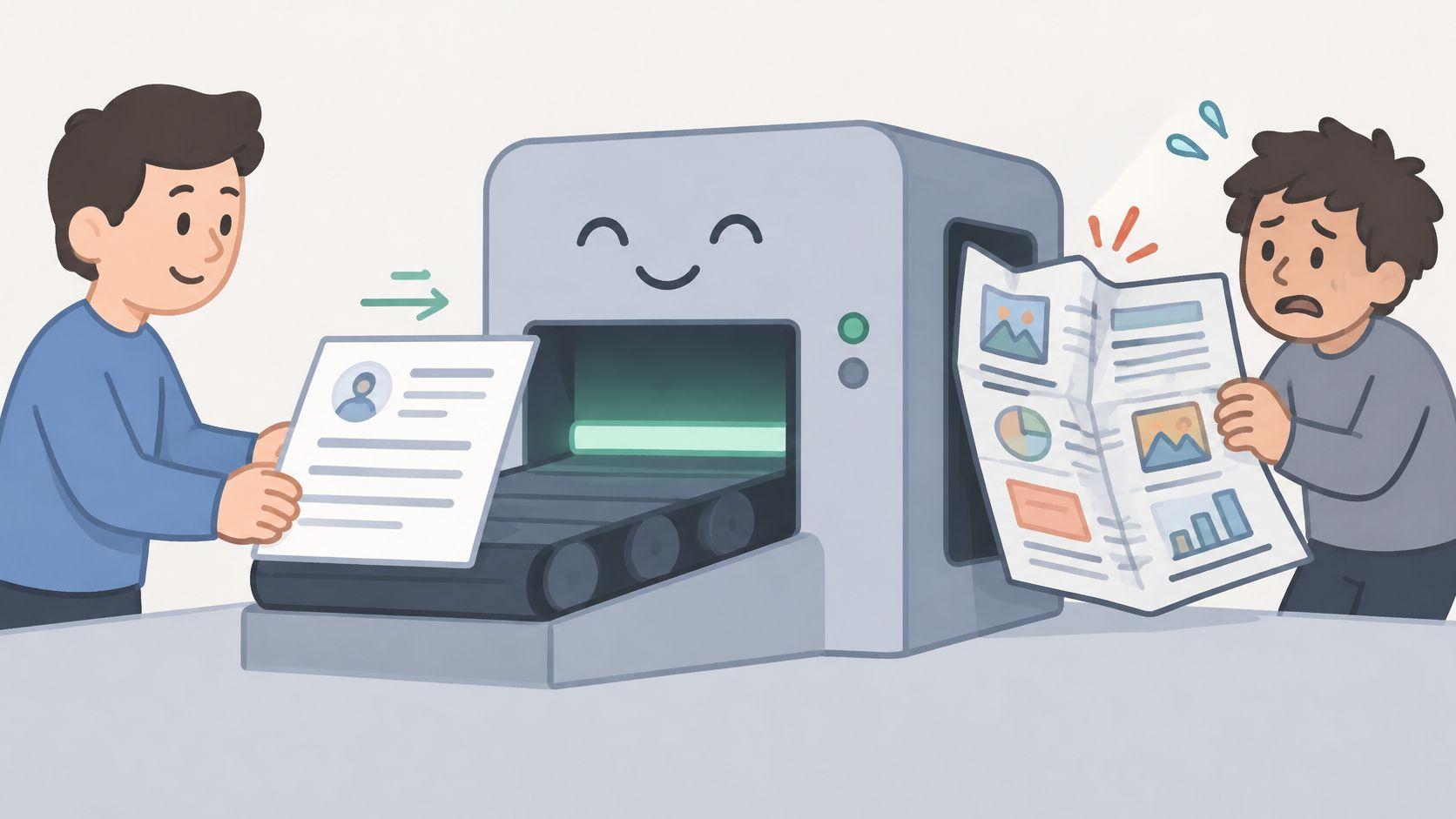
A polished sidebar can look excellent on screen and still place your skills halfway through an unrelated job description when extracted as text. Visual order and reading order aren’t always the same.
In its analysis of resumes, ATS Verification reported parsing failures in 4% of plain single-column DOCX files, compared with 52% of PDFs containing columns or tables. Those results describe the tested documents, not a universal failure rate for every hiring system.
Rebuild the Reading Order
Before: Contact details in a header, skills in a sidebar, and employment history inside a table.
After: Name and contact details in ordinary body text, followed by Summary, Experience, Skills, and Education in a single column.
- ATS reading: Check whether titles, employers, dates, and contact details remain attached to the correct fields.
- Recruiter scan: Use clear headings, readable type, and consistent spacing. Don’t replace visible structure with an unbroken wall of text.
- Match-score check: Compare the extracted content before interpreting any score change. Missing text is a parsing problem, not necessarily a qualification gap.
Follow the employer’s requested file format. Otherwise, use a clean DOCX or text-preserving PDF, then copy its contents into a plain-text editor.
Read the result from top to bottom. If dates jump between jobs or your email disappears, fix the document before applying. Keep a separate designed portfolio if your profession requires visual presentation.
4. Keyword Stuffing or Missing Role-Specific Keywords
A recruiter searching for ETL experience shouldn’t have to infer it from a vague reference to data workflows. Equally, repeating ETL throughout a resume won’t establish experience you don’t have.
The right vocabulary makes evidence discoverable. It doesn’t replace evidence. Review actual product manager openings to see how similar titles can involve different expectations around discovery, analytics, delivery, and commercial ownership.
Attach Each Important Term to Real Work
Before: Product strategy, roadmaps, discovery, analytics, stakeholder management, leadership.
After: Led customer discovery with sales and support teams, translated recurring onboarding problems into roadmap priorities, and defined adoption measures with analytics colleagues.
ATS reading: A skills list can expose relevant terms, but contextual bullets clarify where you used them. Include the full term and acronym together when that improves clarity.
Recruiter scan: The rewrite gives the reviewer something to question and assess. A dense keyword block offers no clear indication of depth.
- Select deliberately: Identify the tools and capabilities central to the job, not every repeated word in the posting.
- Place naturally: Add supported terms to relevant accomplishments and the skills section.
- Reject padding: Don’t claim a tool because you’ve read about it or worked beside someone who used it.
Match-score check: Review matched and missing terms individually. Add a missing term only when you can connect it to genuine work, training, or a clearly labelled project.
If a requirement remains unsupported, leave that gap visible. Honest partial alignment is better than a perfect-looking document you can’t explain.
5. Failing to Address Visa Status and Work Eligibility
For international applicants, eligibility is separate from professional fit. You can meet the technical requirements and still need an employer that supports sponsorship in the destination country.
Don’t make the recruiter infer your situation from your name, university, or current address. Give a brief, factual statement when location or sponsorship is relevant.
Before: Open to international opportunities.
After: Based in Lisbon. Requires employer sponsorship for UK employment.
Separate Eligibility from Qualifications
- ATS reading: Put location and relevant work-authorisation information in ordinary text, not an icon or footer. Answer application-form eligibility questions accurately as well.
- Recruiter scan: Make the practical constraint easy to find without letting it overwhelm your professional summary.
- Match-score check: Assess the role’s sponsorship requirements separately from its skill match. Strong technical alignment doesn’t establish permission to work.
Use visa-sponsorship job listings to narrow your search before spending time tailoring. An employer’s previous sponsorship activity is a useful lead, but it isn’t a commitment to sponsor every vacancy.
State what you know about your eligibility. Don’t imply that a visa, transfer, or sponsorship arrangement is guaranteed.
Avoid passport numbers, identity-document scans, or lengthy immigration histories on the resume. The recruiter needs enough information to understand whether the hiring arrangement is feasible, not your complete personal file.
If your circumstances are complex, keep the resume statement concise and explain the details accurately in the application process.
6. Not Stating Remote Eligibility and Time Zone Clearly
Remote describes a working arrangement, not permission to work from any country. A vacancy can be home-based while still requiring residence in a particular jurisdiction.
Before: Seeking remote work worldwide.
After: Based in Portugal. Seeking globally remote roles, with working hours overlapping the employer’s European business day.
That rewrite states your location and availability without implying that every remote employer can hire you.
Make Distributed Work Concrete
ATS reading: Use explicit location and remote-work language. Don’t expect a parser to derive your availability from a telephone country code.
Recruiter scan: Show how you work remotely, not just that you want to. Mention asynchronous handovers, written decisions, distributed delivery, or collaboration across relevant regions.
Match-score check: Check geographic restrictions before interpreting the skills score. A strong match on Python and cloud infrastructure doesn’t remove a domestic-residence requirement.
- Location: Give your actual working location rather than a destination you merely hope to move to.
- Overlap: Describe reliable availability and account for seasonal clock changes.
- Evidence: Name tools such as Slack, Jira, or Notion only alongside the work they supported.
Use remote job categories to distinguish geographic options, then read each vacancy’s restrictions carefully. If a posting is ambiguous, resolve that uncertainty before investing heavily in the application.
For example, a support applicant could describe documented handovers between regional teams. That tells a hiring manager more than remote-ready or excellent communicator.
7. Unexplained Employment Gaps and Inconsistent Dates
A career break isn’t a formatting defect. Conflicting dates are.
The summary of the recruiter eye-tracking findings published by PerpPortal reports that nearly 80% of initial scanning time focused on identifying fields, including current and previous employment, dates, and education. Make those fields easy to follow rather than forcing the reviewer to reconstruct your timeline.
Before: Employment dates shown inconsistently, with an unexplained interval and overlapping roles.
After: Consistent month-and-year dates, clearly labelled concurrent contracts, and a brief Career break, caring responsibilities entry where useful.
Explain the Timeline without Oversharing
ATS reading: Keep each date range beside the corresponding employer and title. Distinguish employment, freelance projects, education, and breaks.
Recruiter scan: A neutral explanation removes uncertainty. You don’t need to disclose medical details or justify every personal decision.
Match-score check: Confirm that imported experience remains attached to the correct roles. Don’t assume a matching tool can validate your employment history or explain a career break.
The Find New Drivers work history guide offers a useful sector-specific reference when preparing a driver application. For any occupation, reconcile your resume with contracts, employment records, and application forms before submission.
Keep the distinction clear: A missing skill and a break in employment are different problems. Training can address the former; accurate chronology explains the latter.
If you completed relevant learning during a break, include it accurately. Don’t relabel an entire break as professional development unless that description is true.
8. Including Irrelevant Personal Information and Outdated Sections
Your resume isn’t a complete biography. Every line should help the employer assess your suitability or contact you.
A full street address, unrelated hobby list, and references available upon request can crowd out stronger evidence. An objective focused on what you want from an employer does less work than a summary explaining what you can contribute.
Replace Clutter with Relevant Proof
Before: Objective seeking career growth, full mailing address, generic interests, and a references statement.
After: City and country, professional contact details, a focused summary, and a relevant project showing the skills required by the vacancy.
- ATS reading: Conventional headings make useful content easier to identify. Don’t hide qualifications under creative labels.
- Recruiter scan: Remove material that pushes recent, relevant accomplishments further down the page.
- Match-score check: After cutting clutter, confirm that you haven’t removed a required qualification, language, licence, or location detail.
Country conventions differ. For US, UK, and Australian applications, omit photographs and personal details such as marital status unless there’s a legitimate, clearly explained application requirement.
For other destinations, check the employer’s expectations rather than assuming a photograph is compulsory. Don’t provide sensitive personal information merely because a template includes a space for it.
I recommend keeping the document as short as your relevant evidence allows. A concise senior resume can still need more space than an entry-level application; shrinking the font to force everything onto a page usually makes the wrong trade-off.
9. Typos, Inconsistent Formatting and Poor File Naming
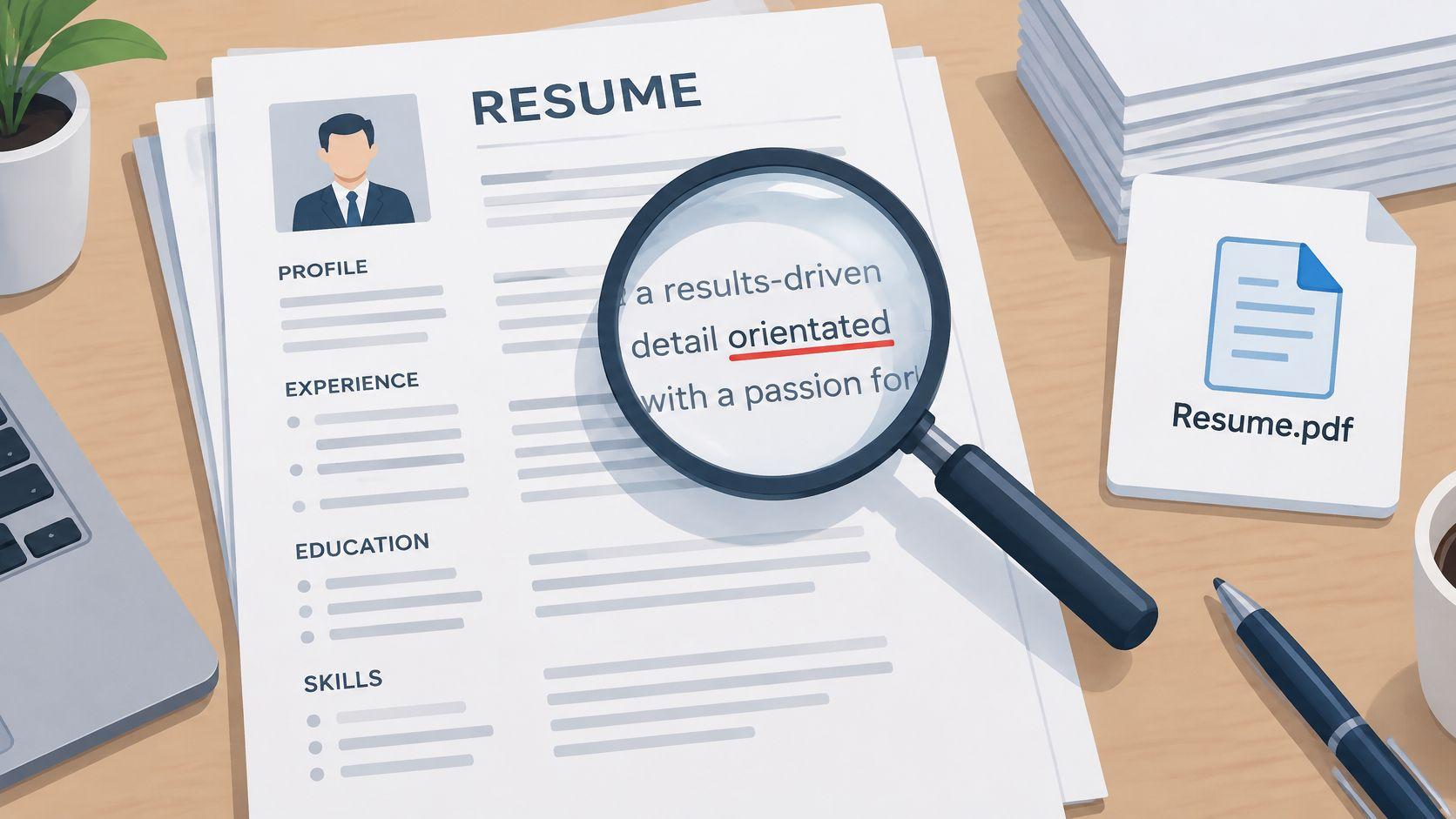
Proofreading isn’t cosmetic. In a 2018 CareerBuilder survey conducted by The Harris Poll among U.S. hiring and HR managers, 77% identified spelling or grammar errors as an instant deal-breaker.
That doesn’t mean every employer rejects every typo. It means avoidable writing errors can undermine otherwise credible experience.
Before: Resume_final_revised.pdf, mixed fonts, inconsistent bullet punctuation, and misspelled software names.
After: FirstName-LastName-Resume-DataAnalyst.pdf, consistent formatting, verified contact details, and correctly written technical terms.
Proofread the Export, Not Just the Editor
ATS reading: Check email addresses, telephone details, employer names, and technical keywords. A typo in a required tool can also obscure relevant experience.
Recruiter scan: Consistent spacing and tense help the reviewer follow the document without distraction. Use past tense for completed work and present tense for ongoing responsibilities.
- Read aloud: Listen for missing words, awkward claims, and sentences that don’t explain an outcome.
- Check independently: Ask another person to verify contact details and chronology, not just grammar.
- Open the final file: Look for clipped text, broken bullets, and unexpected page breaks after export.
Match-score check: Rerun the final exported version, not an earlier draft. Inspect any unexplained loss of recognised skills or experience.
A matching tool won’t reliably catch a wrong telephone number or a misleading filename. Finish with a human review.
10. Neglecting to Align the Resume with the Application Process
A strong resume can lose credibility when the application form tells a different story. Conflicting titles, dates, qualifications, or seniority leave the recruiter deciding which version is accurate.
AI-assisted drafting adds another verification task. In a May 2025 TopResume survey of U.S. hiring managers, 19.6% said they would reject a resume or cover letter that appeared AI-generated. That’s a reported reaction, not proof that reviewers can reliably identify AI-written text.
Keep Every Version Defensible
Before: The resume says product lead, the application says product manager, and the cover letter claims department-wide leadership without supporting evidence.
After: Use the official title consistently, add a truthful functional clarification where needed, and describe the actual scope of leadership.
ATS reading: Check imported fields against the source document. Parsing can create discrepancies even when your original resume is correct.
Recruiter scan: Make the intended level clear through scope, decisions, and outcomes. Don’t inflate titles to resemble the vacancy.
Match-score check: Compare the correct resume version with the actual posting. A score against a similar vacancy doesn’t establish fit for this one.
Use the JobGlance blog for additional application guidance. In regulated career paths, understand the distinction between training and eligibility, illustrated by the path from training to airline eligibility.
AI can help restructure sentences or identify unclear wording. Verify every claim against your records, remove invented metrics, and make sure you can explain each accomplishment naturally in an interview.
How the 10 resume mistakes compare by impact and fix effort
Read each row twice, once as the ATS parser would read your file and once as a recruiter scanning for six seconds. The fastest fix is the one that repairs the read you fail first.
| Item | Where It Hurts | Fastest Fix | Tool That Helps |
|---|---|---|---|
| Sending a Generic Resume with an Unfocused Summary | Relevant roles rank lower and the scan misses your fit | Tailor the headline and top bullets to each posting | JobGlance Resume Match Score |
| Listing Duties Instead of Measurable Achievements | Your impact is unclear and your experience reads like a job description | Lead each bullet with an action and a measurable result | Achievement-focused bullet formula |
| Ignoring ATS Formatting Rules | Key details get misread or filtered out before anyone sees them | Use a single-column layout with standard headings | JobGlance ATS Resume Builder |
| Keyword Stuffing or Missing Role-Specific Keywords | Filters miss relevant terms, while padding damages credibility | Work posting-specific terms into evidence-backed bullets | JobGlance Resume Match Score |
| Failing to Address Visa Status and Work Eligibility | Recruiters may skip your application or assume you are ineligible | State your location and work eligibility near the top | JobGlance sponsorship filters |
| Not Stating Remote Eligibility and Time Zone Clearly | A location or time-zone mismatch can block consideration | Add your country, time zone and overlap availability | JobGlance work-from-anywhere filters |
| Unexplained Employment Gaps and Inconsistent Dates | Gaps invite assumptions and mismatched dates reduce trust | Explain relevant gaps briefly and standardise every date | Employment records and contracts |
| Including Irrelevant Personal Information and Outdated Sections | Outdated details take space from achievements and may raise bias concerns | Remove irrelevant sections and follow local conventions | Target-market conventions research |
| Typos, Inconsistent Formatting and Poor File Naming | Errors signal carelessness and can break keyword matching | Proofread, standardise formatting and rename the file clearly | Spell checker and peer review |
| Neglecting to Align the Resume with the Application Process | Conflicting titles or seniority weaken credibility across materials | Match titles, dates and skills everywhere you apply | JobGlance Top Matches and application tracking |
Formatting errors and missing keywords cut your score before a human opens the file, so those fixes come first. After each change, re-score the resume against a real posting. The ATS builder runs five concrete checks and shows the old score beside the new one, so you verify the fix instead of trusting general advice.
Fix the Top Three First, Then Check Every Version
Start with the resume mistakes that hide the most useful information: an unfocused summary, duty-based bullets, and an unreadable layout. Those fixes improve how clearly you present your existing experience without requiring you to manufacture new qualifications.
Set aside an afternoon for the first revision. Choose a vacancy you genuinely want and can realistically accept, then work from its actual requirements rather than a generic description of your profession.
Repair the Evidence before Polishing the Language
Rewrite the opening so the reader can identify your target role and specialisation. Replace routine duties with actions, scope, and supported outcomes.
Then simplify the document structure. Keep the employment history predictable, put contact details in the main text, and verify the exported reading order.
- Establish the baseline: Save the original resume and note which requirements it demonstrates clearly.
- Change deliberately: Separate formatting repairs from content edits so you can understand what improved.
- Verify the result: Read the exported text, inspect the match feedback, and confirm every claim remains accurate.
Don’t interpret a higher score as permission to stop reviewing. A matching system can highlight relevant language, but it can’t guarantee sponsorship, validate your achievements, or decide whether the employer will interview you.
Eligibility deserves its own decision. Check location, sponsorship, time-zone expectations, required credentials, and seniority before investing in detailed tailoring.
Keep the Final Decision Human
Ask someone to scan the finished resume and tell you what role you’re targeting, what you’ve accomplished, and where you can work. If those answers aren’t clear, revise the document rather than explaining what you meant.
Keep the approved version alongside the vacancy and application details. That gives you a reliable reference when a recruiter calls and prevents contradictory versions from circulating.
Our ATS Resume Builder is free, requires no credit card, and checks your resume against five ATS criteria. It rebuilds resumes in single-column templates and exports a text-preserving PDF; building, scoring, templates, and PDF export are unlimited, while automatic imports on the free plan have separate limits.
Use automated feedback to locate problems, then make the final editorial decision yourself. The strongest application isn’t the one with the most keywords. It’s the one that makes your relevant, truthful experience easy to understand and easy to discuss.
JobGlance combines resume checks with job discovery, including dedicated sponsorship and worldwide-remote filters. Visit JobGlance to rebuild your resume, review its fit against a suitable vacancy, and fix the weakest evidence before you apply.
Keep reading


