
10 LinkedIn Job Search Tips for Global Candidates


On this page
Stop treating every LinkedIn job as an opportunity. For an international or remote candidate, a listing that doesn’t accept your location, timezone, employment arrangement, or work authorization isn’t a lead. It’s a distraction.
The popular advice says to apply more quickly and send more applications. That approach ignores the sequence that determines whether an application deserves your time. First, make your profile searchable using the same role terms recruiters use. Then remove jobs you can’t legally or practically take. After that, rank the remaining roles by fit, tailor the application, contact relevant people, verify the listing, and track what happens across LinkedIn and other job sites.
LinkedIn says a complete profile can make a candidate eight times more likely to be discovered by employers, and its guidance emphasizes keywords in the headline, About section, and job titles, along with measurable impact in Experience. LinkedIn’s profile structure guidance supports the foundation of this approach. These LinkedIn job search tips turn that foundation into a ten-step workflow, from keyword alignment and Boolean searches to recruiter messages, listing validation, and a repeatable cross-site application system. You can also use this guide to finding your dream job on LinkedIn as a companion for platform discovery.
1. Optimize Your LinkedIn Profile with Keyword Alignment
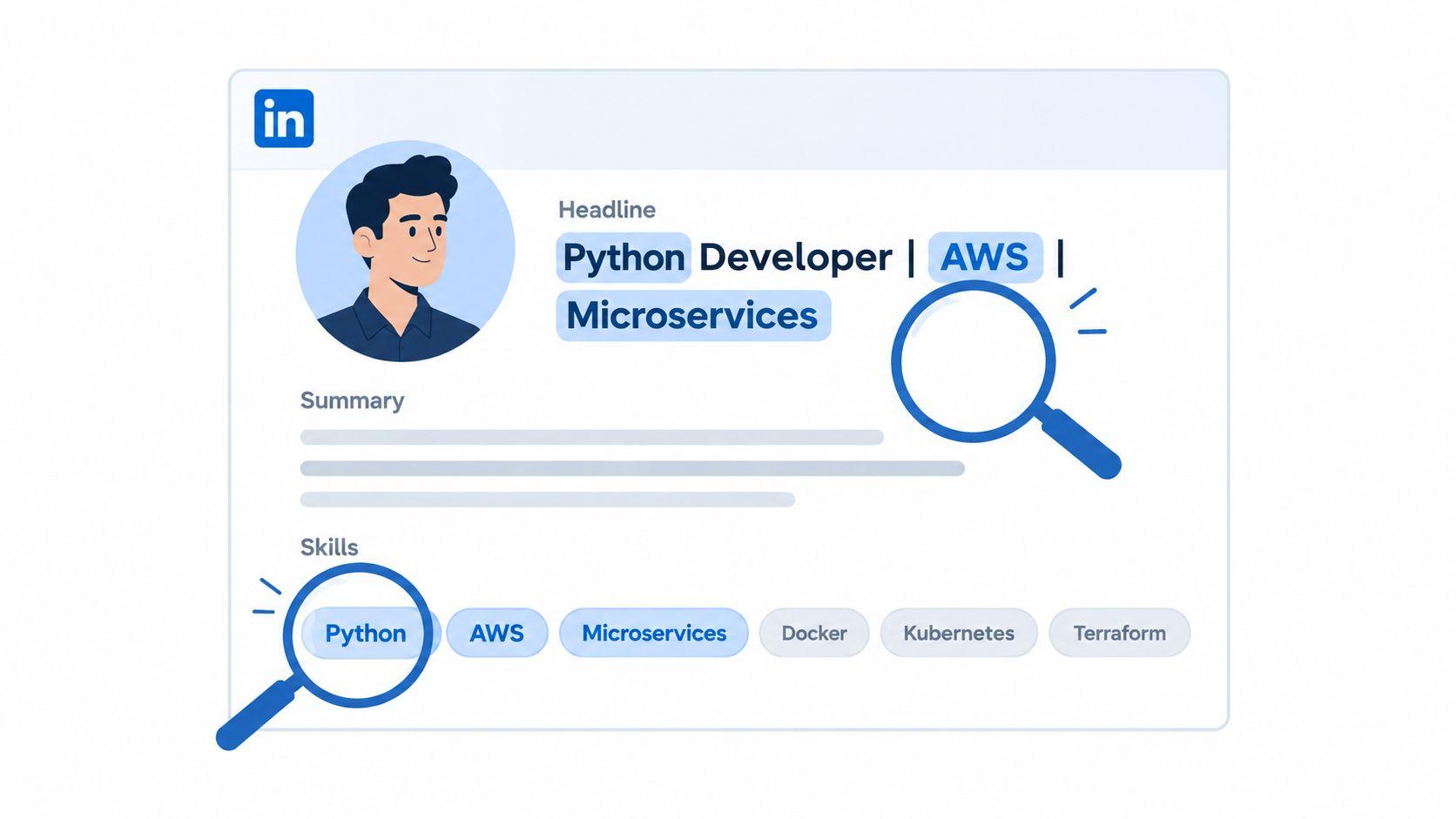
Recruiters can’t shortlist what their searches don’t retrieve. LinkedIn’s own guidance recommends making your profile searchable by adding industry-standard keywords to your headline, About section, job titles, and Experience entries. It also recommends showing measurable impact, so your profile communicates both relevance and evidence.
Start with the roles you want, not a generic description of your background. If you’re targeting product management, a headline such as “Product Manager | B2B SaaS | Roadmaps, Discovery, Go-to-Market” gives recruiters more usable signals than “Experienced Professional.” Your About section should explain the problems you solve, the environments you know, and the tools or methods that recur in your target listings.
Build a keyword map from real vacancies
Save several relevant job descriptions and mark repeated terms. Separate them into canonical titles, technical skills, methodologies, industry language, and seniority indicators. Add only terms you can support with experience, projects, education, or a credible portfolio.
An international product manager might write: “Product Manager with experience translating customer research into SaaS roadmaps, coordinating engineering delivery, and supporting go-to-market launches. Open to distributed teams and relocation where employer authorization is available.” That sentence is searchable, specific, and honest.
Place your strongest terms near the beginning of the headline and About section. Then connect each important skill to an Experience bullet that explains what you did and what changed. For a clearer role reference, compare your language with current Product Manager openings.
Practical rule: A keyword earns its place when a recruiter could use it to search for you and you could defend it in an interview.
Your profile is a discovery asset, not a static résumé. Review it whenever your target role changes, a recurring requirement appears in saved jobs, or your work develops new evidence. For presentation choices that support a credible profile, see this LinkedIn profile photo guide.
2. Build ATS-Friendly Keyword Language Before You Apply
A searchable LinkedIn profile won’t compensate for a résumé that an applicant tracking system can’t read. Many applications move from a job board into an employer’s recruiting workflow, so your résumé and application fields need plain, machine-readable language as well as persuasive evidence for a human reviewer.
Use the job description as your terminology reference. Mirror the employer’s legitimate wording for the role, tools, responsibilities, and qualifications, but place those terms inside truthful sentences. Keyword alignment means writing “Built services with Python, Docker, and Kubernetes” when that reflects your work. Keyword stuffing means repeating the same terms in a skills block without context.
Keep structure boring for software
Use a single-column résumé with conventional section headings such as Experience, Skills, Education, and Certifications. Avoid graphics, charts, images, text boxes, sidebars, and complex tables. A visually impressive résumé can become unreadable when software extracts content in the wrong order or ignores an image entirely.
An ATS-friendly bullet might say: “Architected a microservices platform using Python, Docker, and Kubernetes, reducing deployment time from two hours to twelve minutes.” The sentence contains tools, an action, a responsibility, and evidence. An image that displays “45% performance improvement” gives the parser no dependable text to index, so put the achievement in the bullet itself.
For international roles, add eligibility context without burying your qualifications. Examples include “Based in Portugal, available for UK business hours”, “Requires employer sponsorship for the United States”, or “Authorized to work in Germany.” Use only wording that accurately describes your situation.
Test the exported document with an ATS-oriented tool such as Jobscan, then inspect the text yourself. PDF is often a practical upload format when it preserves selectable text, but follow the employer’s requested format whenever the application specifies one.
3. Use Search Operators, Filters, and Saved Searches
A single search for “software engineer” creates a feed, not a strategy. LinkedIn’s job search becomes more useful when you divide it into focused lanes for exact titles, adjacent titles, skills, seniority, geography, and employment type.
Start with the title most employers use for your target role. Then create variants that capture different naming conventions. A data professional might separate Senior Data Engineer, Data Engineer, and Analytics Engineer, rather than forcing all three into one alert. Add essential skills where the search interface supports them, and use Boolean combinations to narrow ambiguous results.
Give every alert a job to perform
Name searches by intent, not by the date you created them. “Data Engineer, United States, Python” tells you what the alert is for. “Remote analytics, Europe” creates a separate lane for a different eligibility question.
A practical set of lanes could include:
- Exact target role: Search the canonical title with the essential tool or domain.
- Adjacent role: Test a neighboring title that uses overlapping skills.
- Geographic lane: Search a target country and region separately.
- Remote lane: Keep worldwide or location-flexible roles distinct from domestic remote work.
- Company lane: Search specific employers or teams where your background is unusually relevant.
Use the most immediate alert setting only for your highest-priority role types. Broader searches can run less frequently so they don’t turn your inbox into an unfiltered stream. Review the results after you have enough observations to judge relevance, then pause searches that repeatedly return the wrong seniority, location, or function.
The point isn’t to create more notifications. It’s to make each search answer one question, such as “Which sponsorship-friendly backend roles in the UK appeared recently?” or “Which globally remote data roles require Python and Spark?”
4. Filter for Remote and Location-Flexible Roles First
“Remote” describes a workplace arrangement, not necessarily a worldwide hiring policy. A role marked Remote, United States can still exclude someone living in Brazil, France, or India. Treating every remote label as globally available creates wasted tailoring, awkward recruiter conversations, and avoidable rejections.
Open the listing’s workplace-location language before you rewrite your résumé. Look for the hiring country, employment entity, permitted residence, timezone expectations, travel requirements, and any statement about cross-border employment. If the listing doesn’t answer those questions, record them as unknown rather than assuming flexibility.
Create separate geographic lanes
Search the exact country where you want to work, the broader region, and worldwide remote roles independently. A candidate in Poland might maintain separate searches for Poland, European Union, and work from anywhere. The results may overlap, but the eligibility questions won’t.
Pay attention to the difference between:
- Remote within one country, where residence and payroll usually remain domestic.
- Remote across a region, where the employer may support selected jurisdictions.
- Work from anywhere, where the listing explicitly accepts candidates across countries, subject to legal and operational limits.
For international candidates, ask about timezone overlap as a factual qualification, not a selling point. “I can work with the team during your core hours” is stronger when you know those hours. A short question to a recruiter can prevent a long application for a role that requires daily presence in another timezone.
Use JobGlance’s work-from-anywhere job filter as a companion when global eligibility is the deciding factor. It keeps domestic remote and open-to-candidates-anywhere as different signals, which is the distinction LinkedIn’s broad remote label may not make clear.
5. Signal Visa and Relocation Openness Clearly
Recruiters shouldn’t have to infer whether you need sponsorship, can relocate, or are seeking a globally distributed team. At the same time, your profile shouldn’t make a legal promise about an employer’s immigration policy. State your position precisely, then verify the specific role.
Useful wording includes:
- “Backend Engineer | Go, Kubernetes | Requires employer sponsorship for the UK; open to relocation.”
- “Product Manager | Remote across compatible timezones | Open to global teams.”
- “Based in Canada, open to relocation to Germany; work authorization to be confirmed with employer.”
Put relevant information in the About section, location settings, and Open to Work preferences. LinkedIn’s recruiter visibility guidance says the Open to Work flow asks for target job titles, locations, and start date. Its recruiter-only mode is designed to show availability to people using LinkedIn Recruiter, while the public mode can show the green frame to anyone on LinkedIn. That makes the setting a privacy decision, not a binary signal of commitment. LinkedIn’s recruiter visibility guidance explains where those preferences appear.
Separate evidence from assumption
Classify a listing’s sponsorship position as stated, credible but unconfirmed, or unknown. “Sponsorship available” is an employer statement. “Sponsorship likely” may come from the company’s hiring history, but it still requires confirmation. “Not stated” means exactly that, not approval.
Ask early: “Does this position support sponsorship for candidates currently based in [country]?” Use a dedicated visa sponsorship jobs search to prioritize roles where the question is more likely to have a useful answer. This doesn’t replace checking the employer’s policy or speaking with an authorized representative.
6. Write Short, Specific Networking Messages
A networking message should create a relevant conversation, not force a stranger to evaluate your entire career. Contact a peer when you want context about the work, a recruiter when you need role or eligibility information, and a hiring manager only when you can connect your background to the team’s stated problem.
Start with one concrete reference. Mention a post, product, technical challenge, shared community, or mutual connection. Don’t lead with a résumé attachment or a long explanation of your immigration situation. Eligibility matters, but the person also needs to understand why your work is relevant.
Use a small sequence
A connection request can be simple: “Hi [Name], I saw your post on scaling Kafka clusters. My team is working through similar distributed-systems challenges, and I’d value connecting to learn from your approach.”
For an informational conversation: “I’m exploring backend roles, and your team’s work on [Project] aligns with my experience in [specific area]. Would you be open to a short conversation about the team’s priorities and working model?”
After applying: “Hi [Name], I applied to the [Role] position on [date]. My experience with [specific relevant work] appears closely related to the team’s needs. Could you confirm whether the role considers candidates requiring sponsorship from [country]?”
The trade-off is reach versus relevance. Sending more generic invitations creates more activity, but not necessarily better information. Choose a small group of target companies, follow relevant employees, read their posts, and comment only when you have something useful to add. A message that earns a reply because it asks a precise question is more valuable than a message that merely announces your availability.
7. Engage Recruiters Without Accepting Every Pitch
Recruiter outreach is a qualification channel, not evidence that a role fits. A polished message can still describe the wrong location, contract type, seniority, or authorization policy. Treat the first exchange as a screening step for both sides.
Before responding, inspect the recruiter’s profile and employer. Check whether the company page matches the stated firm, whether the recruiter describes the client or hiring function clearly, and whether the message includes a real role rather than vague promises. You don’t need to reject every recruiter with limited public information, but you shouldn’t treat a profile’s appearance as verification.
Ask for the missing facts
A concise reply might say: “Thanks for reaching out. Before scheduling, could you share the hiring company, role location, employment arrangement, expected timezone overlap, sponsorship policy for candidates based in [country], and application process?”
That question separates useful outreach from noise. If the recruiter answers directly, compare the details with the public listing and company careers page. If the recruiter avoids the questions, pressures you to act immediately, or asks you to continue through an unrelated channel before providing basic information, decline or pause.
LinkedIn’s Open to Work setting can be configured for recruiter-only visibility, which may reduce public signaling while still communicating target titles and locations to relevant recruiter users. Use that setting alongside clear profile language, not as a substitute for it.
Keep a simple record of recruiter conversations. Note the company, role, location, sponsorship answer, date contacted, next step, and whether the recruiter followed through. That record prevents repeated conversations about the same role and shows which sources provide actionable opportunities.
A recruiter message is an invitation to verify fit. It isn’t a reason to skip verification.
8. Validate Listings and Companies Before Applying
A job listing deserves a due-diligence pause before you spend time tailoring materials or sharing personal information. Compare the employer name, recruiter identity, application destination, role location, sponsorship language, and team details across independent company-controlled pages.
Look for consistency rather than a single “green flag.” A credible listing should connect to a recognizable company presence and a plausible hiring process. A vague role description, mismatched email domain, duplicated vacancy, unclear employer, pressure to pay, or request for sensitive documents early in the process deserves scrutiny.
Use a verification sequence
First, open the employer’s official careers page and check whether the role appears there. Next, inspect the company page and the hiring contact’s profile. Then compare the stated location and employment arrangement with the details in the original listing. If the role claims sponsorship, ask who employs the successful candidate and whether sponsorship applies to candidates in your current country.
LinkedIn’s 2026 Job Search Safety Pulse identifies verifying the job and recruiter, staying on-platform during early conversations, checking the company and recruiter profiles, and watching for pressure to act quickly or share sensitive information as key protections. The guidance also warns that legitimate employers won’t ask for identity documents or upfront payments at the start. LinkedIn’s job-search safety guidance makes the vulnerability of early contact explicit.
JobGlance’s company research can provide another evidence layer for listing legitimacy, company stability, culture, and interview difficulty, with cited evidence and confidence levels. Use it to structure research, not to outsource judgment. A stale listing, an unexplained request for payment, or a demand for identity documents remains a reason to stop.
Never send passport scans, banking details, government identification, or money merely because someone contacted you through LinkedIn. Move forward only when the employer, role, process, and eligibility claims align.
9. Measure Searches and Iterate From Response Data
A job search becomes diagnosable when every application produces comparable evidence. Record the search lane, work-authorization status, location fit, match quality, application date, outreach contact, follow-up, and outcome. These fields separate weak discoverability from ineligible roles, résumé mismatch, and unreliable listings.
Use a row with Company, Role, Source, Location, Authorization status, Application date, Follow-up date, Contact, Status, Missing keywords, Notes. Add any employer-stated rejection reason. Mark a vanished listing separately from a formal rejection, because each outcome points to a different problem.
Diagnose the bottleneck
Search appearances reports the keywords and companies behind your weekly impressions. Compare those terms with the titles you want. If unrelated keywords dominate, revise the headline, About section, job titles, or skills. If the right titles appear but applications receive no response, inspect résumé evidence and role fit rather than changing profile visibility settings. LinkedIn’s visibility guidance provides platform context for interpreting search data.
Use outcome patterns to choose one change at a time. Repeated location or sponsorship failures indicate that eligibility was checked too late or applied too broadly. Eligible roles that stall after submission call for a comparison between recurring requirements and the language in your résumé and Experience section. A search lane producing relevant conversations deserves more time than one generating irrelevant alerts.
A practical test is simple: record a baseline, change one input, then compare the next group of outcomes. The input might be a target title, a location filter, a résumé bullet, or an application channel. JobGlance’s Career Gap Analysis aggregates recurring requirements across saved roles, while its application tracking syncs across devices. These features can support pattern detection and preserve the next action, but the decision should remain tied to recorded evidence.
10. Run a Fast Apply Workflow Across Job Sites
A fast application process starts with eligibility, not submission speed. Use LinkedIn for discovery and relationships, then keep the job description, work-authorization evidence, custom résumé, contact history, and next action in one record, regardless of the job board.
Apply the same sequence to every credible listing:
- Discover: Search by target title, skill, company, or geography.
- Qualify: Check location, timezone, employment arrangement, authorization, and sponsorship.
- Rank: Compare requirements with your profile and résumé evidence.
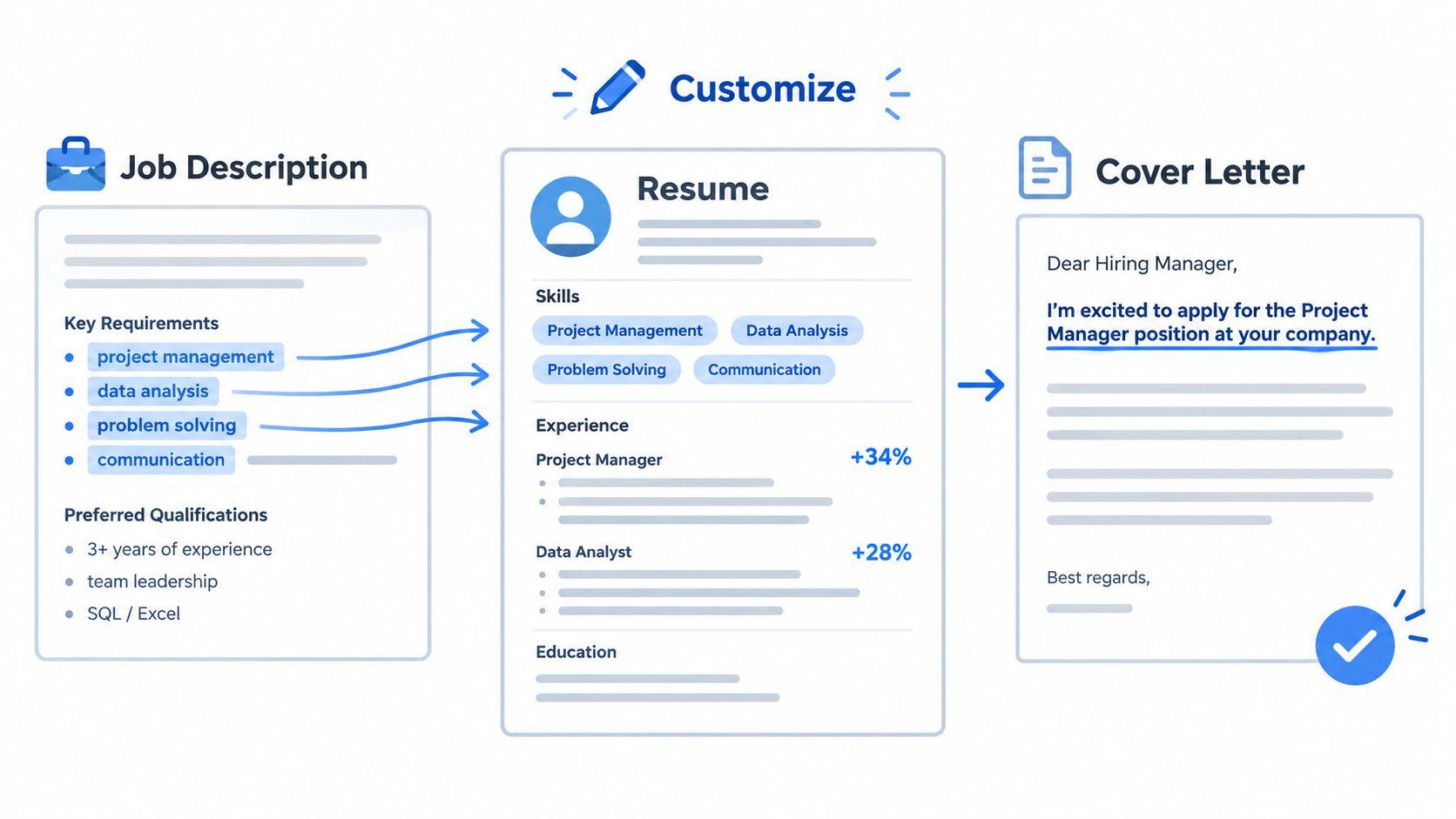
- Tailor: Adapt the summary, relevant bullets, and cover letter to the posting.
- Verify: Confirm the employer, destination, and hiring process.
- Contact: Send one specific message to a recruiter, employee, or hiring manager.
- Submit: Use the most credible application route.
- Record: Log the listing, submission date, follow-up date, and open questions.
JobGlance’s web app aggregates 50,000+ active roles from 100+ job sites, refreshes its database every 24 hours, and removes expired roles within 24 hours, according to its product information. In practice, its Qualify and Rank steps can run together: Smart Match scores a result from 0 to 100 against an uploaded résumé, while sponsorship and work-from-anywhere filters remove roles that fail those checks before the remaining jobs are ordered by fit.
Its Chrome extension brings match scoring, sponsorship detection, and AI tools to supported job pages, including LinkedIn. On a listing, inspect matched and missing keywords, use the Magic Button for cover-letter or company research tasks, compare similar roles across sites, and save the result to an application pipeline. That sequence links discovery to a recorded decision instead of treating every posting as equally viable.
Speed should come from repeatable checks, not skipped checks. If a role fails the eligibility test, record the reason and stop. If it passes, tailor the evidence, submit through the verified route, and set the next follow-up before opening another search lane.
10-Point Comparison: LinkedIn Job Search Tips
| Item | Implementation (🔄) | Resources & Effort (⚡) | Expected Quality & Impact (⭐📊) | Ideal Use Cases (💡) | Key Advantages |
|---|---|---|---|---|---|
| Optimize Your LinkedIn Profile with Keyword Alignment | 🔄 Moderate, edit headline, summary, experience; ongoing updates | ⚡ Low, time for keyword research and periodic tweaks | ⭐ Higher discoverability and recruiter impressions; better search ranking 📊 | 💡 Passive or active job seekers wanting more inbound opportunities | Multiple searchable entry points; easy to A/B test |
| Build ATS-Friendly Keyword Language Before You Apply | 🔄 Medium, tailor resume per JD and ensure ATS format | ⚡ Moderate, resume tools, parsing tests, per-application edits | ⭐ Improved ATS pass rate and accurate parsing 📊 | 💡 Applicants submitting via ATS or targeting many roles | Increases likelihood of getting past automated screens |
| Use Search Operators, Filters, and Saved Searches | 🔄 Low, learn operators and create saved alerts | ⚡ Low, setup and occasional maintenance | ⭐ Faster discovery of relevant postings; earlier applications 📊 | 💡 Active hunters who need timely alerts and segmentation | Early access to roles; segmented, focused search lanes |
| Filter for Remote and Location-Flexible Roles First | 🔄 Low, apply and test location/remote filters | ⚡ Low, quick checks per listing; optional JobGlance filter | ⭐ Fewer ineligible applications; clearer timezone/eligibility signals 📊 | 💡 International candidates or timezone-constrained seekers | Reduces wasted effort; clarifies geographic constraints early |
| Signal Visa and Relocation Openness Clearly | 🔄 Low–Medium, update headline/About and Open-to-Work settings | ⚡ Low, time to craft precise wording and confirm facts | ⭐ Faster qualification by recruiters; fewer late-stage surprises 📊 | 💡 Candidates needing sponsorship or open to relocation | Transparent eligibility; helps prioritize international-friendly employers |
| Write Short, Specific Networking Messages | 🔄 Medium–High, build relationships and personalized outreach | ⚡ Moderate, ongoing engagement over months | ⭐ Higher conversion via referrals and insider info 📊 | 💡 Job seekers leveraging referrals and informational interviews | Bypasses high-volume queues; access to unadvertised roles |
| Engage Recruiters Without Accepting Every Pitch | 🔄 Low–Medium, create screening checklist and reply templates | ⚡ Low–Moderate, time to vet recruiters and track conversations | ⭐ More relevant inbound leads; better-qualified conversations 📊 | 💡 Candidates who receive recruiter outreach regularly | Filters low-quality outreach; preserves negotiation leverage |
| Validate Listings and Companies Before Applying | 🔄 Medium, due-diligence checks on company and posting | ⚡ Moderate, research time, use of company intelligence tools | ⭐ Reduced fraud risk and better-fit applications 📊 | 💡 Applicants evaluating unfamiliar or small employers | Identifies red flags; verifies sponsorship and stability |
| Measure Searches and Iterate From Response Data | 🔄 Medium–High, implement tracking and review loop | ⚡ Moderate, tracking tools or spreadsheet + analysis time | ⭐ Data-driven improvement in sourcing and targeting 📊 | 💡 Systematic job seekers aiming to optimize pipelines | Converts activity into actionable feedback; spotlights bottlenecks |
| Run a Fast Apply Workflow Across Job Sites | 🔄 Medium, set up web app/extension and standardized pipeline | ⚡ Moderate, initial setup; speeds repetitive steps thereafter | ⭐ Faster multi-board applications; consistent tailoring 📊 | 💡 High-volume applicants and cross-board searches | Consolidates workflow and tracking; preserves context for tailoring |
Make Eligibility the First Filter, Not the Final Surprise
The strongest LinkedIn job search tips are sequential. Discoverability creates options, eligibility removes wasted effort, and tracking tells you which options deserve more attention. If you reverse that order, you can spend an hour tailoring a résumé for a role that never accepted candidates in your country.
Use a compact weekly rhythm. Keep your headline, About section, Experience entries, skills, and Open to Work preferences aligned with the roles you want. Check Search appearances for the terms that surface your profile, then replace vague language with accurate role titles, tools, methods, and evidence. Don’t add keywords merely because they appear frequently. Add them when your background supports them.
Run separate searches for role variants and geographies. Keep domestic remote roles apart from worldwide remote roles. Treat sponsorship as stated, credible but unconfirmed, or unknown, and ask the employer before you invest in interviews. A location filter is useful, but it isn’t a work-authorization decision.
Before tailoring, validate the listing and company. Confirm the official application route, compare the recruiter and employer identities, inspect the role’s location language, and stay alert to pressure for payment or sensitive documents. LinkedIn’s own safety guidance makes this verification step part of a responsible search, especially during early contact.
Then choose fewer, higher-fit applications. Use the job description to update your résumé language, write a short role-specific message, submit through a credible route, and record the next action immediately. Review your tracking data each week. If your profile appears for irrelevant searches, adjust keywords. If eligible roles reject you before interviews, inspect alignment and evidence. If recruiters respond with roles you can’t take, move eligibility questions earlier.
JobGlance can support this system by combining cross-site discovery, résumé matching, sponsorship and work-from-anywhere filters, company research, keyword gap analysis, and application tracking. It should sit alongside LinkedIn, not replace direct verification with employers.
A global job search becomes more manageable when every step has a decision attached to it. Can the recruiter find me? Can I legally and practically take the role? Is my evidence aligned? Is the listing legitimate? What did the result teach me? Answer those questions in that order, and your search becomes a controlled process rather than a stream of hopeful clicks.
Use JobGlance to search roles across job sites, rank listings against your résumé, and filter for visa sponsorship or work-from-anywhere eligibility before you tailor an application. Bring the Chrome extension to LinkedIn and other job pages for match signals, missing keywords, company research, and application tracking in the same workflow.
Keep reading


