ATS Resume Checker: What It Reads and How to Beat It


On this page
97.8% of Fortune 500 companies use applicant tracking systems, and recruiter-side keyword filters are even more embedded at 99.7% inside those systems, according to Jobscan’s research summarized by ScoutApply (ATS resume statistics). That changes the meaning of an ATS resume checker. It’s not a personality test for your resume, and it’s not a hiring verdict. It’s a parser diagnostic plus a keyword-alignment check, usually running before a human sees anything at all.
That distinction matters because the failure modes are technical first. A resume can look polished and still lose text in parsing, while a plain document can survive extraction and still miss the job’s language. The smart way to use a checker is to treat it like a regression test for machine readability, then layer in role fit and evidence quality after the file is readable.
What an ATS Resume Checker Actually Measures
An ATS resume checker measures two things in sequence. First, it checks whether the file can be parsed into structured fields such as name, contact details, work history, dates, education, and skills. Second, it compares the extracted text with the job description and scores keyword alignment, often with attention to exact terminology, missing must-haves, and whether your experience is framed in a way the system can recognize.
Practical rule: if the checker can’t extract your fields cleanly, the keyword score is already less trustworthy.
That’s why the tool is better understood as a diagnostic than as a gate. It’s looking for layout problems, section-order problems, and phrase mismatches, not visual taste or interview potential. A strong result means the resume survived the machine layer and surfaced the right evidence. It does not mean the recruiter will like the story, or that the hiring manager will short-list it.
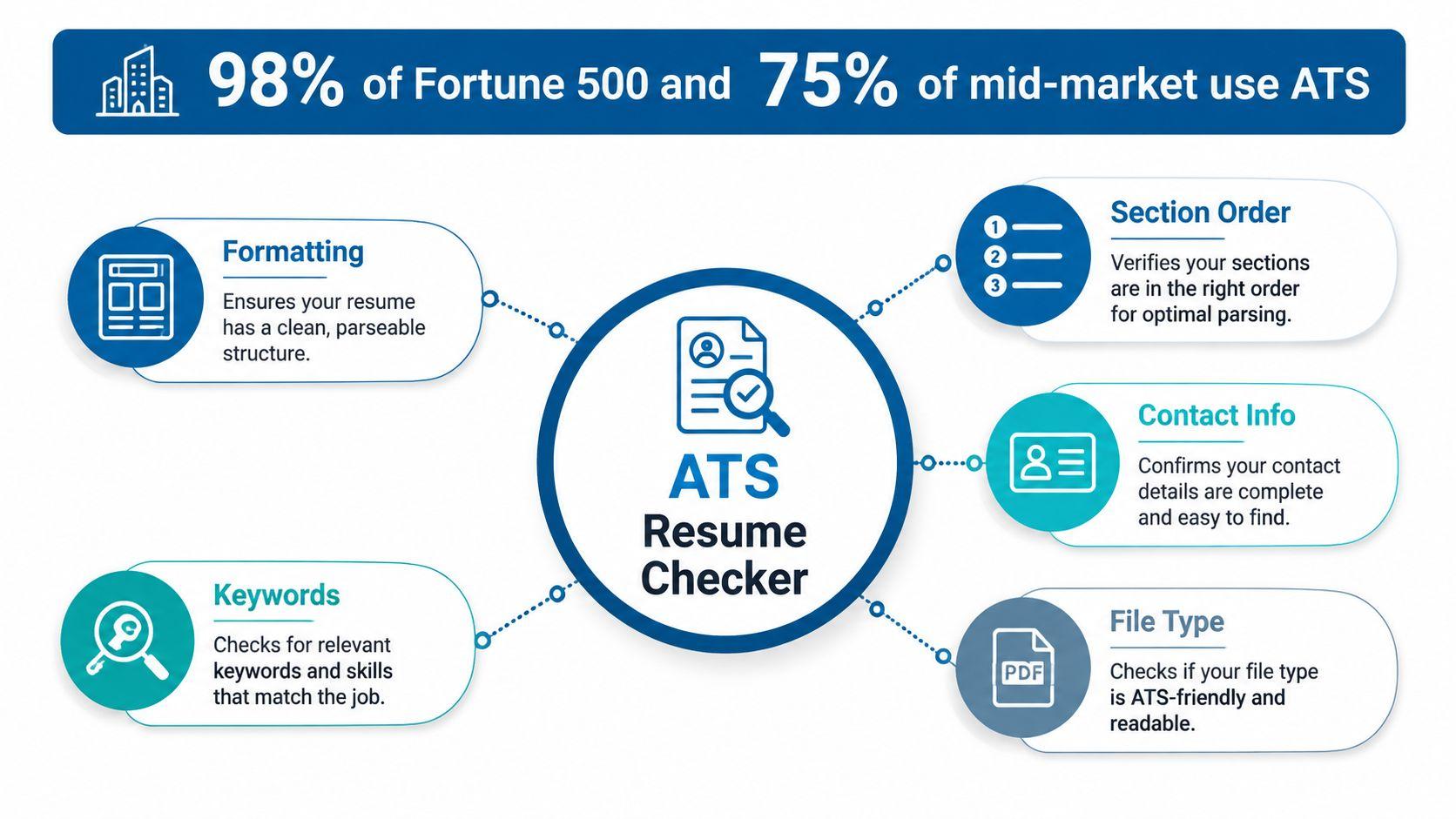
The best mental model is simple. A checker asks, “Can software read this cleanly, and does the language match the role enough to justify review?” It doesn’t ask whether your portfolio is compelling, whether your leadership style fits the team, or whether the recruiter has already filled the role internally. If you keep that boundary clear, you stop chasing vanity scores and start fixing the problems that block visibility.
How an Applicant Tracking System Parses Your File
Parsing starts before any scoring happens. The system tokenizes the document, looks for section headers, then tries to pull out contact data, titles, dates, bullet text, education, and skills into fields it can compare against the job. Every one of those steps depends on the document’s structure, so the checker is really watching for extraction fidelity, not just word overlap.
A useful way to think about it is rule plus heuristic. The parser expects certain labels, a certain order, and a text layer it can read. When the resume uses a layout that disrupts that pattern, the ATS doesn’t “understand less,” it loses data. That’s why a dropped date range or a missing contact field isn’t a minor blemish. It’s a missing fact in the candidate profile.
Where field extraction breaks
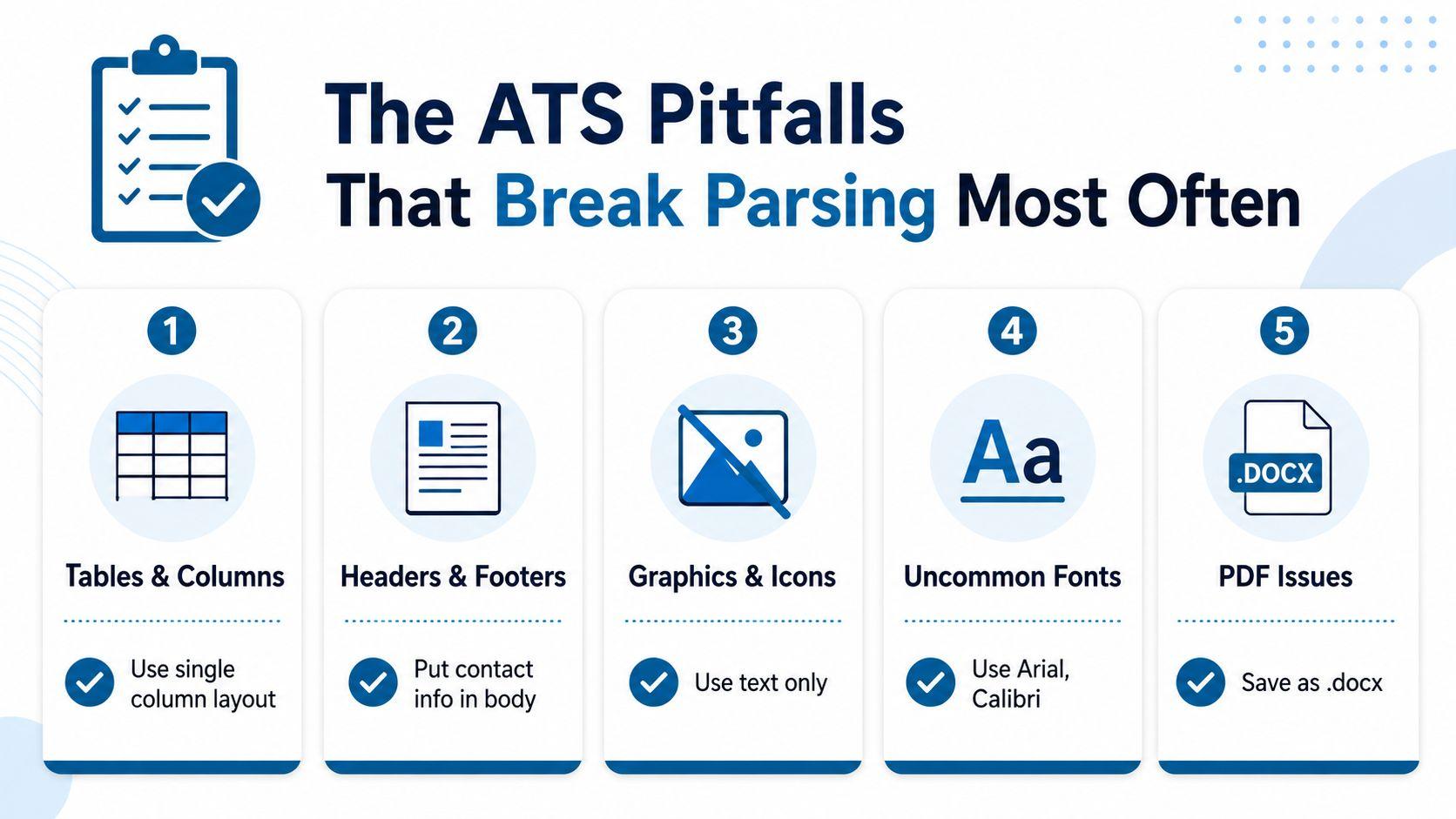
The most common failures are mechanical. Tables, text boxes, scanned PDFs, multi-column layouts, headers and footers, and image-heavy templates are all risky because they interfere with text flow or strip the machine-readable layer entirely. ResumeWorded’s scanner notes that the actionable fix is to optimize for text extraction fidelity first, which means single-column structure, standard section labels, and text-selectable exports (resume scanner guidance).
| Format, layout | Contact Fields | Work History | Education | Skills |
|---|---|---|---|---|
| DOCX, single-column | High | High | High | High |
| PDF, single-column | Lower than DOCX | Lower than DOCX | Lower than DOCX | Lower than DOCX |
| PDF, two-column | Lower than single-column | Lower than single-column | Lower than single-column | Lower than single-column |
| Header or footer contact placement | Often lost | Usually unaffected | Usually unaffected | Usually unaffected |
The technical lesson is plain. Every field the parser drops creates a gap the recruiter never sees. That’s not the same as being “ranked lower,” it’s being partially invisible. If you want the machine to judge your experience accurately, the resume has to survive extraction first.
Why a High Score Does Not Mean a Callback
A high score only tells you the document made it through the machine layer. It doesn’t guarantee that the system auto-rejected fewer candidates, because most systems don’t auto-reject on formatting or keyword match alone. A recruiter survey reported that 92% of recruiters said their systems do not auto-reject resumes based on formatting, design, keywords, or AI match scores, while only 8% reported any auto-rejection use (the truth about ATS in 2026).
That makes the pass-fail story misleading. The split is between parser failure and screening logic. Knockout questions, work authorization requirements, and mandatory degree filters can block a candidate outright. Most other issues lower the resume’s ranking or weaken human interest, but they don’t act like a single digital stop sign.
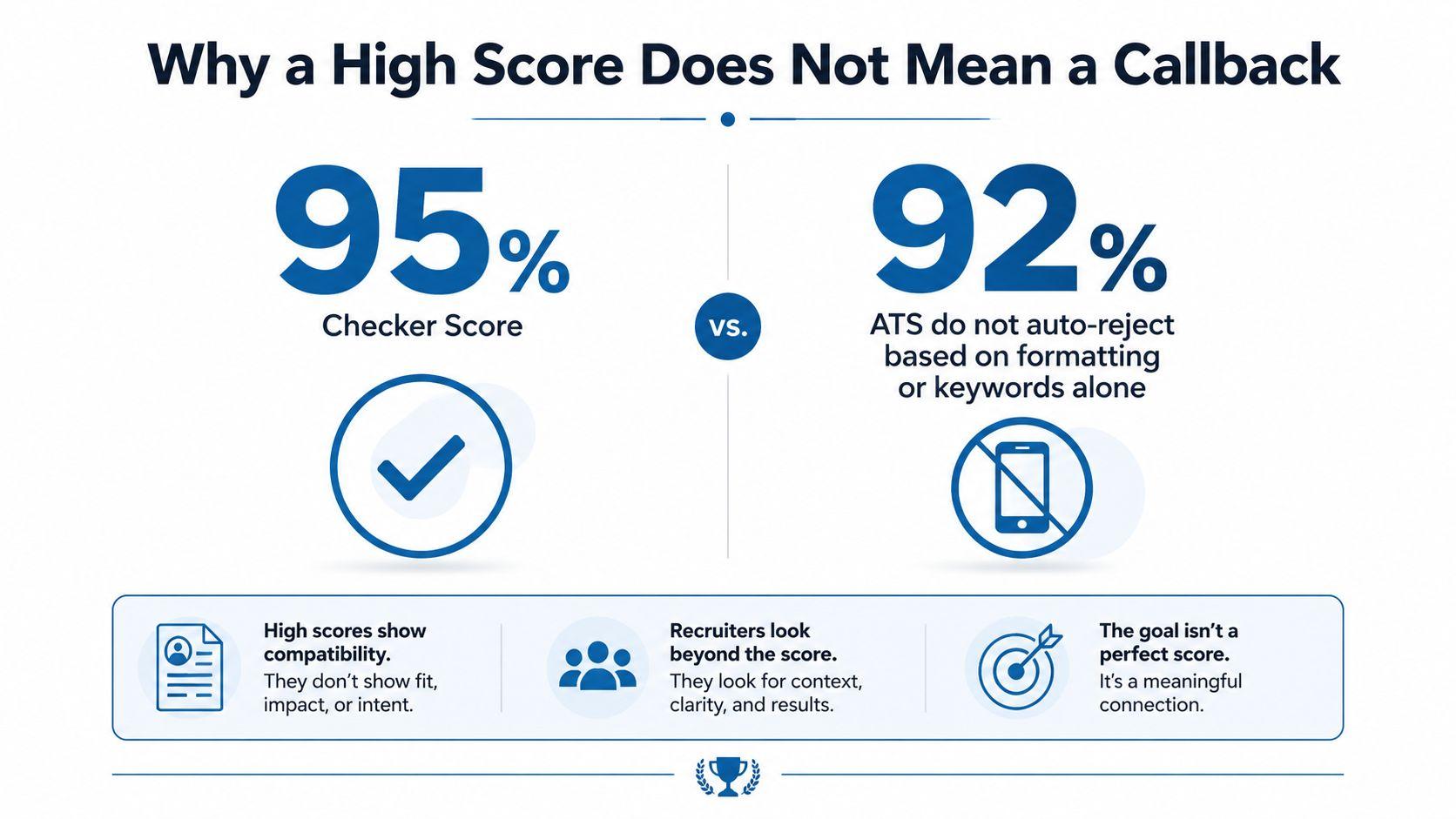
A strong checker score is a signal that the resume is readable and aligned. It’s not evidence that the candidate cleared every screening layer.
The practical move is to separate the job into two jobs. First, make the resume machine-readable and keyword-aligned. Second, write bullets that a recruiter can act on, with evidence the hiring manager can trust. A good score helps with the first job. It doesn’t do the second one for you.
The ATS Pitfalls That Break Parsing Most Often
Parsing failures follow a familiar pattern. Multi-column layouts and tables can flatten into one text stream, which scrambles section order and makes work history harder to read. Image-only or scanned PDFs can leave the parser with nothing usable, because there is no text layer to extract.
Fast fixes that help
Headers and footers: Put contact details in the body, not in a header or footer. The 2026 parsing research found those fields are lost in roughly 25% of ATS systems, so this is a data-loss problem, not a style preference (ATS filtering and keyword screening statistics).
Two-column templates: Use a single-column layout if you want the safest path across parsers. The same research reported 93% parsing accuracy for single-column layouts versus 86% for two-column layouts, a gap that can change what the software reads (ATS filtering and keyword screening statistics).
PDF exports: If the file type is optional, export to DOCX first. Plain DOCX had only a 4% ATS parsing failure rate versus 18% for PDFs in the cited report, so the file type itself can determine what survives extraction (ATS filtering and keyword screening statistics).
Section labels: Use standard headings like Experience, Education, and Skills. Unusual labels such as “My Journey” can stop the parser from recognizing a section at all.
If the resume needs explanation to a human, it usually needs simplification for the parser.
Before saving, run a quick self-check. Can you select every line of text? Are your dates visible in order? Is contact information in the body? If any answer is no, the checker is likely to flag a problem, even if the resume looks polished on screen.
Fixing Keyword Alignment Before You Reformat
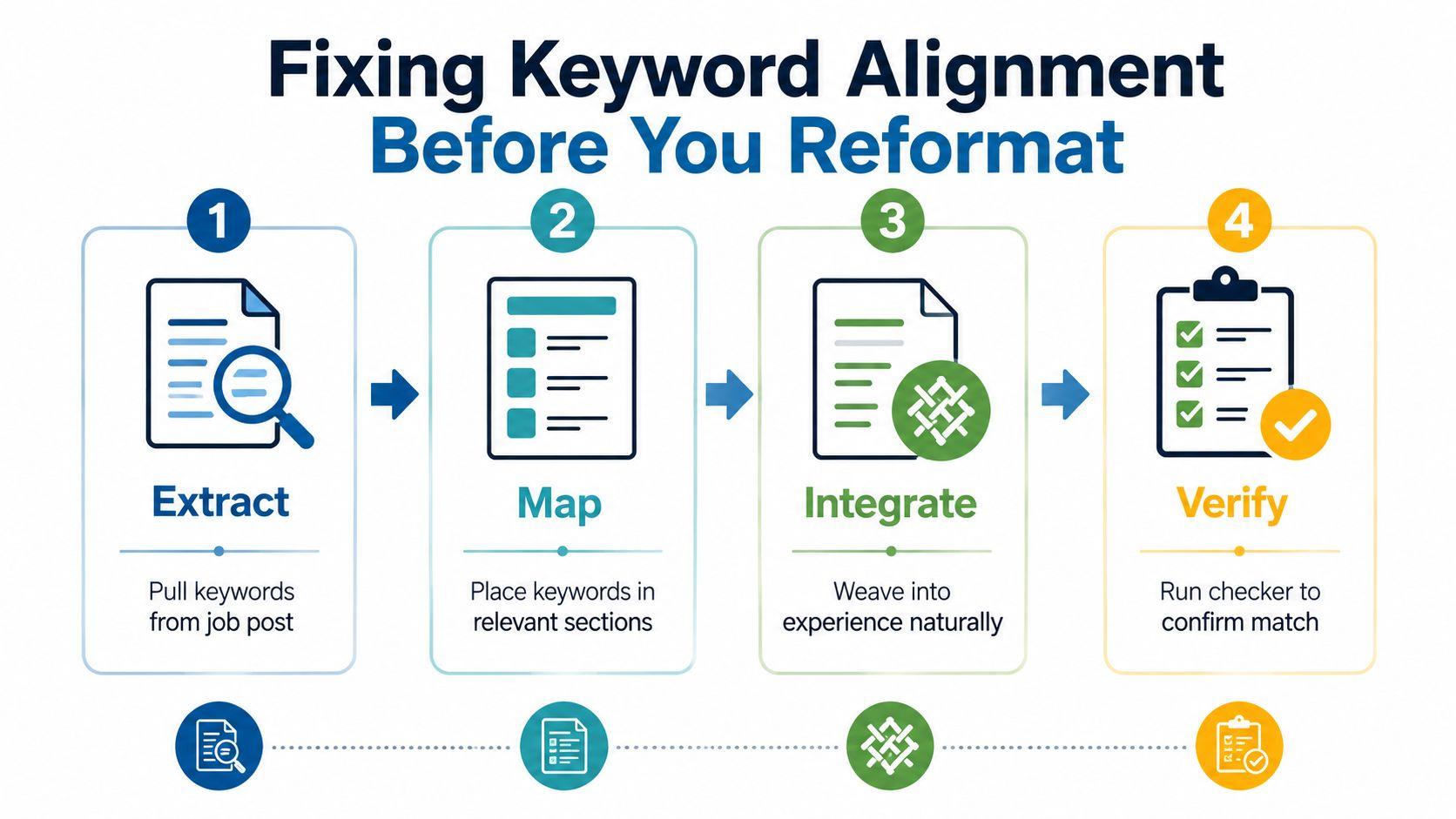
Formatting cleanly isn’t enough if the resume still speaks the wrong vocabulary. Start by pulling must-have terms directly from the job posting, especially hard skills, tools, certifications, and title variants. Then mirror the exact phrasing where it matters. “SQL” is a stronger match than “database querying” when the posting uses SQL.
The next step is to anchor each keyword to evidence. A bullet like “Reduced query latency 40% using SQL” does more for both software and human readers than a naked skills list, because it gives the term context and proof. That’s where keyword stuffing goes wrong. Repeating the job title ten times or hiding text in white ink can make the document look manipulative, and it doesn’t improve the quality of the evidence.
A 15-minute pre-submit routine
- Extract the terms. Pull the required tools, methods, certifications, and role names from the posting.
- Map them to sections. Put each term where it belongs, in Skills, Experience, or Certifications.
- Integrate naturally. Use the terms inside bullets that describe real outcomes.
- Verify again. Re-run the resume checker and confirm the match improved without breaking readability.
For role searches, keep the language tied to the posting itself, then refine the wording once the resume reads clean. A useful way to source the posting language is to start from a role page such as JobGlance’s roles index, then mirror the words that recur in the opening requirements and responsibilities.
The point isn’t to chase every synonym. It’s to make sure the parser sees the same concepts the employer wrote down, in a structure it can read.
Free and Paid ATS Resume Checkers Worth Using
The tools people use fall into four buckets. Standalone scanners such as Jobscan, Resume Worded, and TopResume are built around diagnosis. Builder-integrated tools, including JobGlance’s five-check ATS Resume Builder, try to score parseability, keyword match, and content quality in one pass. Recruiter-style simulators are better when you want a first-pass human perspective. Enterprise pre-submit tools show up inside some large ATS vendors, but they’re usually tied to a hiring workflow rather than a candidate workflow.
What each category is good at
Standalone scanners are strong when you already have a resume and want a fast read on missing terms or parse risk. They miss the broader application context, though, so you still have to tailor manually.
Builder-integrated checkers reduce the chance of introducing layout problems because the resume is built inside an ATS-safe template. That’s useful if you’re starting from scratch or cleaning up a visually complex file.
Recruiter-style simulators are helpful when the problem isn’t parsing, it’s narrative clarity. They’re usually weaker on machine extraction, stronger on whether the bullet points feel credible.
Enterprise pre-submit tools can be accurate for their own ecosystem, but they aren’t meant to teach candidates the general rules of the road.
| Checker Category | Best For | What It Measures | Typical Price |
|---|---|---|---|
| Standalone scanner | Fast keyword tune | Parsing, keyword overlap, section structure | Free tier or paid subscription |
| Builder-integrated checker | New resume builds | Parseability, layout safety, keyword match | Free tier plus paid builder plans |
| Recruiter-style simulator | Human review prep | Readability, impact, gap spotting | Free review or paid service |
| Enterprise pre-submit tool | Platform-specific workflows | Internal screening behavior | Usually bundled with employer systems |
The main trap is trusting the first score you see. Free tiers often cap scans or hide the recruiter-perspective view, while paid plans usually add unlimited runs and side-by-side job-description comparison. If you’re comparing tools, stack them rather than worshiping any single number. Use one for parse safety and one for job-specific language, then trust the trend, not the headline score.
A Worked Example From Upload to Improved Score
A junior project manager resume usually breaks in the same way: a two-column skills block, a missing date range, and a section label that the parser doesn’t recognize. The first scan often surfaces those structural problems before it says anything useful about role fit. That’s the right order. Fix the machine problem first, then tune the language.
The example below uses a job-specific check on a project manager posting from JobGlance’s product manager role page. The point isn’t that product and project roles are identical, it’s that the method works the same way when you substitute the posting that matches the target role.
The baseline loop
- Baseline: Run the original resume through two free checkers.
- Diff: Note missing dates, dropped contact data, and unrecognized headings.
- Fix: Change the skills header to match the posting, restore chronological dates, and remove the two-column block.
- Re-score: Re-run both checkers and compare what changed in parsing versus keyword coverage.
| Metric | Before Fix | After Fix |
|---|---|---|
| Contact info parsed | Partial | Clean |
| Work history order | Scrambled | Correct |
| Section headers recognized | Inconsistent | Consistent |
| Keyword coverage | Lower | Higher |
| Overall readability score | Weaker | Stronger |
What moves first is usually parsing, not match language. Once the parser can see the resume properly, keyword coverage tends to rise because the terms are no longer hidden in a broken layout. That’s the part people miss when they chase a score in isolation. The score improved because the resume became legible, and then because the role language was adjusted.
Keep the loop short. Baseline, diff, fix, rescore. If you can do one cycle in a single sitting, you’ll stop making random edits and start making controlled changes that you can repeat on the next posting.
Operating Checklist and the One Habit That Compounds
Use this checklist before every submission. Save the resume in a single-column DOCX or a text-based PDF, keep contact details in the body, use standard section headers, and anchor exact-phrase keywords to quantified achievements. Then re-run at least one checker after any substantive edit so you know whether the change helped parsing, language match, or neither.
For international applicants, don’t assume a US-tuned score transfers cleanly. Non-US job boards often sit on different parsers, and header conventions or language handling can vary by platform and market. If you’re applying globally, test against a posting from the target country before trusting the result from a domestic benchmark.
If you search for remote roles, use a workflow that separates location fit from parser fit. A page like JobGlance’s remote jobs index is useful because the role pool is already framed around work-from-anywhere searches, which makes it easier to test how your resume reads against the kind of openings you’ll apply to.
The habit that compounds is simple. Save every mismatch between the job description and your final resume language in a personal phrase bank. Over an application cycle, that file becomes your own vocabulary map, and each new submission gets faster because you’re not starting from zero.
If you want a system that ties job matching to ATS-friendly resume building, JobGlance gives you a way to score a resume against live roles, spot missing keywords, and rebuild the file in a single-column format that’s easier for parsers to read. Use it when you want the checker output to turn into an actual application workflow instead of another score you have to interpret by hand.
Keep reading


