10 AI Resume Builder Tools Compared for 2026


On this page
In 2026, the resume market is no longer a small productivity category, it’s a $8.86 billion market in 2025 that’s projected to reach $12.55 billion by 2030, with AI career guidance and ATS-friendly resumes cited as growth drivers in that forecast (market forecast). That scale matters because the best ai resume builder is no longer just the one that writes clean bullets. It has to help you draft, tailor, verify ATS readability, protect your data, and get the file into the right application pipeline without adding friction.
The strongest tools solve different parts of that workflow. Some focus on ATS checks and job-specific tailoring, others on job tracking, a few on design, and a few on broader AI career suites. Real usage data supports that split, too. In 2025, more than 773,000 job seekers used AI to check and analyze resumes for ATS compatibility, and more than 580,000 used AI to write or improve their resumes, which suggests optimization is now the dominant behavior, not just first-draft generation (usage data).
JobGlance is included here as the integrated option for candidates who want resume building connected to job matching. The rest of the list covers tools that do one part of the process well, but often stop short of tying drafting, tailoring, ATS verification, and application tracking together. If you’re applying across countries, remote markets, or visa-dependent roles, that difference is practical, not cosmetic.
1. JobGlance
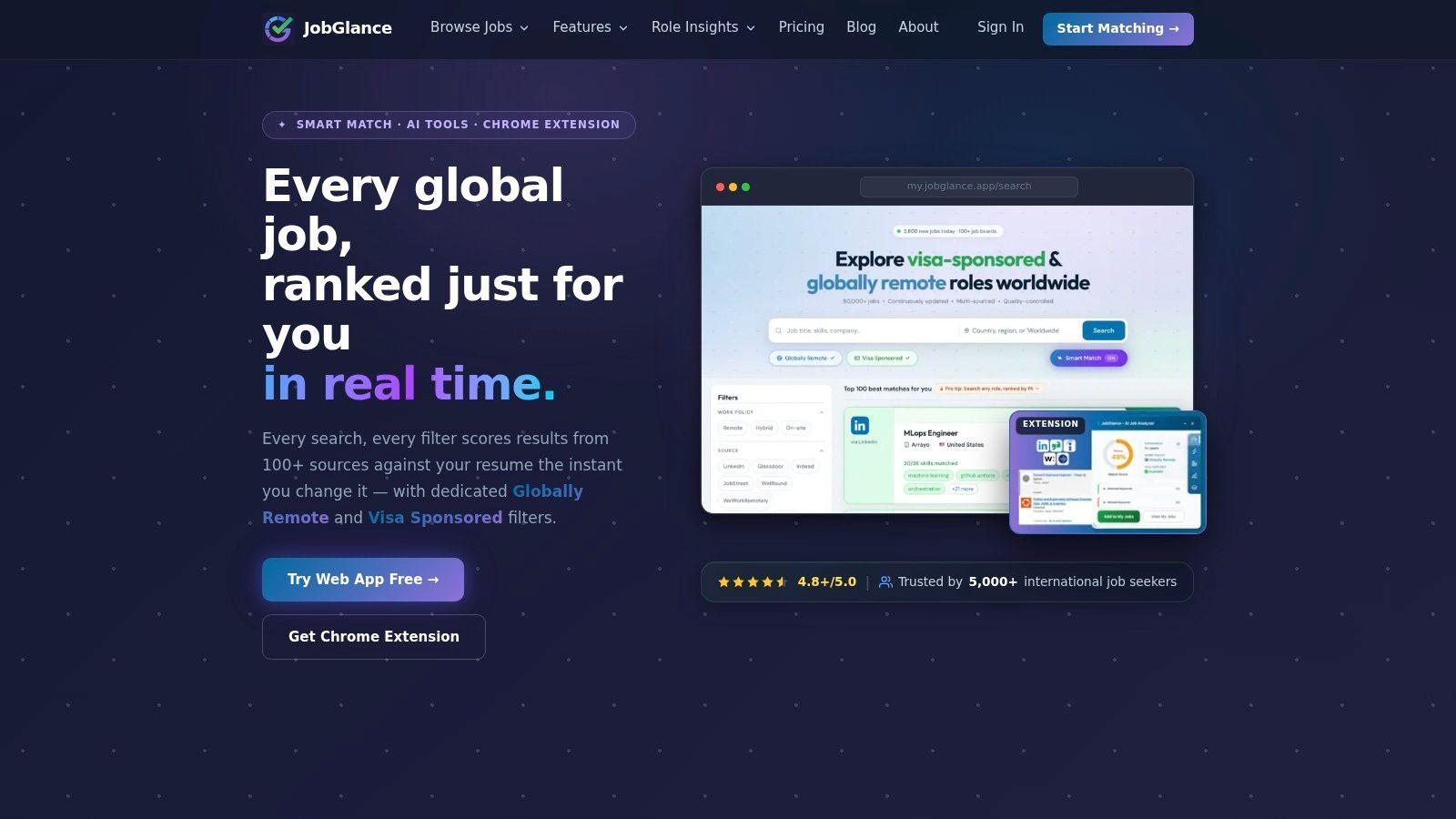
JobGlance is the most workflow-complete option in this group because it doesn’t treat the resume as a standalone document. It ties resume scoring, job matching, visa sponsorship filters, remote filters, and application tracking into one system, which matters if you’re applying across borders or juggling many listings. The web app scores every result 0–100 against your uploaded resume and reranks the set in real time when you change the query or filters, so ranking is based on fit rather than recency.
Why it works in a real application flow
The platform’s biggest strength is that it separates “work-from-anywhere” from ordinary domestic remote work, which avoids a common search mistake. JobGlance also keeps a curated, graded sponsorship list and refreshes listings every 24 hours, purging expired roles within a day, so you spend less time on stale postings and ghost jobs. That cleanup matters because ATS-friendly resumes still fail if the job itself is already dead.
Its ATS Resume Builder is built for submission, not decoration. It scores resumes against ATS checks, rebuilds them in single-column templates, tailors them to a specific role, and exports a text-preserving PDF. The browser extension extends that same workflow across the web, with match score, visa and remote detection, AI cover letters, company research, and one-click save, all while keeping the application pipeline local to the browser.
Practical rule: use JobGlance when the real problem isn’t “Can AI write my resume?” but “Can I prove fit, check eligibility, and submit faster without breaking ATS parsing?”
The tradeoff is access. The web app free tier includes the ATS Resume Builder unlimited, but search access is limited, and the Chrome extension is the easiest way to get the broader workflow. For candidates who care about privacy, the site says the resume never leaves the browser for matching and isn’t used to train models. For candidates who care about scale, the product points to 50,000+ active roles from 100+ job sites, plus a free extension that’s rated 4.8+/5.0 and described on site as trusted by 5,000+ international job seekers.
Website: JobGlance
Internal job page: Global remote roles in JobGlance
2. Rezi
Rezi is the clearest choice if your priority is ATS-first writing and per-role keyword targeting. It’s built for users who want the resume to behave like a machine-readable application document first, and a design object second. The appeal is straightforward, it helps you build, score, and refine content in a system that’s obviously optimized around parsing and relevance.
Where Rezi fits best
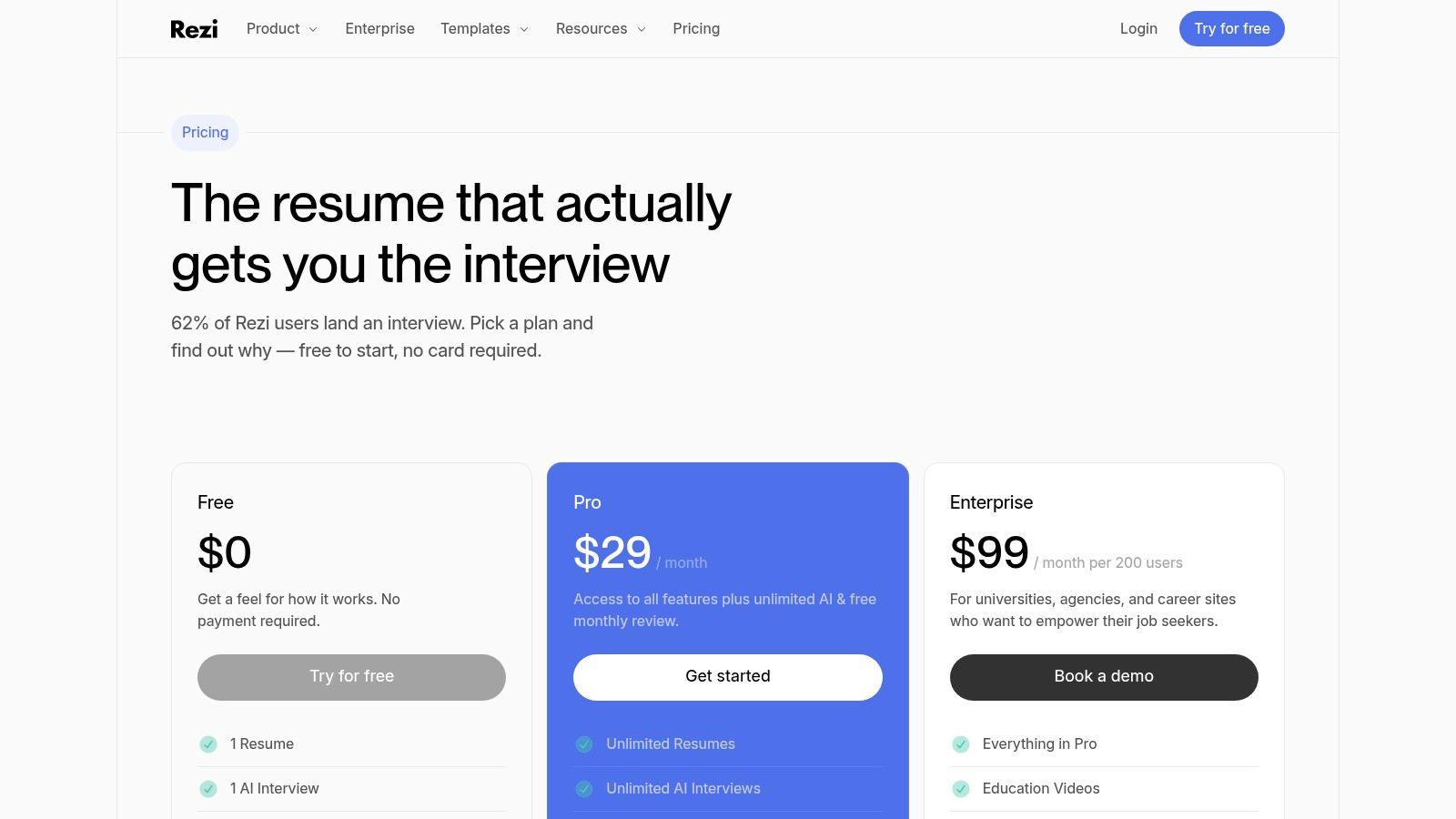
Rezi’s workflow is useful when you already have the facts and need help packaging them correctly. Its AI resume writer and editor can generate or rewrite bullets, summaries, and cover letters, while the Rezi Score runs 23 checks to flag content and structure issues. That scoring matters because ATS issues are often caused by layout choices and missing terms, not by a lack of polish.
The other useful piece is keyword targeting by job description. Instead of guessing what to emphasize, you can align the resume to the posting and use the tool’s real-time guidance to close gaps. That makes Rezi a practical middle ground for people who don’t want a plain word processor, but also don’t want a heavily visual builder that risks breaking machine parsing.
Rezi is strongest when the job description is specific and the candidate has direct evidence to match it.
The limitation is just as clear. Its best features sit behind Pro or Lifetime access, and the design philosophy is intentionally restrained. That’s good for conservative employers and legacy ATS systems, less useful if you want a highly branded portfolio-style document. For users who are optimizing for readability, structure, and targeted wording, that tradeoff is often worth it.
Website: Rezi pricing
3. Resume.io
Resume.io is better than its reputation for being “just a template builder.” It combines a simple editor with AI actions, public resume URLs, and career context, which makes it useful if you want a clean PDF and some labor-market framing without turning the process into a multi-tool workflow. It’s less aggressive than some competitors, and that restraint can help users avoid overbuilding.
The practical value is speed, not depth
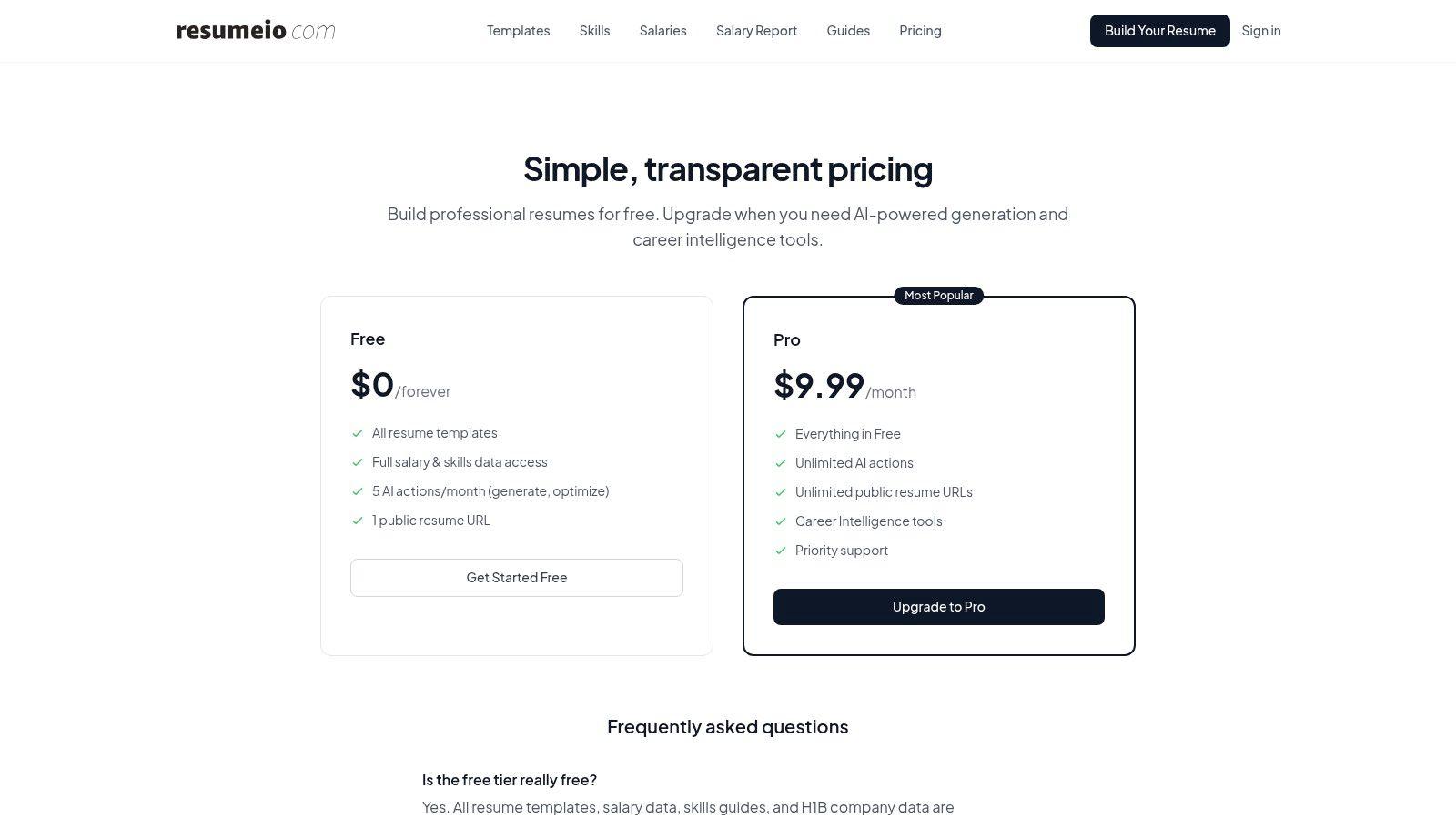
Resume.io’s main advantage is that it gets you from draft to export quickly. Its AI resume generation and optimization are metered on Free and unlimited on Pro, and its templates are positioned as ATS-friendly rather than visually complex. That makes it a sensible choice for candidates who want a polished document that won’t overcomplicate parsing.
The Career Intelligence layer adds skills guides and salary data, which is useful for people who are still figuring out how to frame a role or whether a skill gap is worth closing. Public resume links also make it easier to share a version of the document without sending attachments everywhere, though that’s a workflow decision, not a substitute for a final file check.
Resume.io differs from more analysis-heavy tools. It’s better at producing a presentable artifact than at diagnosing deep alignment issues. If you already know the role and just need a tidy, readable resume package, it fits. If you need granular ATS scoring and aggressive tailoring, another tool in this list goes deeper.
Website: Resume.io pricing
Internal roles page: Data analyst jobs on JobGlance
4. Teal
Teal is the strongest pick for people who want the resume builder inside a wider job-search workspace. The tool doesn’t stop at document creation, it pairs AI resume bullets, match scoring, job tracking, email templates, and ATS checking in one account. That matters if your actual workflow is messy, with multiple applications in motion at once.
Teal’s strength is orchestration
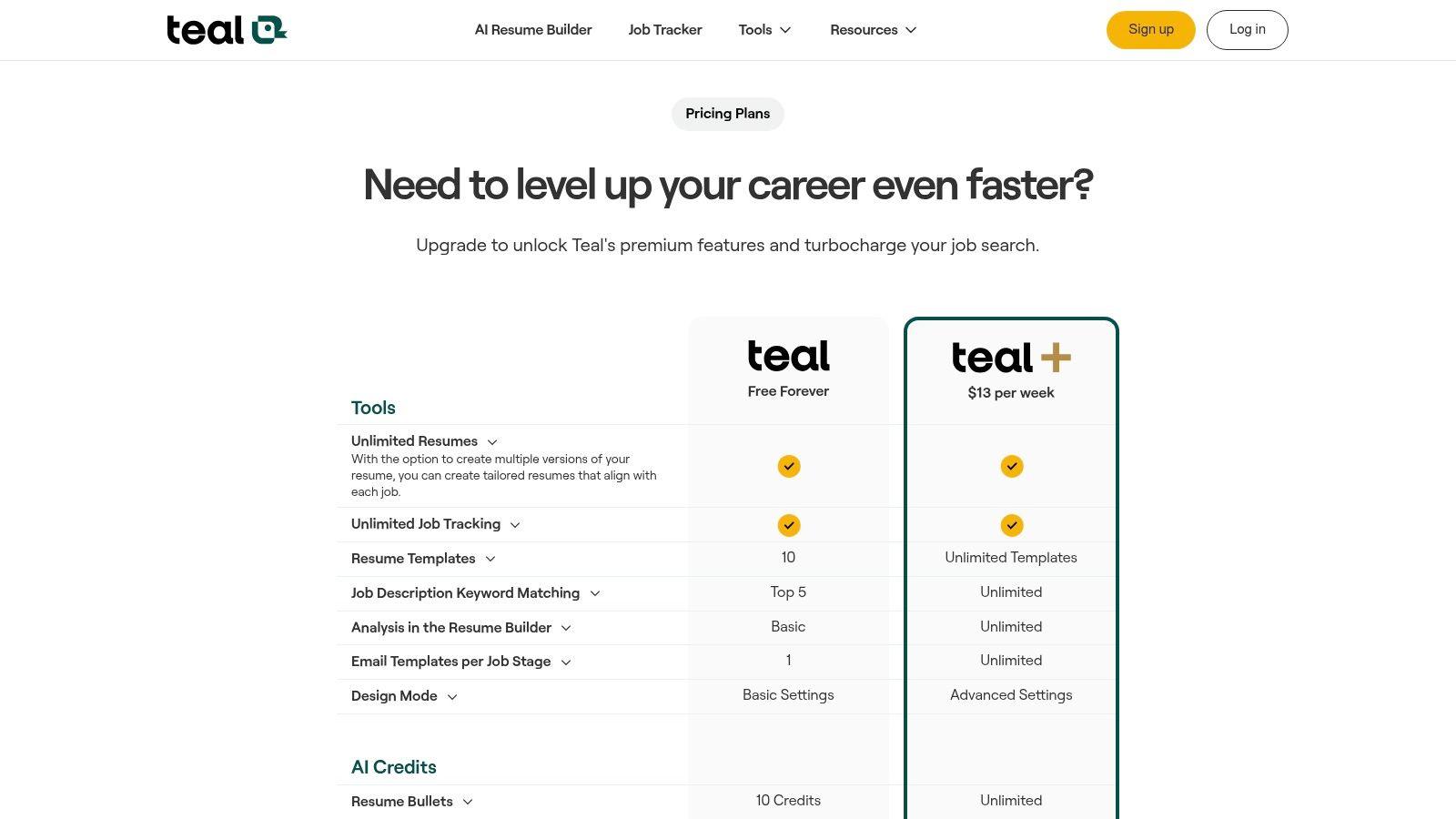
Teal works well when you’re trying to keep a search organized while still tailoring each application. Its match score helps you compare your resume against a job description, and the AI can generate or refine bullets, summaries, and cover letters. The broader tracker is a differentiator, because the builder is only one part of the system.
That broader scope has a downside. If you only need a basic, ATS-safe resume, Teal can feel like a lot of interface for one task. But if you’re balancing saved jobs, follow-ups, and application stages, the extra surface area becomes useful rather than distracting. The free plan also lets users create resumes before upgrading, which lowers the barrier to testing the workflow.
Teal is the right fit when the bottleneck is not writing, but keeping the whole search organized.
The pricing model is clearer than many legacy builders, and that transparency helps. Still, the most useful AI features sit behind Teal+, so the free tier is best understood as an entry point rather than the full experience. For candidates who want a search dashboard plus resume support, that’s a fair trade.
Website: Teal pricing
5. Enhancv
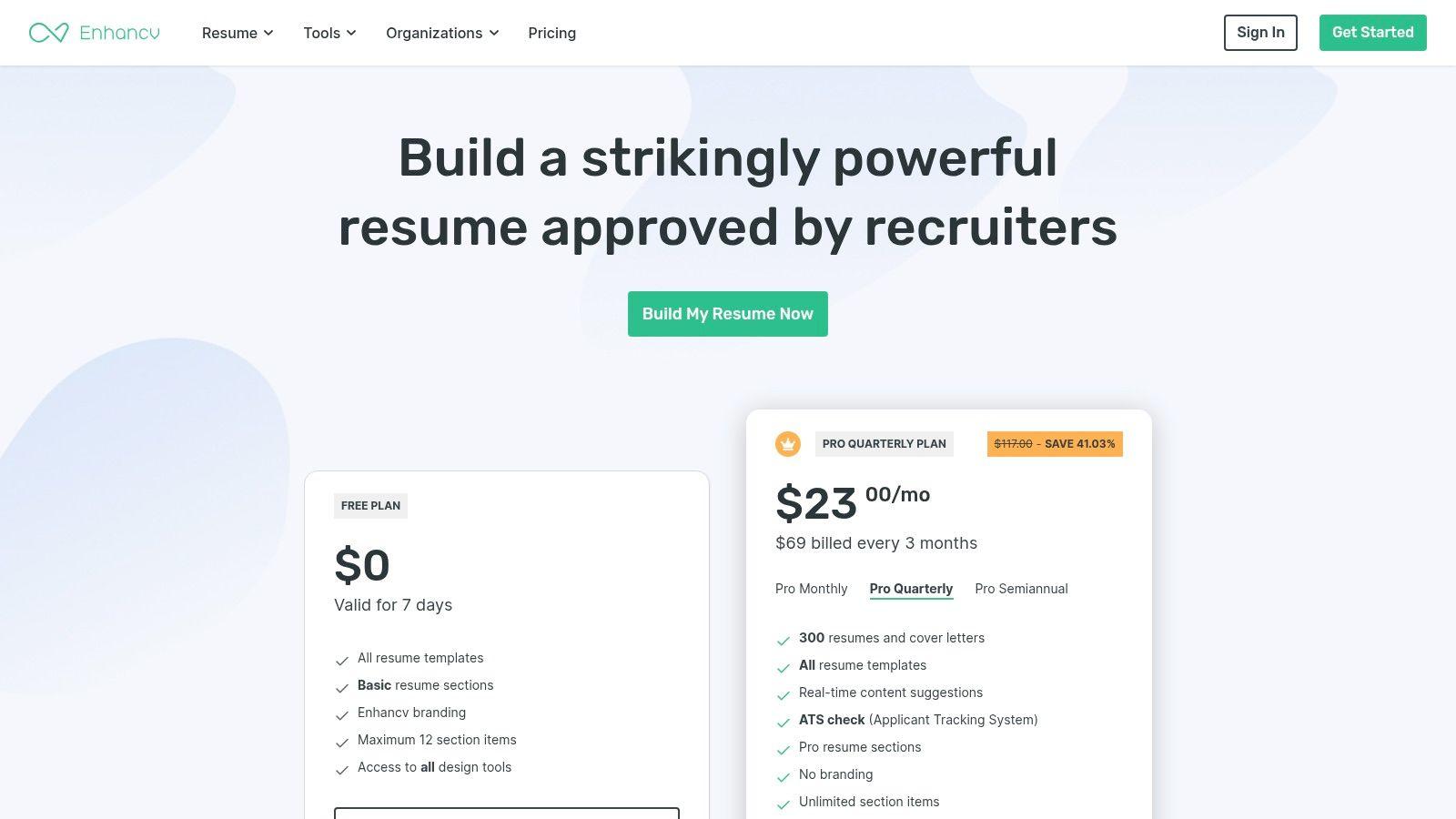
Enhancv is for users who want the resume to look modern without abandoning ATS awareness. It leans more design-forward than the pure compliance tools, but it still includes a checker and tailoring workflow that keeps the document anchored to the job ad. That balance is useful if you’re applying in fields where presentation matters, but the resume still has to survive automated screening.
Design is the point, but not the whole point
Enhancv’s one-click tailoring is the feature that makes the workflow feel fast. Paste the job description, see what to include, and adjust the document with guidance from the checker. That’s a simpler loop than manually comparing every section, and it works well for candidates who want fast iteration.
The tradeoff is predictability. A more design-heavy layout can be attractive, but some employers still prefer conventional formatting, especially in conservative industries. That’s not a flaw in Enhancv so much as a reminder that visual style needs to match the target company, not the builder’s strongest marketing angle.
The checker’s grammar and punctuation guidance also helps users clean up phrasing before export. That’s valuable because ATS success often comes down to clarity and structure, not just keyword density. If you want a resume that looks finished without feeling rigid, Enhancv lands in a useful middle zone.
Website: Enhancv pricing
6. Kickresume
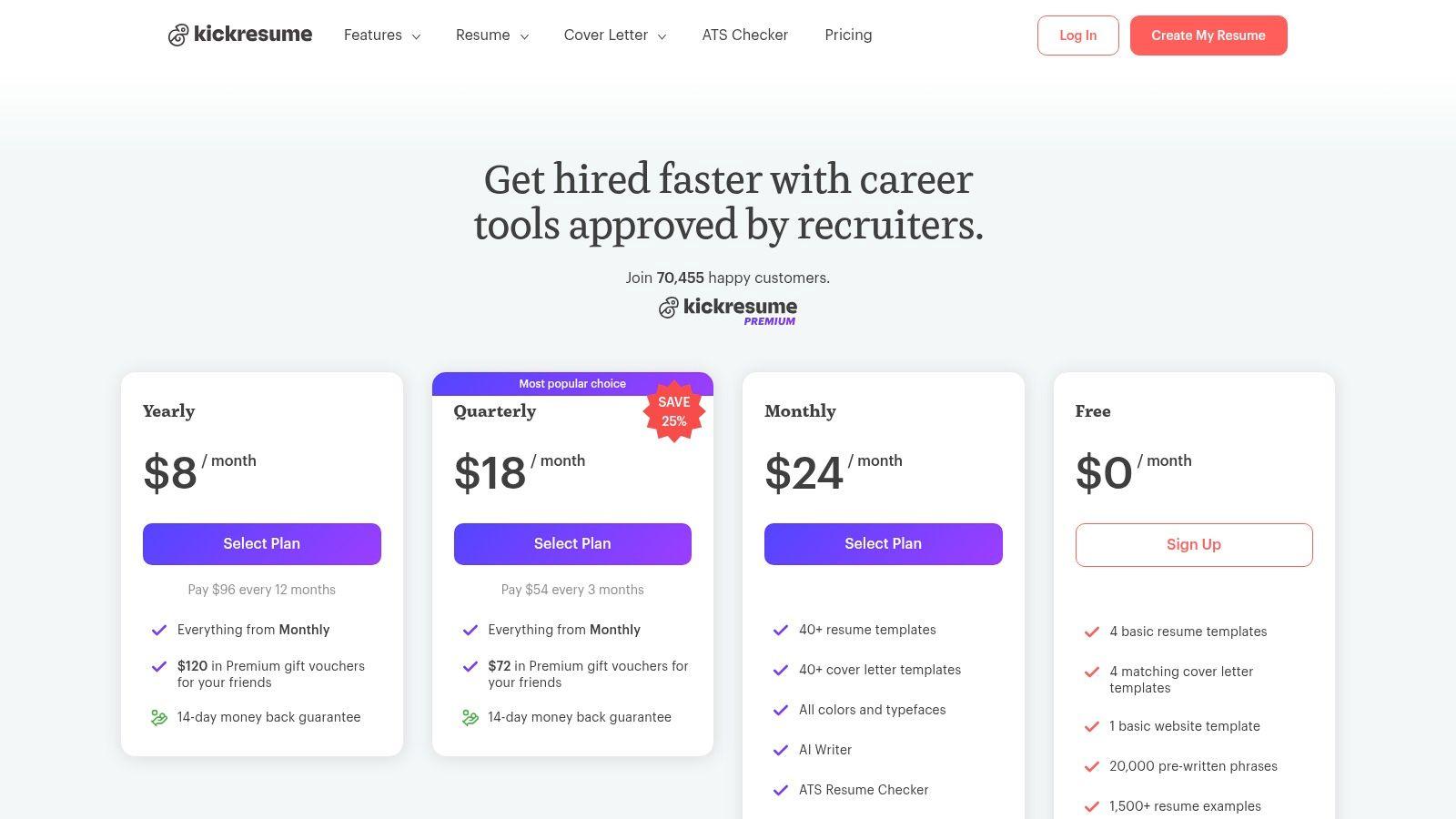
Kickresume gives you a broad resume-building stack, but its appeal is bigger than templates. It includes AI resume and cover letter writing, an ATS checker, mobile apps, and a Career Map that suggests possible next roles based on your profile. That makes it a good fit for candidates who want resume creation plus some directional career support.
A useful bridge between writing and planning
Kickresume is especially practical if you’re starting from scratch or moving between devices. The AI resume writer can generate a first draft quickly, and the template library is broad enough to support different presentation styles. Its mobile apps also make it easier to tweak content without sitting down at a desktop every time.
The Career Map feature is where Kickresume goes beyond most builders. Instead of only helping you polish the current application, it introduces a more directional layer, which can be useful if you’re not sure what role comes next. That’s a different problem than ATS optimization, but it fits the same audience of active job seekers.
The main caution is the usual one for visually flexible builders. If you overuse customization, you can drift away from the clean, machine-readable structure older ATS systems prefer. That doesn’t make Kickresume risky by default. It just means the strongest results come from using the visual tools lightly and exporting with care.
Website: Kickresume pricing
7. Novorésumé
Novorésumé stands out because it keeps the billing model simple and the templates conventional. That’s useful for candidates who want a dependable, globally usable resume builder without signing up for a subscription that renews automatically. The product feels less like a growth loop and more like a clean utility.
The right choice for conventional resumes
The AI-powered editor and structured templates make Novorésumé easy to use for standard professional applications. The free plan is limited to a one-page resume, while Premium opens multiple versions and cover letters, so the product nudges users toward clarity and brevity. That can be a strength if you’re targeting employers that expect conventional formatting.
Its strongest differentiator is billing transparency. The no automatic subscription approach is appealing for job seekers who want to pay once, use the tool, and move on. That’s not a feature flashy enough to dominate marketing copy, but it matters when you’re in a job search and don’t want to manage another recurring charge.
The downside is that the free plan is constrained, and regional pricing can vary. Still, if your priority is a straightforward resume with a global look and minimal design risk, Novorésumé does that job well. It’s a conservative choice, and in this category, conservative can be an advantage.
Website: Novorésumé
8. Zety
Zety is built for people who want guided prompts and quick access to export formats during a short trial. It’s a mature builder with AI writing help, a resume checker, and job-match recommendations, which makes it easy to move from blank page to submission-ready document without much setup friction.
Fast access, but watch the renewal
The appeal of Zety is how quickly it gets you to a usable file. The 14-day Pro trial opens full downloads and features, and the builder supports TXT, PDF, and Word on paid tiers. That makes it handy when you need a short burst of creation and export capability rather than a long-term workspace.
The checker and job-match suggestions add just enough structure to keep the resume from becoming generic. That matters because AI-generated content tends to flatten unless you keep feeding it real experience and specific evidence. Zety helps with the process, but the quality of the output still depends on how carefully you edit it.
The caution is billing. The trial auto-renews at $25.95 every 4 weeks if you don’t cancel, so it’s a tool where attention to dates matters. For people who want a polished resume fast and are disciplined about subscriptions, Zety can be useful. For anyone who tends to forget renewal windows, it’s a poor fit.
Website: Zety pricing
9. Jobscan
Jobscan is the most focused ATS optimization tool in this list. It’s built around the idea that resumes often fail before a human sees them, so the product centers keyword matching, score breakdowns, and structured improvements. If you want the most direct route from job description to ATS-aligned resume, Jobscan is hard to ignore.
The workflow is built around match quality
Jobscan’s AI Resume Coach asks structured questions and helps refine bullets and summaries, while the AI Optimizer focuses on tailoring to a specific posting. That lines up with how ATS matching works, since keyword alignment is central to whether a resume surfaces relevant terms from the job ad.
The free builder is a real advantage here because you can create and download without getting trapped behind an immediate paywall. That’s important for users who want to test the workflow before paying, or for candidates who need a one-off optimization pass rather than a full subscription.
Practical rule: if the role is highly keyword-driven, start with Jobscan, not a more decorative builder.
Jobscan is less about aesthetics and more about signal quality. That makes it excellent for people who already know they need ATS help and don’t want distractions from design layers. Its native job-search tools are limited, but that’s also what keeps the product focused. It does the optimization part well, then gets out of the way.
Website: Jobscan AI resume tools
Internal entry-level page: Entry-level remote roles in JobGlance
10. WonsultingAI ResumAI
WonsultingAI is less a resume builder than a broader job-search AI suite. ResumAI handles resume creation and bullet generation, but it sits alongside InterviewAI, CoverLetterAI, NetworkAI, and JobTrackerAI, which makes it attractive if you want one subscription to cover the application cycle more broadly.
Useful if you want one AI stack for the whole search
ResumAI’s score breakdown is the key piece for resume work because it gives you a way to see where the document needs improvement. Combined with unlimited AI generations on Premium, it can support repeated revision cycles without constant micromanagement of usage limits. That’s useful when you’re tailoring for many roles in sequence.
The broader suite is the bigger draw. If you want help drafting cover letters, organizing applications, and preparing for interviews in the same account, WonsultingAI gives you that. The downside is that the full value sits behind Premium, so it’s better viewed as a subscription ecosystem than a light free tool.
This kind of platform works best for users who value convenience over specialization. It won’t replace a dedicated ATS tester or a job-matching platform, but it can reduce the number of separate tools you need to juggle. For people who want broad AI assistance across the search, that consolidation is the point.
Website: WonsultingAI pricing
Top 10 AI Resume Builders Comparison
| Product | Core features | ATS / Match & AI | Quality ★ | Price & Value 💰 | Target & USP 👥✨ |
|---|---|---|---|---|---|
| JobGlance 🏆 | 50k+ aggregated jobs; real-time Smart Match; visa & work‑from‑anywhere filters; Chrome ext ✨ | Resume-scored 0–100; ATS Resume Builder; AI Toolbox (cover letters, company research) ✨ | ★★★★★ (Ext 4.8/5) | Free tier + Pro $12.99/mo ($10.39 qtr) 💰 | 👥 Intl & globally-remote jobseekers · ✨ dynamic ranking + visa/WfA first-class filters |
| Rezi | AI resume writer/editor; Rezi Score (23 checks); keyword targeting | Strong ATS-first scoring; per-job tailoring ✨ | ★★★★☆ | Free tier; Pro for unlimited exports/downloads 💰 | 👥 ATS-focused applicants · ✨ granular scoring & keyword alignment |
| Resume.io | AI resume generation; ATS-friendly templates; career intelligence & public URLs | Metered AI actions; ATS-safe templates | ★★★★ | Free (limited) + Pro for unlimited AI actions 💰 | 👥 Quick PDF creators · ✨ skills & salary context |
| Teal | AI resume bullets & cover letters; JD match score; job tracker & templates | Resume keyword matching; Match Score + ATS checker ✨ | ★★★★ | Free + Teal+ for unlimited features 💰 | 👥 Job-search workflow users · ✨ integrated tracker + templates |
| Enhancv | Design-forward templates; one-click tailoring; ATS checks | One-click tailoring to JD; real-time checks ✨ | ★★★★ | Subscription (region-based); short-term options 💰 | 👥 Design-conscious applicants · ✨ polished, tailorable CVs |
| Kickresume | AI resume & cover letters; mobile apps; Career Map; many templates | ATS checker; unlimited downloads on free basic tier ✨ | ★★★★ | Generous free plan; affordable Premium tiers 💰 | 👥 Students & mobile users · ✨ Career Map & broad template/lang support |
| Novorésumé | Structured, conventional templates; AI editor; non-subscription Premium | ATS-friendly editor; limited free one-page | ★★★★ | One-off Premium pricing (no auto-subscribe) 💰 | 👥 Traditional/global applicants · ✨ transparent billing & clean templates |
| Zety | AI writing help; resume checker; job-match suggestions | Guided prompts; exports on paid tiers | ★★★★ | Low-cost 14‑day Pro trial; auto-renews if not canceled 💰 | 👥 Short-trial users · ✨ quick guided creation |
| Jobscan | ATS optimization specialist; AI Resume Coach; JD optimizer | Deep JD-tailoring & match-rate improvements ✨ | ★★★★★ | Free builder & downloads; paid for advanced AI 💰 | 👥 ATS-priority applicants · ✨ industry-leading ATS guidance |
| WonsultingAI (ResumAI) | ResumAI + InterviewAI + CoverLetterAI + JobTrackerAI | Resume scoring; unlimited AI on Premium ✨ | ★★★★ | Free limited plan; Premium for unlimited generations 💰 | 👥 End-to-end prep seekers · ✨ all-in-one AI job toolkit |
Turn the Draft Into a Verified Application
The best choice depends on which part of the workflow is slowing you down. If you need ATS analysis and tailoring, Rezi and Jobscan are the sharpest fits. If you need job tracking, Teal and WonsultingAI go wider. If you want design, Enhancv and Kickresume are more flexible. If you want free exports and a straightforward build process, Resume.io, Novorésumé, and Jobscan each offer a different version of that path. If you want a resume builder tied to the rest of the search, JobGlance is the most integrated option because the resume, job match, visa filter, remote filter, company research, and application tracking all sit in the same workflow.
The workflow itself should stay disciplined. Keep one factual master resume with every role, metric, tool, and project you can defend in conversation. Then paste the target job description into the builder you chose and use the AI to surface keywords, structure, and phrasing. Don’t accept any bullet that you can’t support with real experience, because the best builders still need human verification to avoid generic or overstated claims.
After that, run the draft through an ATS checker and inspect the export as a selectable-text PDF or DOCX. That step matters because ATS guidance consistently favors a single-column layout, machine-readable formatting, and selectable text over design-heavy or image-based files (ATS layout guidance, text-selectable export guidance). If the PDF looks good on screen but behaves like an image, the file can still fail downstream.
Privacy deserves a review before you upload sensitive information. Some tools are explicit about browser-local storage or no training use, while others are less transparent. JobGlance is notable here because it says the resume stays in the browser for matching and isn’t used to train models, and its extension pipeline never leaves the browser. For candidates applying internationally, that combination of privacy, visa filters, and job-match scoring is unusually practical, especially when you’re looking at visa sponsorship roles, remote opportunities, or trying to understand a role through JobGlance Role Insights.
The final rule is simple. Tailor only the keywords and evidence the posting supports, keep the file readable by older ATS stacks, and use AI to speed up the work, not replace your judgment. If you want a tool that connects resume building to job matching, application tracking, and global filters in one place, start with JobGlance and then compare it against the narrower builders based on the one job you’re trying to land right now.
If you want an ai resume builder that connects drafting, ATS-ready formatting, job matching, and global search in one workflow, visit JobGlance. It’s built for international and remote candidates who need the resume to do more than look polished. Start there if you want a practical system for finding roles, tailoring fast, and submitting with more confidence.
Keep reading


