Job Search Productivity: The Efficient Workflow Guide


On this page
Job seekers often treat applications sent as the main productivity metric, but that number is misleading. A more useful benchmark is conversion, because jobseekers average six applications per interview, and people who reach at least one interview have about a 37% chance of a job offer versus roughly 10% for those with no interviews (BLS analysis).
That gap changes the whole operating model. Job search productivity is not volume, it’s the rate at which qualified applications turn into interviews, and then into offers.
Rethinking Job Search Productivity
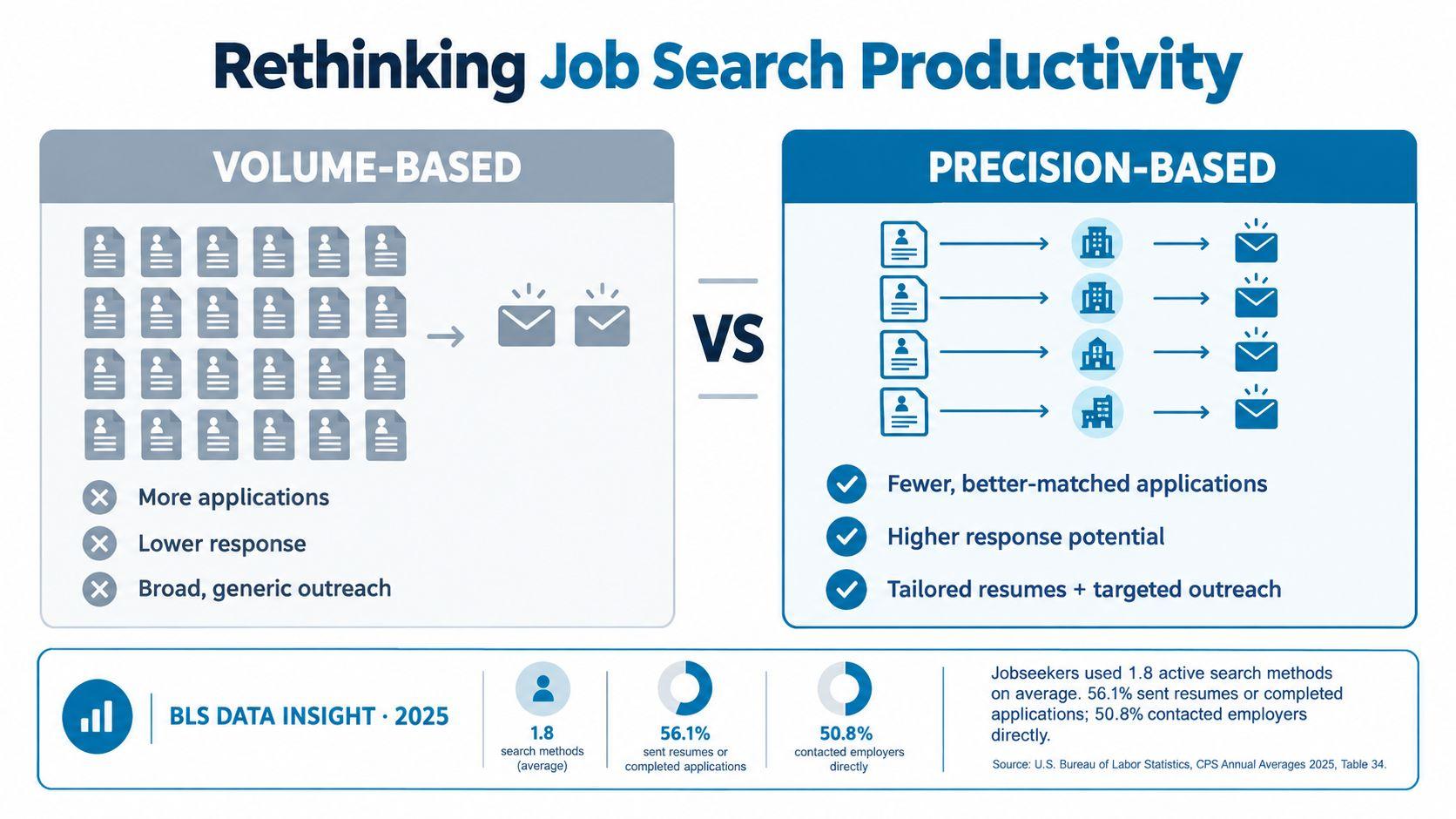
A high application count can look productive while producing little movement. The better measure is whether effort turns into qualified interviews, because that is the point where the funnel starts to change.
Volume hides weak targeting
If an average search requires six applications for one interview, then spraying applications across weak-fit roles is inefficient by design. Time gets spent on posts that are stale, misaligned, or outside your eligibility, while the headline count says almost nothing about progress.
A weekly plan should be built backward from the interview target. If the goal is two qualified interviews in a week, the search has to generate enough high-probability applications to support that outcome, not just fill a queue. That forces a shift in how time is allocated, from writing more submissions to selecting better ones.
The same logic applies to review quality. An application only counts as productive if it has a credible path to interview, because relevance is what creates conversion. Once the interview exists, the odds of an offer change materially.
Practical rule: if you cannot explain why a role is interview-worthy before applying, it is not ready for the time you would spend tailoring it.
What the metric should measure
| Metric | What It Measures | True Impact on Outcomes |
|---|---|---|
| Applications sent | Activity | Weak signal on its own |
| Applications that match your profile | Relevance | Better predictor of response |
| Interviews obtained | Funnel progress | Stronger link to offers |
| Offers received | End result | Final objective |
The table matters because it forces a conversion view of job search productivity. If a role does not improve the chance of an interview, it does not improve productivity.
Triage Your Opportunities Early
The cheapest application is the one you never start. Early triage cuts waste by filtering out roles that are structurally unavailable, especially when visa sponsorship or work authorization is the limiting factor.
Start with eligibility, not enthusiasm
A JobGlance analysis of listings found that only 4.1% explicitly stated sponsorship was available, while 61.5% didn’t mention sponsorship at all (JobGlance sponsorship analysis). That means a keyword search for “visa sponsorship” will miss a lot of ambiguity, and ambiguity is not eligibility.
Use dedicated filters first, then evaluate the role. If you’re searching internationally, separate “could be a fit” from “can I legally take this job” before you spend time tailoring anything. That same logic is standard in account research workflows, where you screen for fit and constraint before writing outreach, and the guide to prospect research for SDRs is a useful parallel for that kind of disciplined pre-qualification.
Filter for structural fit
- Authorization fit: Remove roles that clearly don’t fit your work-rights situation.
- Location fit: Exclude jobs tied to a country, city, or timezone you can’t meet.
- Recency fit: Avoid stale posts that are likely to waste a serious application.
- Role fit: Keep only positions that match your actual experience and evidence.
Triage improves job search productivity. You’re not narrowing the search to feel efficient, you’re preserving attention for applications that can realistically convert.
Use Smart Tools for Precision
Generic job boards optimize for volume. A tighter workflow ranks roles against your profile first, so the search shifts from collecting openings to identifying which ones can realistically become qualified interviews.
Use ranking before rewriting
JobGlance’s search model scores roles against a resume and reorders results as filters change. That matters because recency is a weak proxy for fit. A recent post that misses the core requirements should fall out of view quickly instead of consuming attention.
LinkedIn says 37% of job seekers are applying to more jobs than before while hearing back less, and 73% of HR professionals say fewer than half of applications meet all listed criteria (LinkedIn). The conversion problem is clear. More applications do not fix weak targeting, they usually increase low-signal work.
For role-specific context, see Product Manager openings ranked by fit.
Build the application only after ranking
- Run a fit-first search: Let the system sort the pool before you open tabs.
- Inspect the match score: Review missing criteria before you spend time.
- Generate targeted material: Use tools that tailor cover letters to the posting, not generic templates.
- Check company context: Review legitimacy and role quality before submission.
This sequence preserves effort for roles that already clear the first screen. Broad browsing creates noise. Matched search creates a shortlist with enough signal to justify writing.
Precision beats repetitive effort
The point is not to write for every opening. It is to avoid producing applications for roles that were unlikely to answer in the first place. When fit ranking and targeted materials are combined, each application becomes a deliberate attempt to convert a relevant match into a qualified interview.
Build a Unified Search Workflow
Fragmented tools create friction, and friction kills follow-through. The most efficient setup keeps discovery, screening, and customization in one loop so you’re not repeating the same assessment across different sites.
One system, two surfaces
The web app and the Chrome extension serve different parts of the same job. The web app is useful for scanning, ranking, and saving opportunities in a central workflow. The extension is faster for evaluating roles directly on career sites, because it carries the same match logic and sponsorship detection into the page you’re already reading.
That separation is practical. You don’t need to return to a separate dashboard every time you open a posting, and you don’t need to re-run the same judgment from scratch. A workflow standardization guide is a strong general reference for why reducing process variation makes execution easier to sustain.
Keep the same decision criteria everywhere, or your search becomes a series of one-off judgments.
Use the right tool at the right moment
- Web app: Best for broader search, sorting, and saved tracking.
- Extension: Best for fast triage on any job page.
- Magic Button: Best for immediate customization when a role already looks worth pursuing.
- Shared logic: Best for keeping your standards consistent across sites.
For remote searches, a dedicated page like remote roles by country is useful because it keeps the search narrow without forcing you back into a generic board. The point is speed with consistency, not speed with guesswork.
Track Applications Systematically
Once you apply, the work is not over. Without a tracker, you lose the ability to see whether weak outcomes come from bad targeting, weak materials, or a broken follow-up habit.
Record the full pipeline
A simple pipeline is enough: applied, viewed, interviewing, offer. The value is not the labels themselves, it’s the history behind them. If you can see how many applications are stuck before the interview stage, you can stop guessing.
A meta-analysis of 47 experimentally or quasi-experimentally evaluated job-search interventions found that participants exposed to structured interventions had 2.67 times higher odds of employment than control-group job seekers (meta-analysis). That doesn’t mean every system works the same way, but it does show that structure and accountability matter.
Use the data to diagnose bottlenecks
| Stage | Action Required | Optimization Tip |
|---|---|---|
| Applied | Submit the role-specific application | Track source and role fit |
| Viewed | Confirm the employer opened or reviewed it | Compare response by channel |
| Interviewing | Prepare for screening and technical steps | Review what common traits these roles share |
| Offer | Evaluate final-stage conversion | Learn which roles actually close |
A tracker turns job search into a feedback loop. If you’re sending a lot of applications and getting no interviews, the problem is upstream. If interviews happen but offers don’t, the issue is later in the funnel.
Sustain Productivity Without Burnout
A search process can be efficient and still fail if the candidate runs out of energy. The emotional cost matters because burnout changes judgment, and judgment is what decides whether an application is worth submitting.
Build a pace you can keep
Employ’s 2025 Job Seeker Nation survey found that 66% of respondents felt burned out from searching, while 70% expected to secure a job within only 10 applications (Employ survey). That mismatch creates a bad loop. People expect fast resolution, then keep applying in bulk when reality doesn’t match the expectation.
The fix is operational. Set stopping rules for the day, batch work into defined blocks, and step away before decision quality drops. A scheduling mindset works better than open-ended effort because it protects attention for the roles that actually deserve tailoring.
Treat the search like work, not a panic response
- Set search hours: Give the process a start and stop time.
- Batch similar tasks: Research in one block, tailor in another, follow up later.
- Pause after weak signals: If the week produces no interviews, review targeting before increasing volume.
- Use recovery time: Breaks help you avoid writing and applying in a depleted state.
For people managing stress over a longer search, how to stop burnout for students offers a useful parallel on protecting energy during sustained pressure. The principle is the same, if the system burns the person running it, the system is broken.
JobGlance combines ranking, visa and remote filters, tracking, and matching tools in one workflow, which makes it easier to focus on qualified interviews instead of endless browsing. If you want a search process built around conversion rather than volume, visit JobGlance and test it against your current workflow.
Keep reading


