Job Application Spreadsheet That Actually Works in 2026


On this page
A U.S. Bureau of Labor Statistics analysis found that job seekers submitted an average of 13.67 applications over two months and received 1.93 interviews, about one interview for every six applications (BLS analysis of job-search activity). A useful job application spreadsheet needs to do more than record company names and dates: it should help you check eligibility, preserve tailoring decisions, and keep follow-ups from slipping.
The distinction matters most when you’re searching across countries, job boards, and hiring systems. A row that says “remote” doesn’t tell you whether the employer will hire in your country, and a row marked “applied” doesn’t tell you whether your resume fit the role or the posting was still active.
Why a Job Application Spreadsheet Is a Measurement System
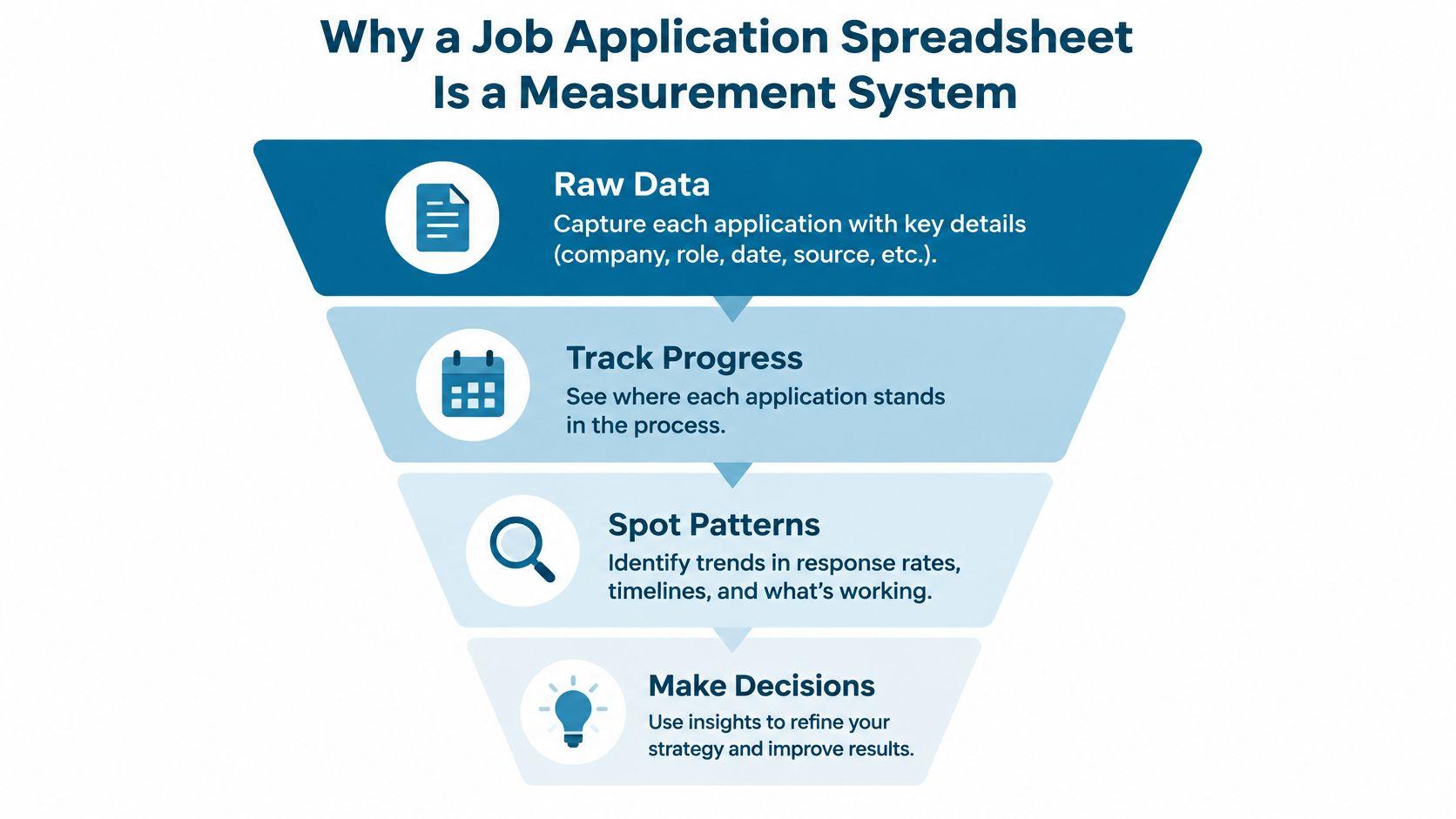
That BLS average turns a job search into a funnel worth measuring. Your spreadsheet should capture the applications you submit, the roles you’re eligible for, the evidence you used to tailor each application, the responses you receive, and how far each opportunity progresses. When you record only a date and a status, you get a diary. When you record those inputs consistently, you can start to see which choices are producing interviews.
A tracker should answer practical questions: Are roles with confirmed sponsorship evidence getting further than roles with unclear eligibility? Are applications using a role-specific resume version reaching interviews? How long are applications sitting at each stage before you decide to follow up or move on? Those are more useful than a raw application count, because they help you adjust your search rather than just doing more of the same.
Three gaps that turn a log into a system
Many basic templates stop at company, role, application date, and status. That leaves three important blind spots:
- Eligibility: “Remote” may mean remote within one country, not globally remote. Record the allowed work country, sponsorship status, and where you verified those details.
- Posting health: Silence isn’t proof that a role is fake or closed. Keep evidence about whether the listing still appears on the employer’s careers page and when you last checked.
- Tailoring evidence: Save the resume version and key requirements you addressed. Otherwise, you can’t reliably compare different approaches later.
Practical rule: A tracker should make the next decision easier. If a column doesn’t help you check eligibility, prepare an application, follow up, or understand an outcome, consider removing it.
For ideas on how different trackers organize job-search information, browse these examples of job tracker tools. Borrow a layout if it helps, but add the fields that make your own search auditable. The point isn’t to collect the most columns. It’s to keep enough trustworthy information to learn from each application.
Building the Header Row With Eligibility and Tailoring Evidence
Start with one row per distinct vacancy, not one row per website where it appears. Use a unique application ID built from the employer and requisition ID where available. When a listing has no requisition ID, use a consistent combination of employer, role, and job URL, then check for duplicates before submitting.
The core columns should make it possible to verify a role before you invest time tailoring. For international candidates, eligibility belongs near the front of the sheet, not buried in notes. Keep the evidence source and the date you checked it, since job wording and employer policies can change.
| Column | Purpose | Example value |
|---|---|---|
| Application ID | Helps prevent duplicate submissions | Northstar-Data-Analyst-REQ-42 |
| Employer and role | Identifies the vacancy | Northstar, Data Analyst |
| Job URL and requisition ID | Preserves the original listing | Employer career-page URL, REQ-42 |
| Posting and application dates | Supports review and follow-up | Date shown on posting, date submitted |
| Candidate location and permitted work country | Records where you can work from | Candidate: Spain, permitted: Spain |
| Sponsorship status and confidence | Separates confirmed evidence from assumptions | Confirmed, likely, unclear, incompatible |
| Sponsorship source and verification date | Shows what supports the eligibility label | Career-page text, checked date |
| Time-zone and relocation requirements | Captures practical constraints | Overlap required, relocation unclear |
| Resume version and cover letter variant | Records which materials you used | Product resume, tailored letter |
| Key requirements and resume evidence | Connects the listing to your experience | SQL, linked to analytics project |
| ATS knockout checks | Flags hard requirements before applying | Work authorization: unclear |
| Stage, outcome, and next-action date | Keeps the pipeline and follow-up current | Applied, follow-up date entered |
Use a controlled stage dropdown such as Applied, Recruiter Screen, Interview, Final Round, Offer, Rejected, Withdrawn, and Closed/Expired. Don’t mix “waiting,” “no response,” and “interview” into the same status field. Put the hiring stage in one column and your interpretation of posting health in another.
For evidence, a keyword isn’t enough. Mark sponsorship as confirmed only when the employer or listing explicitly supports it for your circumstances. If you can’t verify the allowed location or work authorization, use “unclear” and keep the source to recheck. Candidates looking specifically for sponsored opportunities can also use JobGlance’s visa-sponsorship listings as a discovery source, then verify each vacancy’s terms against the employer’s own listing.
Formulas and Smart Filters That Surface What Matters
A spreadsheet becomes operational when it calculates time and conversion consistently. Assume your columns are arranged as follows: application date in E, stage in N, interview date in O, offer outcome in P, and next-action date in Q. Adjust the references to match your own header row.
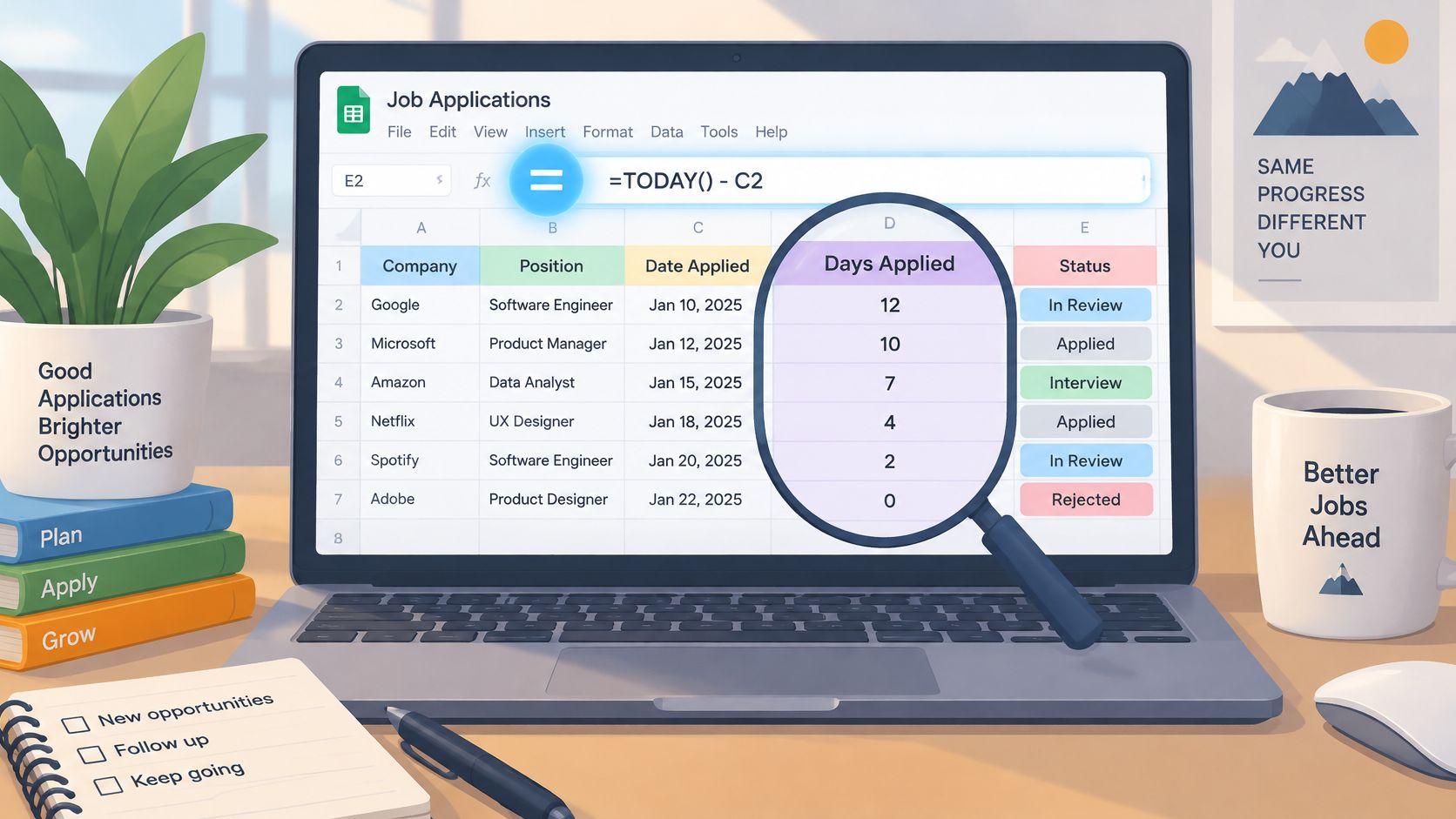
For days since applying, add a column with =IF(E2="","",TODAY()-E2). For days in the current stage, use a “stage entered” date column, then calculate =IF(R2="","",TODAY()-R2). Update that date whenever the stage changes. Without a stage-entry date, a sheet can show how old an application is, but it can’t tell you how long it’s been waiting at its current step.
Build a funnel view
A simple application-to-interview ratio is the number of applications that reached an interview stage divided by the number submitted. If your stage field uses consistent labels, a formula such as =IFERROR(COUNTIF(N:N,"Interview")+COUNTIF(N:N,"Final Round")+COUNTIF(N:N,"Offer"),0)/COUNTIF(N:N,"Applied"),0) can serve as a rough view. Adapt the denominator to your own data model, especially if each application keeps its original submitted status in a separate column.
For offer-to-interview conversion, divide offers by applications that reached an interview. A COUNTIF formula can count offers, while COUNTIFS can count rows where the stage is one of your interview states. Keep the definition stable over time. If you count recruiter acknowledgments as interviews in one period and exclude them later, the comparison stops being useful.
Filter the main sheet by next action date to see what needs attention today. Add conditional formatting for overdue actions, and use a separate stage-aging view sorted by days in stage, longest wait first. A configurable threshold is more useful than hard-coding a universal follow-up rule: hiring timelines vary, so base the reminder on the employer’s stated process and your own cadence.
Competition is another reason to track quality alongside volume. Greenhouse benchmark data summarized from more than 6,000 companies and 640 million applications reported an average of 244 applications per job in 2025, compared with 115 in 2022, and said 7.6% of applicants advanced past the first interview stage (Greenhouse benchmark summary). Those figures describe a broad market benchmark, not a target for every candidate. They make a case for reviewing fit and follow-up rather than treating each submission as equivalent. If your search includes globally remote roles, keep a separate view filtered by location eligibility, and explore JobGlance’s remote listings as one way to find roles to assess.
Picking the Right Platform for the Length of Your Search
Choose the platform around how you’ll use the tracker, not around a promise that one tool is universally superior. Google Sheets is a straightforward choice when you want an accessible shared sheet, familiar formulas, and simple export. Excel works well if you already manage data there or rely on tools such as Power Query. Both can handle a disciplined, single-table tracker.
Airtable suits candidates who prefer linking records for companies, contacts, and interviews, or who want a visual board alongside a table. The trade-off is extra setup: linked records and views help only if you’ll maintain them. Notion can work for people who want interview notes and job-search records together, but spreadsheet-style analysis may feel less direct than in Sheets or Excel.
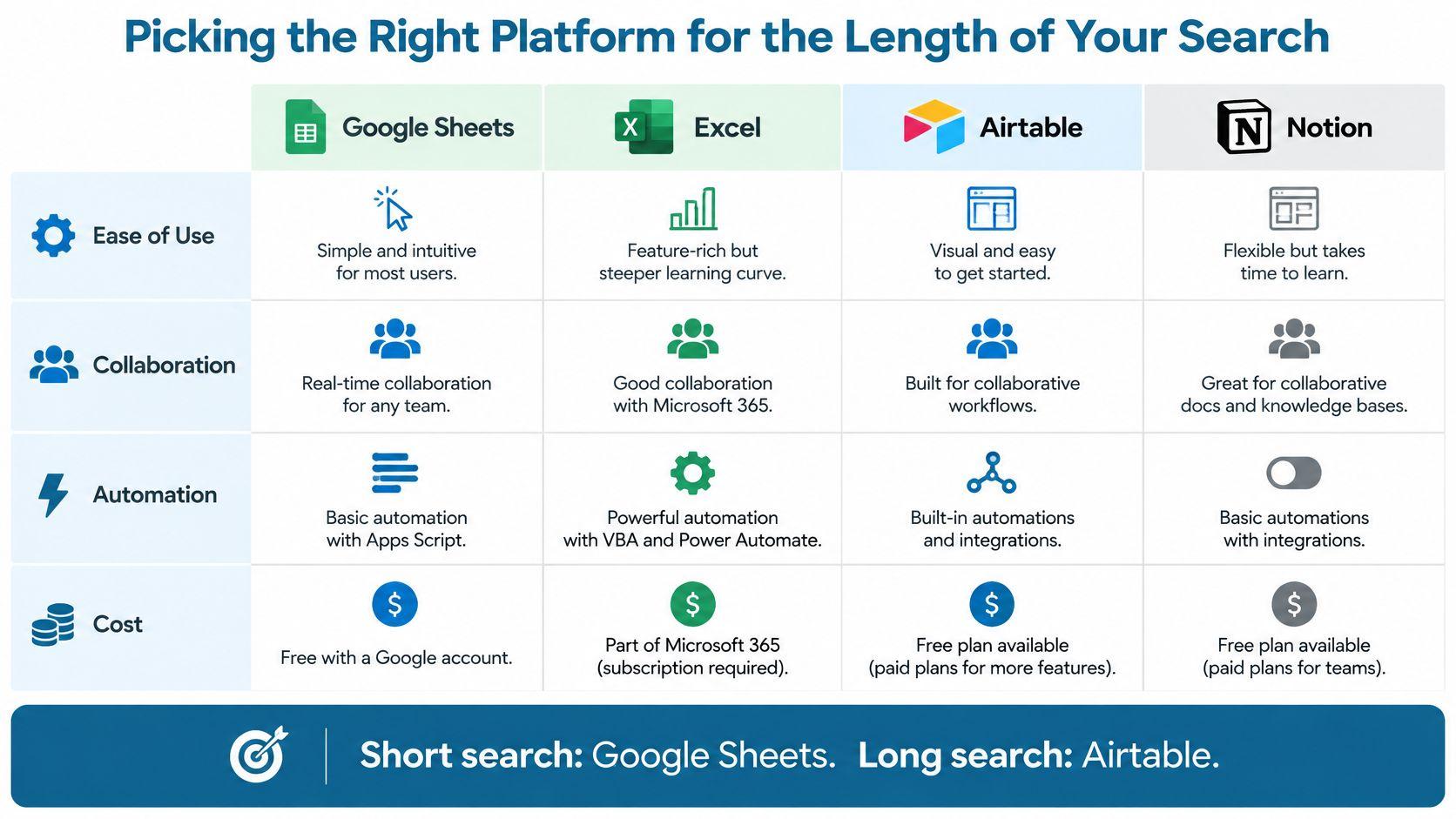
| Platform | Best for | Limitation |
|---|---|---|
| Google Sheets | A low-friction tracker with sharing, filters, and familiar formulas | Complex linked records need workarounds |
| Excel | Candidates who already use Excel and want deeper spreadsheet workflows | Collaboration can depend on how files are stored and shared |
| Airtable | A visual pipeline with related company and contact records | More structure to configure and maintain |
| Notion | Job records paired with rich interview notes | Funnel calculations may take more setup |
Choose for the work you actually do
Working alone and wanting to start quickly, use Google Sheets. If your existing workflow already lives in Excel, staying there avoids unnecessary migration. Pick Airtable when you need linked information, and Notion when detailed notes matter more than spreadsheet analysis.
The length of a search changes what you need to preserve. A short search may need only a clean table and follow-up view; a longer one benefits from a durable archive of application history, recruiter contacts, interview notes, and outcomes. You don’t need to migrate just because the sheet has grown. Move when maintaining the current structure costs more effort than rebuilding it, and export a clean copy before making the switch.
For candidates evaluating where to find remote vacancies, Virtustant Jobs’ guide to top remote sites offers another discovery resource. Whatever platform you use, keep the tracker’s core fields consistent so that changing tools doesn’t erase your eligibility and tailoring history.
Automation, Notifications, and Syncing With JobGlance
Automate the repetitive parts, but don’t automate away the checks that protect you from applying to an ineligible role. A useful setup can send a daily follow-up digest, flag stale applications for review, and import saved roles without retyping their descriptions. Begin with a reliable unique ID so an import updates an existing row instead of creating a duplicate.
For a Google Sheets reminder, an Apps Script can inspect the next-action date and email a digest of rows due today. Keep the script simple: read the header row, locate the next-action and employer columns by name, select rows with a matching date, and send one summary email. Test it on a copy of the sheet first, and don’t include sensitive application notes in an email if you don’t need them there.
Make imports safe to repeat
A saved-search feed can also trigger an automation through Zapier or another connector, adding a listing to Airtable or Sheets. Map fields such as employer, role, URL, location, and requisition ID, then use the unique ID to check for an existing record before creating a new one. A trigger that blindly appends every item will eventually clutter your pipeline with repeats or listings you already rejected.
For JobGlance, use the web app or Chrome extension to save roles, then export or import them through CSV where that option is available in your workflow. Preserve the role URL and any available match or eligibility signals as columns, and verify the sponsorship and work-location details against the employer’s listing before treating a role as viable. Use the same ID rule for imported and manually added rows; otherwise, the same vacancy saved from different places can split into separate records.
Automated reminders work best when they point to a clear action: follow up, verify the listing, prepare an interview, or close the record. Keep interview notes in the row or link to a separate document with a consistent identifier. Candidates who want a structured way to find interview memory cues can use them alongside the tracker, then record the interview’s date, stage, and promised next step in the same pipeline.
Handling Ghost Jobs, ATS Knockouts, and Stale Postings
A submitted application isn’t necessarily a live opportunity, and silence doesn’t tell you why you haven’t heard back. The spreadsheet should separate the employer’s recorded outcome from your inference about the posting. Use a posting-health field with labels such as Active, Uncertain, Stale, and Closed, and keep the evidence behind the label.
Record whether the vacancy still appears on the employer’s career page, whether you received an ATS confirmation, whether the posting has been reposted, and when you last verified it. A repost or missing reply can justify a recheck, but neither proves the employer has stopped hiring. The Congressional Research Service noted there is no official statistic measuring the scale of ghost jobs; a separate platform-data estimate put ghost postings at 18% to 22% in 2025 (summary of ATS and ghost-posting data). Treat that estimate as context, not a way to declare any silent application fake.
Add a verification date and a next-check date. If a role stays Uncertain through two checks, downgrade it rather than letting it inflate your active pipeline.
Track hard requirements before you submit
An ATS knockout can end consideration before a recruiter reviews your experience. Most large employers route applications through an applicant tracking system before human review, so treat hard requirements as fields, not vibes. Record the requirements explicitly and verify them against the listing before you submit.
Add fields for work authorization, permitted location, required certifications, degree requirements, experience requirements, and salary constraints where the employer specifies them. Set each to meets, does not meet, or unclear, and avoid marking a role eligible until you have checked the relevant evidence. If a requirement is unclear, decide whether to ask the recruiter or skip the application before spending time tailoring.
Your follow-up should reflect the evidence, not frustration. Recheck a role marked uncertain, follow the employer’s stated timeline when one exists, and close a listing when the employer confirms it is no longer active. Keep “no response” distinct from “rejected.” That separation protects your funnel from conclusions the available information can’t support.
The Four KPIs That Predict Offer Velocity
A tracker should produce a small set of useful indicators, not a dashboard full of numbers you never act on. Start with applications per week, application-to-interview ratio, average days in stage, and offer-to-interview ratio. Together, they show whether your pipeline has enough activity, whether your targeting is getting responses, where opportunities are stalling, and whether interviews are converting to offers.
Calculate applications per week from submitted dates grouped by week. For application-to-interview conversion, define which stages count as an interview and divide applications that reach those stages by applications submitted. Average days in stage should use the stage-entry date, not only the original application date. Offer-to-interview conversion compares offers with applications that reached an interview stage; keep the numerator and denominator definitions consistent.
Diagnose before changing your search
If applications are accumulating but interviews aren’t, first check whether you meet the location, authorization, and sponsorship requirements. Then compare resume versions and the requirements you mapped to each role. One large job-search dataset reported 5.75% application-to-interview conversion for customized resumes versus 2.68% for generic resumes, an observational relative improvement of 115% that shouldn’t be treated as a universal causal result (job-search dataset summary). Use your own tracker to test whether customizing is helping within comparable role families.
When a particular stage is aging, review the next-action date, recruiter contact, and promised follow-up rather than sending a generic message. If interviews aren’t becoming offers, examine interview notes and recurring skill or communication gaps before increasing application volume. International and remote candidates should also compare results by work-location eligibility and sponsorship confidence, because a low conversion rate can reflect mismatched requirements rather than weak application materials.
Early results are diagnostic, not a verdict. A small set of applications can reveal missing fields, duplicate records, or an unclear eligibility process, but it may not establish a reliable pattern. Use the data to improve how you classify and prepare applications, then revisit your conclusions as the tracker fills with comparable outcomes.
Run a practical tracker audit
Before adding more roles, check that each row has a unique ID, a source URL, an eligibility label with evidence, a resume version, a standardized stage, and a next action. Confirm that your formulas distinguish interview stages from acknowledgments, that rejection dates are captured, and that the stage-aging view sorts the records that need attention. Test one reminder and one import before relying on automation.
A common failure is not a lack of features. It’s inconsistent data: duplicate rows from multiple job boards, stage names that mean different things, missing rejection dates, or recruiter acknowledgments counted as interviews. Fix those habits first. Then use the JobGlance role listings to identify roles to evaluate, and feed the eligibility and tailoring evidence from each application back into your search decisions.
A job application spreadsheet works when each row helps you make a better next move, not when it stores a record of what you did. JobGlance combines job discovery with match and eligibility signals, which you can use alongside a tracker to focus on roles worth verifying and tailoring. Visit JobGlance to explore roles and build a more deliberate search pipeline.
Keep reading


