How to Use JobGlance
From installation to your first job match — everything you need to get up and running.
Desktop browsers only — not available on mobile
JobGlance is a browser extension. It cannot be installed on phones or tablets. You need a desktop or laptop computer with a Chromium-based browser. The most popular ones are:
 Google Chrome Recommended
  Microsoft Edge
  Brave
Brave  Opera
Opera Install JobGlance from the Chrome Web Store
It's free and takes about 10 seconds. Click below, then hit "Add to Chrome" on the store page.
 Add to Chrome — It's Free
No sign-up required
Add to Chrome — It's Free
No sign-up required Prefer to learn visually?
Watch a full walkthrough and see everything JobGlance can do.
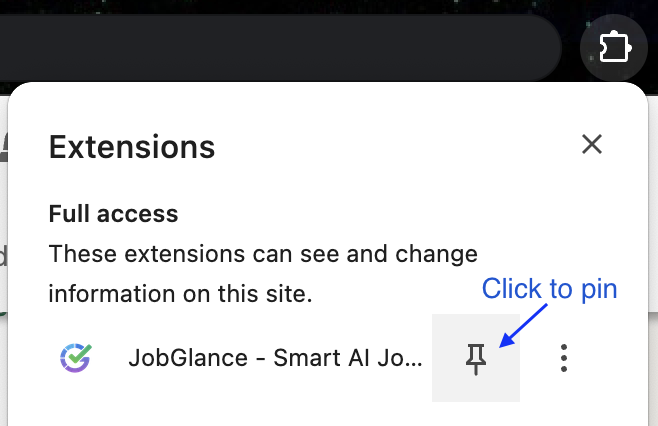
Pin JobGlance to your toolbar
Click the puzzle icon 🧩 → find JobGlance → click the pin 📌
So you can access it anytime from any tab.
Browse any job board — JobGlance activates automatically
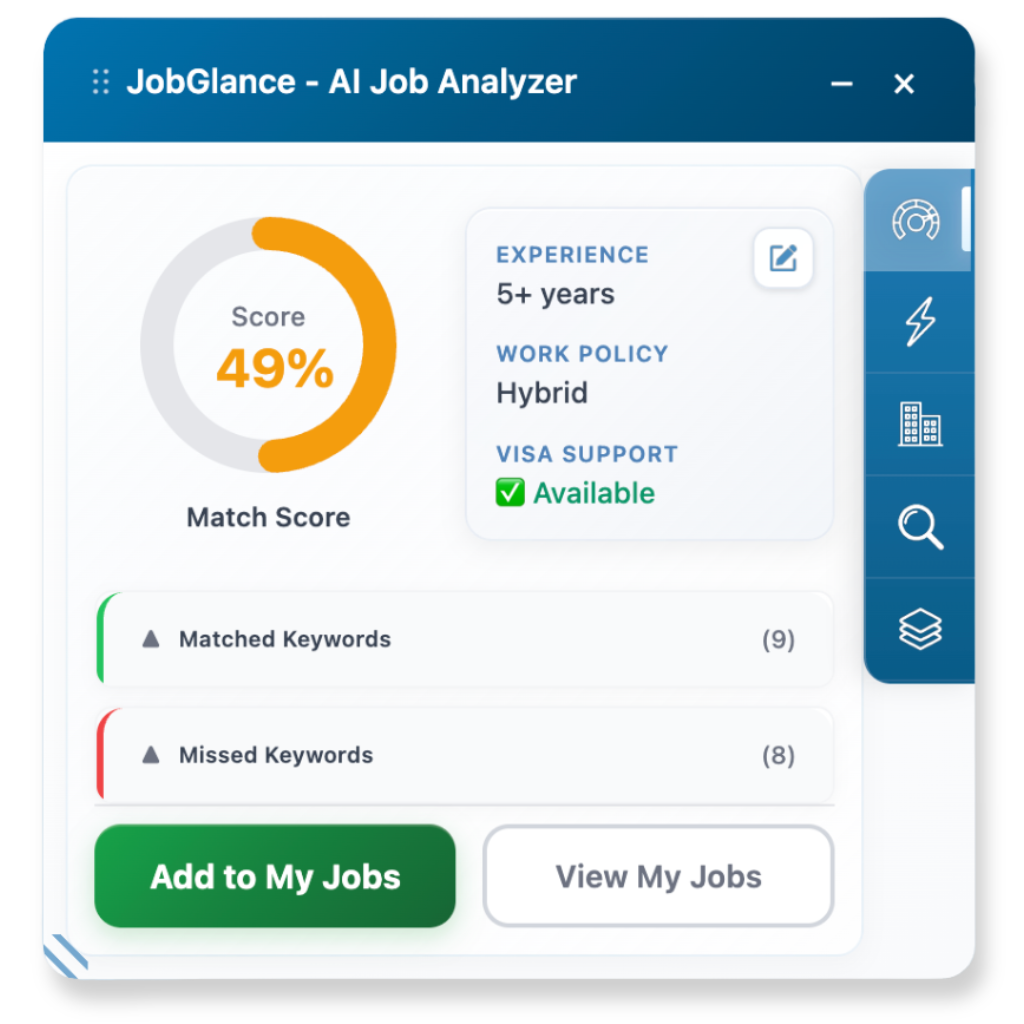
Visit any of these sites and JobGlance instantly analyzes job posts and shows insights right on the page.
💡 Quick tip: If JobGlance doesn't appear right away, refresh the page and it'll load instantly.



Want to use it on other sites?
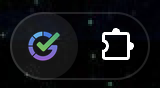
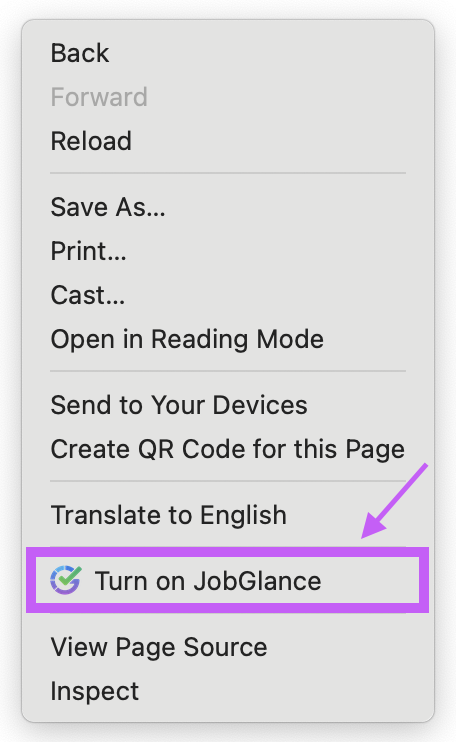
Just click the JobGlance icon or right-click → "Turn on JobGlance."
It'll scan and highlight jobs automatically. Works on ANY site!
Click the extension icon
Or right-click the page
Watch the full walkthrough
See every feature in action — from uploading your resume to matching jobs and highlighting keywords.
Still have questions? Visit our homepage for more details.
Get JobGlance Free